Chapter 5: File Management
ValProbe RT User Manual 58
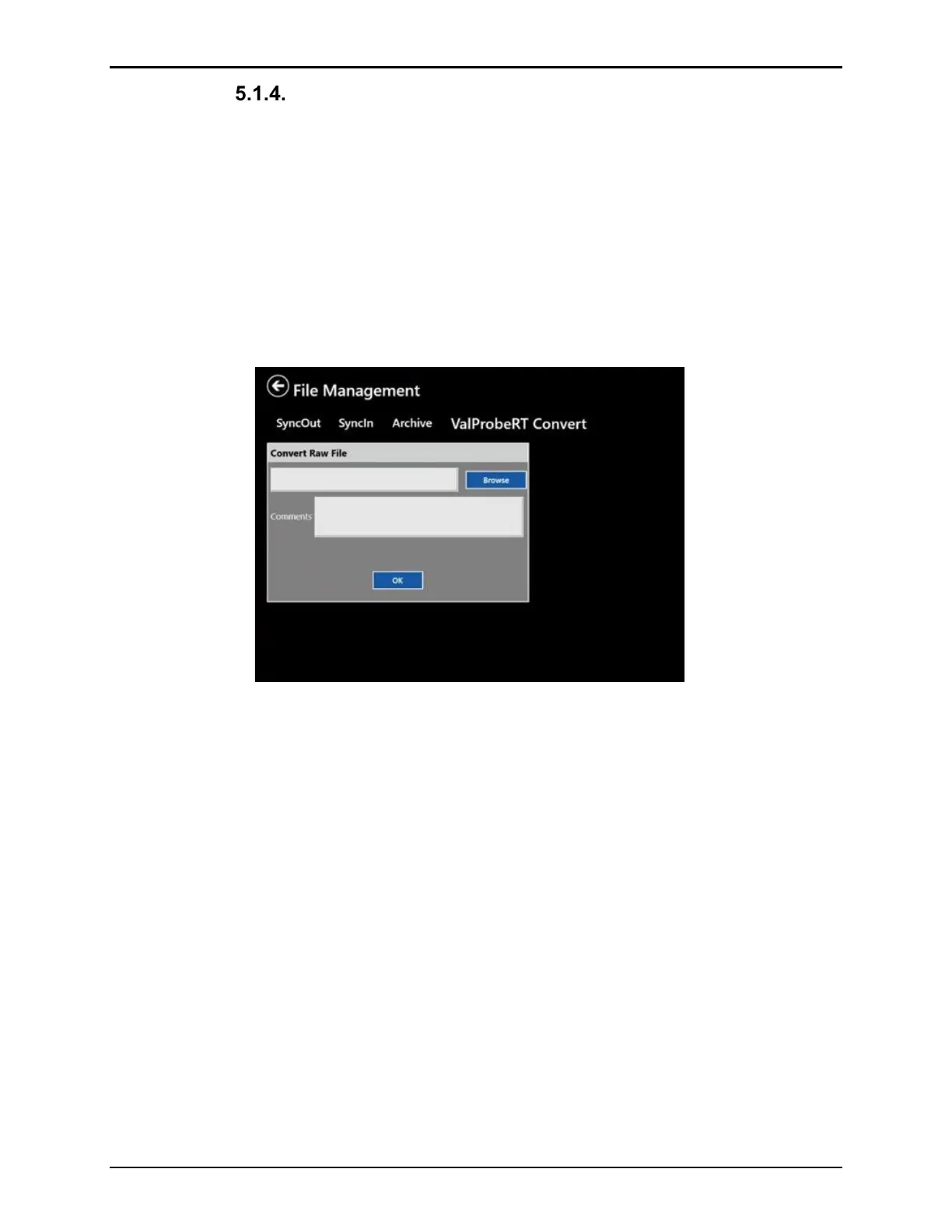
ValProbe RT Convert
The ValProbe RT Convert function imports single study files into the Asset system of the
console. Single study files may be copied to a disk from Asset details to import into another
console or sent by email. Also, the study files copied through the USB side port copies the
files in a single file format that needs to be imported into the ValProbe RT software.
Select a single data file in the browser, add a comment for easier identification if needed. If the
corresponding asset is not in the system, the software creates a new asset and setup file from
the information stored in the study file.
Note: If a Study file from an existing asset is selected, it merges the study file with the existing
files into the asset without duplicates.
Figure 77: ValProbe RT Convert
5.2. Using Mapped Drives for Sync Functions
The synchronization function is used to share data via a mapped drive to a server. Ensure that
the mapped drive is correctly mapped in the Windows console. Note the following to ensure
synchronization performs properly:
It is recommended to enter the server address as a plain IP address; a server name may not
work.
It is possible to use subfolders inside the mapped drive.
The system requires the service MappedDriveHost running in the background for sync
operations.



 To Next Page