Chapter 5: File Management
ValProbe RT User Manual 59
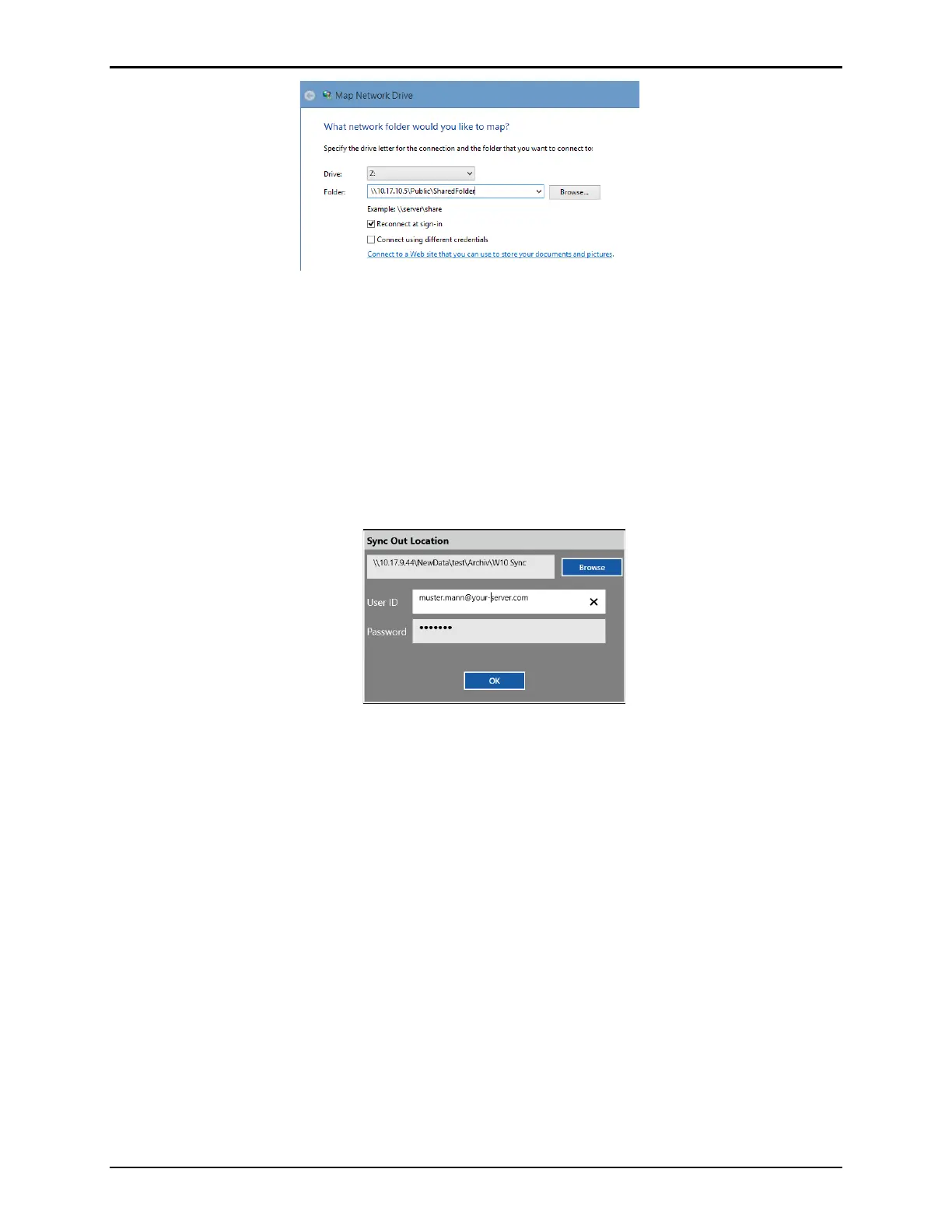
Figure 78: Windows – Mapping a Drive
When syncing from the software to a mapped location using the ValProbe RT software:
Browse to the mapped drive. It may be required to open the drive through the file explorer and
then entering windows credentials for access.
If credentials are required to login to the mapped drive, they are automatically requested.
Enter proper credentials for accessing the drive. When using a domain for security, add the
domain information after the Username with an @ extension as displayed in the figure below
(alternatively, the domain\User format is accepted).
Figure 79: Mapped Drive Login Credentials
The security setup to access a shared folder is dependent on each network environment.
There are several scenarios:
If the folder is accessible without restrictions, enter a random User and password, as empty
fields are not accepted. The random User and password are not used and discarded.
If the folder has User restrictions, enter proper User credentials to access the folder.
If the folder has a domain security policy. Enter the domain after the Username with an @
separating the Username and password. Some domains do not accept this type of
authentication and may require joining the console to the domain which copies all domain
security policies and Users to the console. Please contact your IT department for further
support.



 To Next Page