Chapter 9: Qualification Study
ValProbe RT User Manual 89
9.1. Real Time Off Study
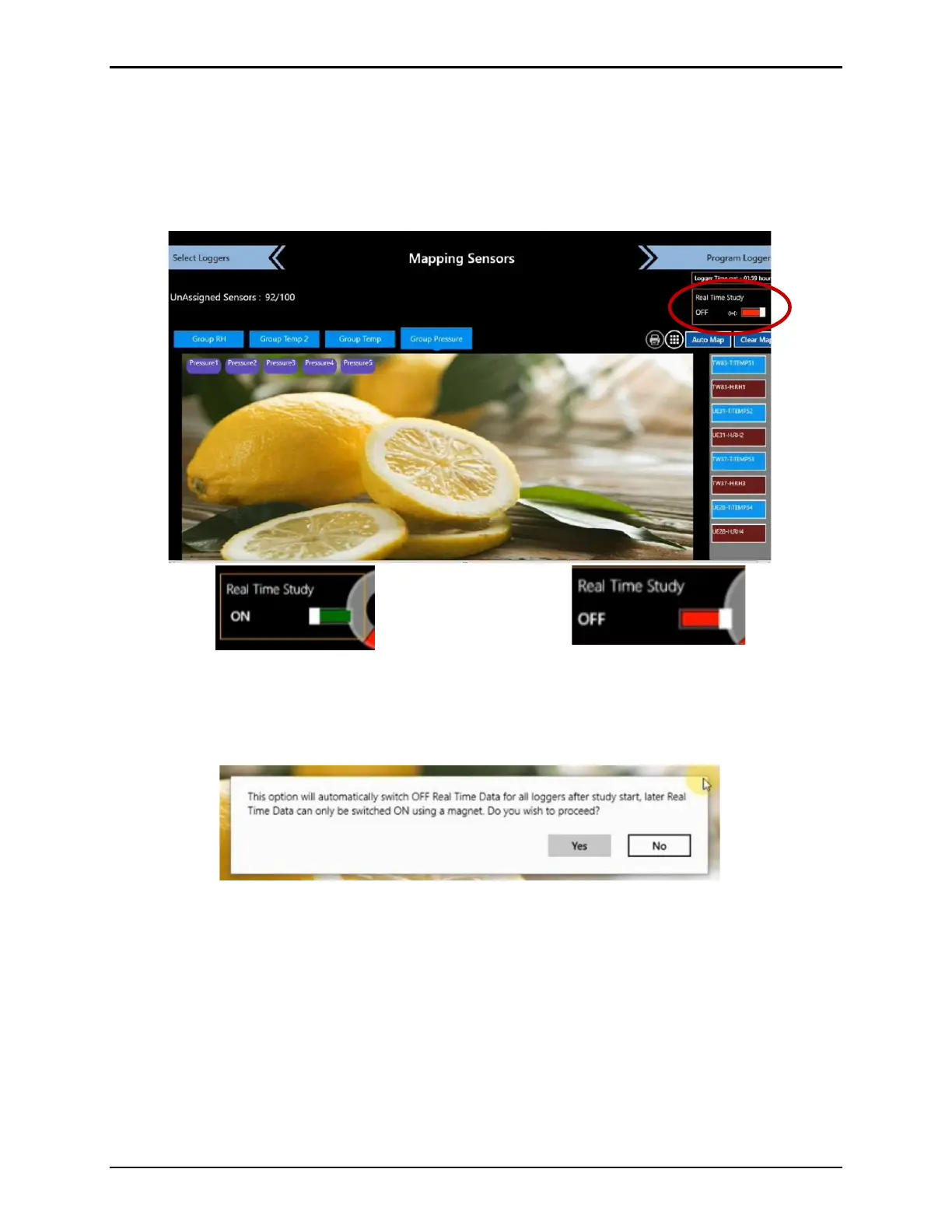
On the Mapping Sensors screen there is the option to turn Real Time Data off. Use this option
if you would like to run a study without the need to see data as it is recorded in real time. Move
the Real Time Study switch to Off by selecting the switch. When real time data is off, the
switch is red and begins to blink.
Figure 116: Real Time Study Switch
Select Program Loggers, a window opens prompting you with an acknowledgement that real
time data is off, select Yes to proceed.
Figure 117:Mapping Sensors - Real Time Data Off Prompt
The process is the same for real time Off and ON. Once all Loggers are programmed, select
Qualification to open the Qualification Screen. The upper right corner displays “Study Type:
Real Time Data Off” when real time data is shut off. However, the sensors display real time
data up until you select Start Qual.



 To Next Page