Chapter 9: Qualification Study
ValProbe RT User Manual 88
Selecting the Print icon opens a selection box to create a .pdf file of the current displayed
group overlay or all group overlays. These .pdf files can later be downloaded into the
Documents section of the Asset screen for future reference.
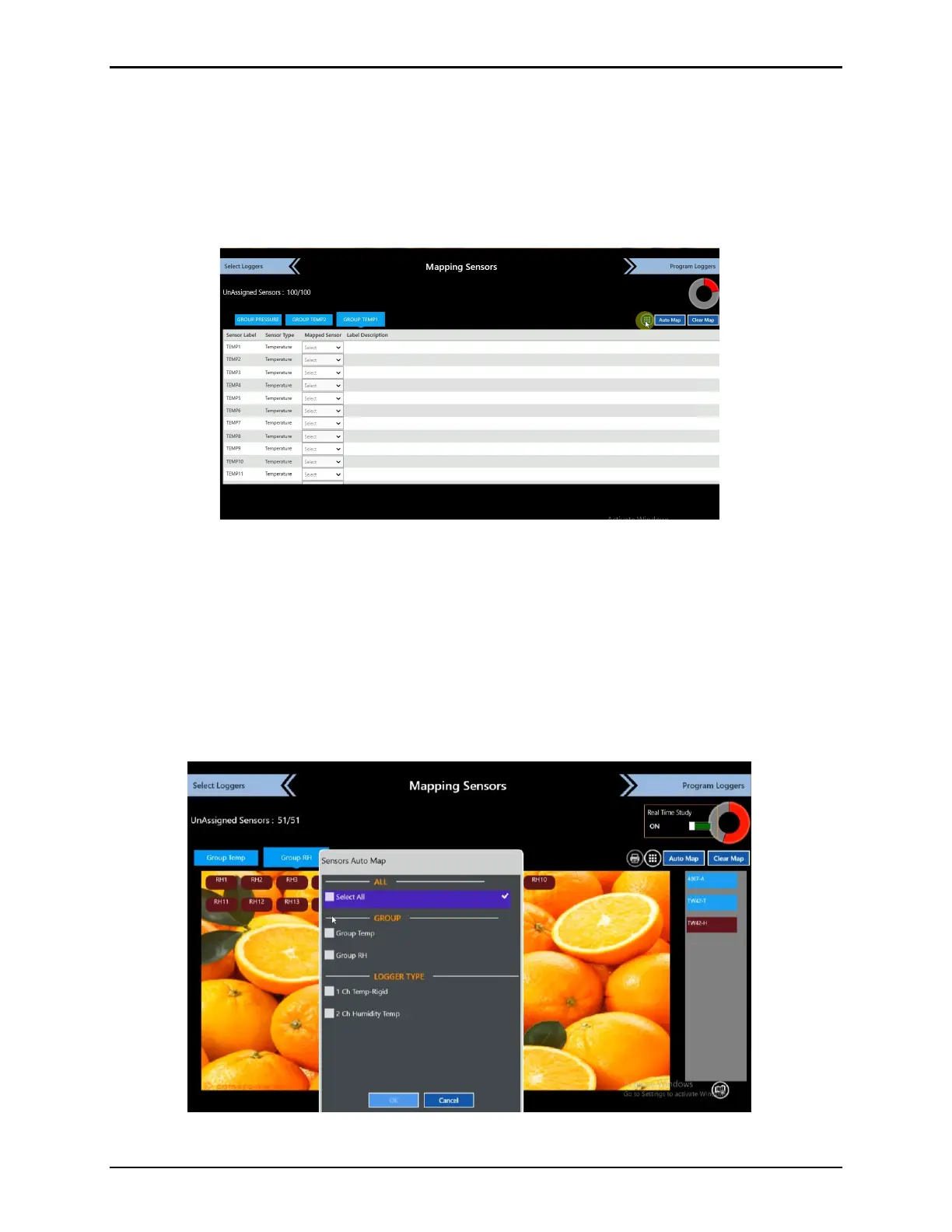
For an alternate method to map sensors, select the icon to the right of the Printer icon to
assign sensors from a tabular format, define or edit sensor descriptions, by selecting the
description field. Select the same icon to return to the Overlay view.
Figure 114: Mapping Loggers - List
9.1. Auto Mapping Sensors
Additionally, the ValProbe RT System can automatically select Loggers and then map or link
the specific Loggers and sensors to the Logger types defined in the Setup. To do this, select
the Auto Mapping button and then check either Select All or each individual group of sensors
and select OK. A combination of both manual and auto mapping is possible.
Use the Clear Map button to clear all group mapping and restart the process. Double select
any sensor to open a Clear button
Figure 115: Auto Mapping Sensors



 To Next Page