Chapter 2: Kaye ValProbe RT Hardware
ValProbe RT User Manual 18
Battery Estimator
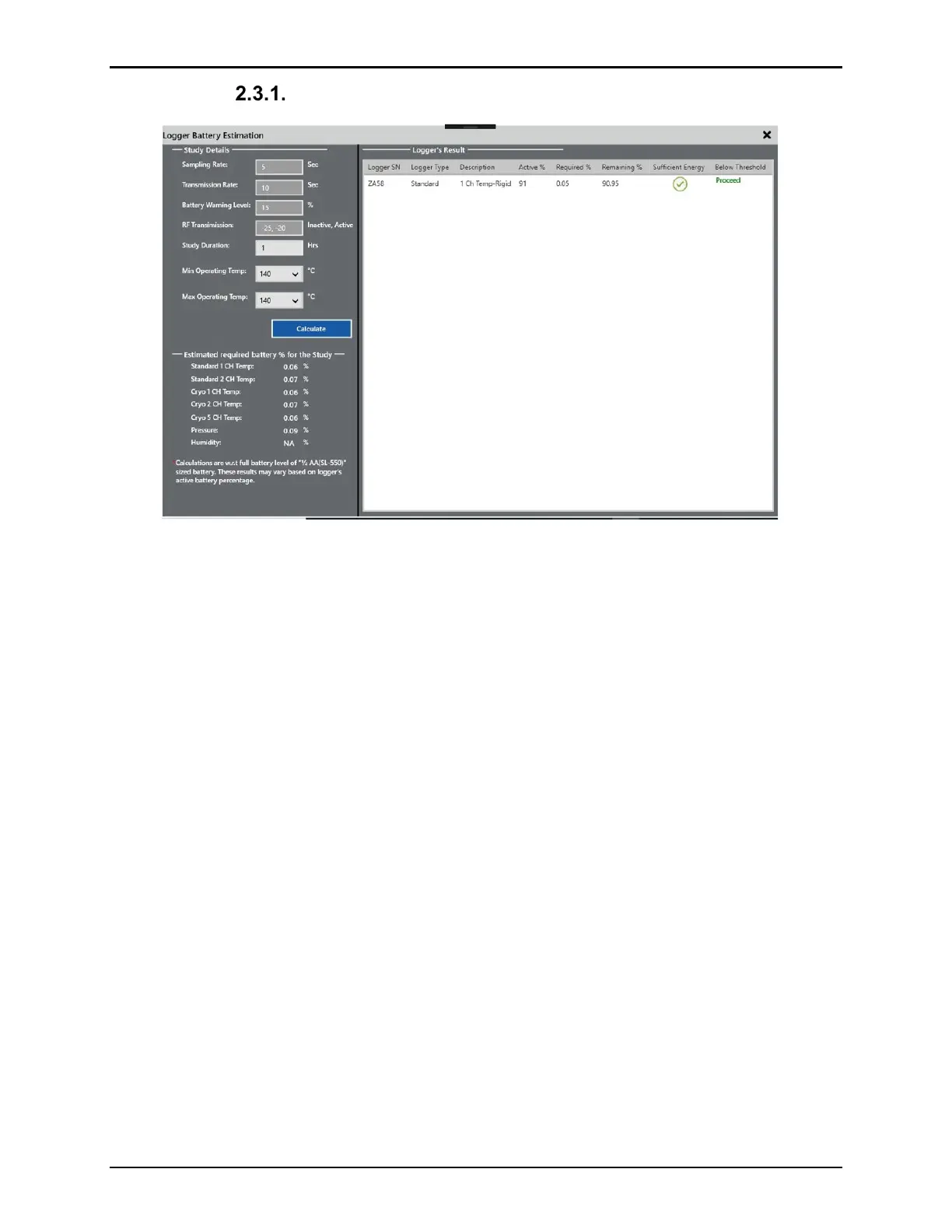
Figure 22: Battery Estimation Screen
The Kaye ValProbe RT software tracks each Logger's battery life to within 10% of a potential
low-voltage occurrence to help prevent interrupted or incomplete studies. When determining
the battery life remaining, the software bases its calculations on the assumption that the
battery can supply a predictable amount of energy (mAh) over the temperature range.
When the batteries are used in environments at room temperature or above, and the battery
life runs down to a fixed percentage, that remaining percentage is generally not available in
environments below room temperature due to battery chemistry. The battery life calculation is
accurate when a Logger is used exclusively for studies at or above room temperature, or
exclusively for studies below room temperature.
Kaye recommends replacing the battery when there is 10% battery life remaining. If the
battery life falls below 10%, the study may stop early.
• If the battery is fully drained or is removed, the study setup and data, as well as the
calibration information, are maintained in non-volatile memory inside the Logger.
• If the battery is fully drained during a study, the study is terminated at the point the
battery failed. Study data to the point of termination is stored in the Logger and read
once a new battery is installed.
• If a battery is fully drained after a study is complete, all study data is readable once a
new battery is installed.
• If changing the battery before a study is started, re-program the Logger. Although the
setup is maintained in non-volatile memory, the Logger needs to be programmed in
order to reset its clock.



 To Next Page