Chapter 3: ValProbe RT System Connections
ValProbe RT User Manual 32
Chapter 3. ValProbe RT System Connections
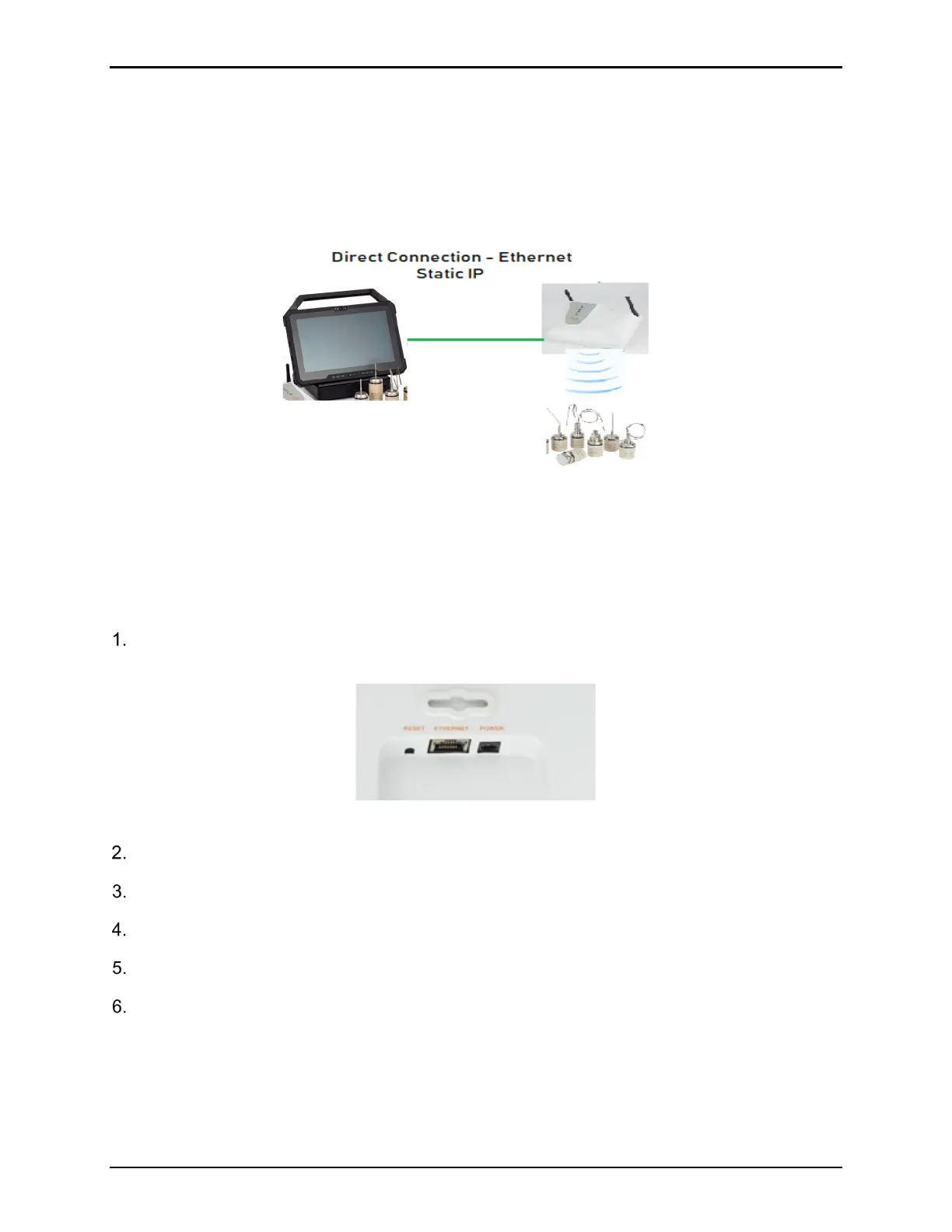
The ValProbe RT system provides two options for connection from a Base Station to a
Console /Docking Station: direct Ethernet connection via Static IP or network Ethernet
connection via DHCP.
3.1. Direct Ethernet Connection – Static IP
Figure 42: Direct Connection
The ValProbe RT Console and Base Station are factory configured for Direct Connection
mode. The Base Station is programmed with a Static IP address of 192.168.99.50. The
Console Ethernet adapter setting is set for a Static IP address of 192.168.99.55.
To connect via direct connection and verify system connectivity do the following:
Attach the supplied cross-linked Ethernet cable to the Ethernet connector located at the
base of the Base Station to the Ethernet connector located on the Docking Station.
Figure 43: Base Station Connection
Plug in the Docking Station to a power source.
Ensure the Console is in the Docking Station and press the Power button on the Console.
Power the Base Station and wait until the Power Led is solid green.
Log in and proceed to ValProbe RT software.
From the Main Menu of the ValProbe RT software select the Discover tile.
(If the Base Station is properly connected the Base Station blue tile appears and the Ethernet
IP address of 192.168.99.50).



 To Next Page