Chapter 11: Sensor Verification
ValProbe RT User Manual 112
You can filter Loggers or sort them by using the corresponding dropdowns on the right side of
the screen. To change the amount of time a selected Logger is awake, use the Logger
Awake For dropdown and select OK.
For additional information on a Logger, select it and then select the Logger Details button. To
proceed with the Verification study, click Sensor Information.
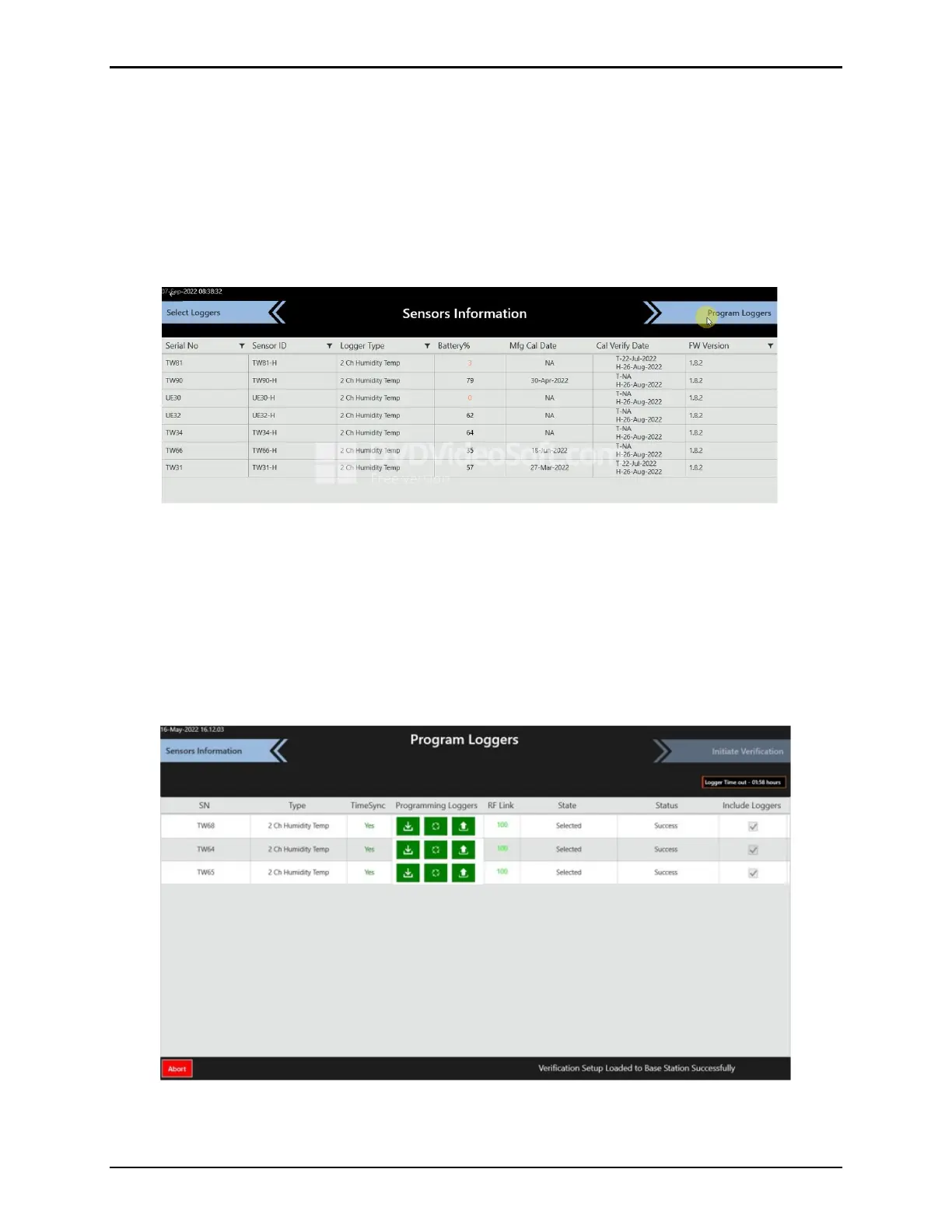
On the Sensor Information screen, ensure all Loggers selected are listed and then select
Program Loggers.
Figure 148: Loggers Listed
On the Program Loggers screen the Base Station receives the Verification Setup information
and sends it via RF to the previously selected Loggers. The programming of the Loggers is
completed when all three status icons are green. Wait until completed and the Initiate
Verification blinks yellow and select Initiate Verification
Note: Any unmapped Loggers will prompt a popup window asking for user confirmation on
how to proceed. Select Exclude Loggers and Continue to move forward with the
unmapped Logger excluded, or Re-map to remap the Logger and keep the Logger.
Figure 149: Program Loggers Screen



 To Next Page