Chapter 11: Sensor Verification
ValProbe RT User Manual 109
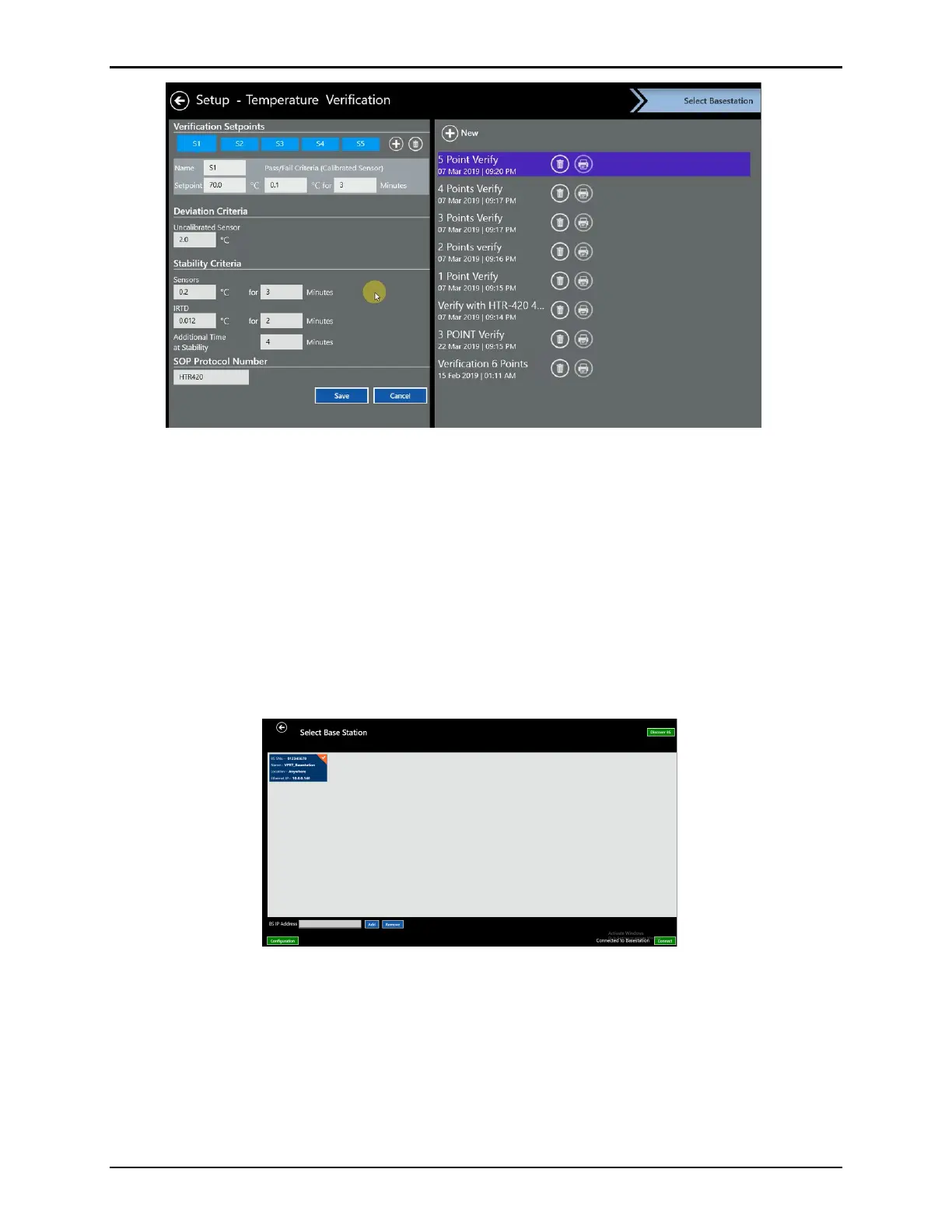
Figure 143: Select a Verification Setup from List
On the Select Base Station screen, select Discover Base Station, available devices are
displayed. If there is an issue during discovery, ensure that the Base Station and Validation
Console are properly connected
If no Base Stations are displayed check the connections and settings:
• If using direct connection using fixed IP, ensure the supplied ethernet cable is connected
directly from the Base Station to the Console docking
• If the System is on the network (DHCP), ensure the Console and Base Station are
connected via ethernet cables to the network via ethernet connections.
Select the desired Base Station tile, then select Connect.
Figure 144: Select Base Station



 To Next Page