Chapter 12: Qualification Reports
ValProbe RT User Manual 132
Pass / Fail Criteria – Template Definition
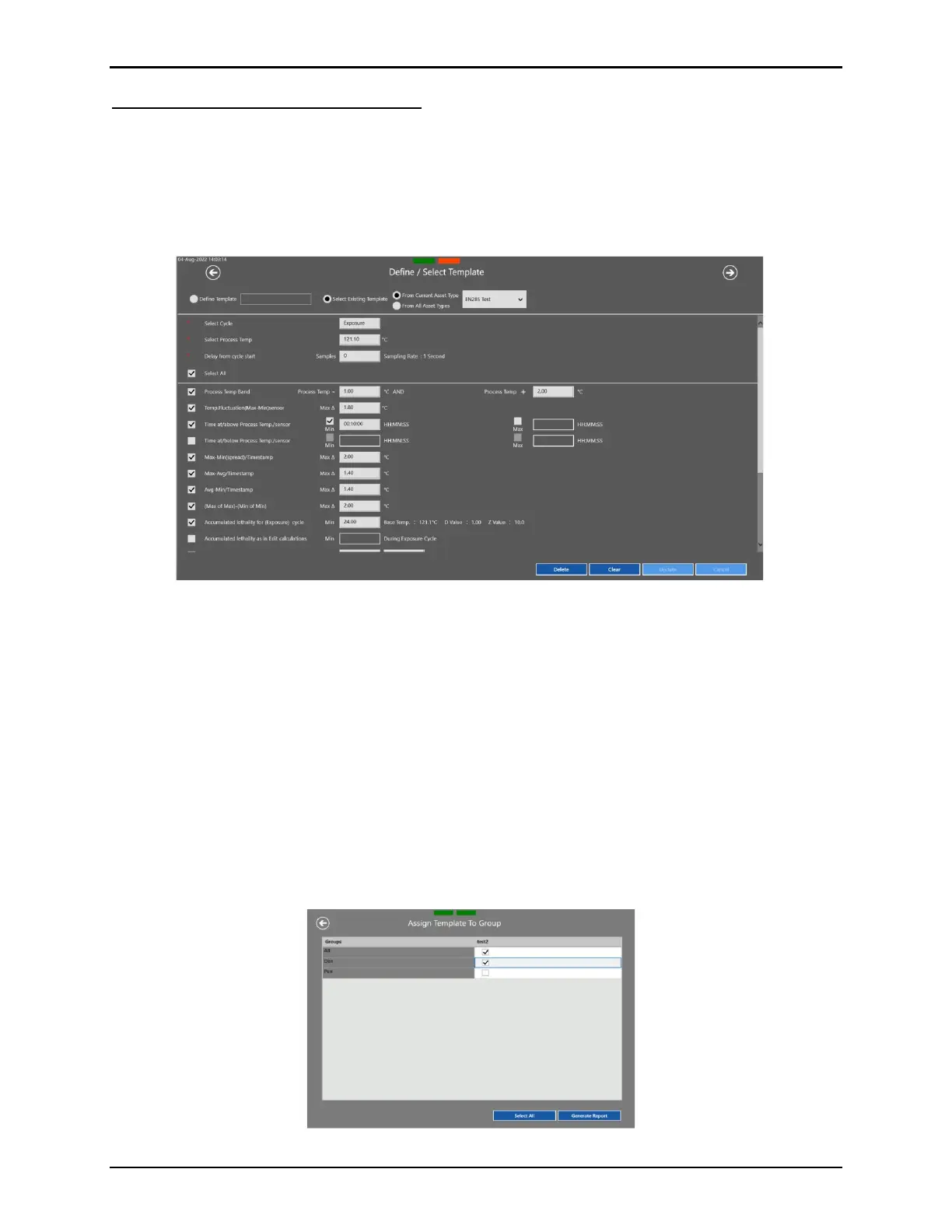
The Pass / Fail Criteria template screen allows the User to create and save new templates or to
select an existing template for generation of a report. The existing template selection can be limited
to similar asset types or selected from all available asset types. For each template, the User can
define the selected cycle, the process temperature, and the selected criteria they want applied and
analyzed.
Figure 168: Define / Select Template Screen
The template definition screen offers a total of up to 16 different criteria to select from. The
criteria are based on years of experience, as well as specific regulatory requirements from a
host of different processes (i.e., Sterilizers – EN285).
Users can create and save an unlimited number of Pass/ Fail Criteria templates which can
then be selected and run to analyze any Qualification study.
The User Management section of the software allows the Administrator to define access and
privileges associated with the creation and modification of the templates.
Once the template has been selected or defined the User can select which Groups to include
in the report and used for the analysis. Each Group of sensors has their own analysis and
report pages.
Figure 169: Template to Group Screen



 To Next Page