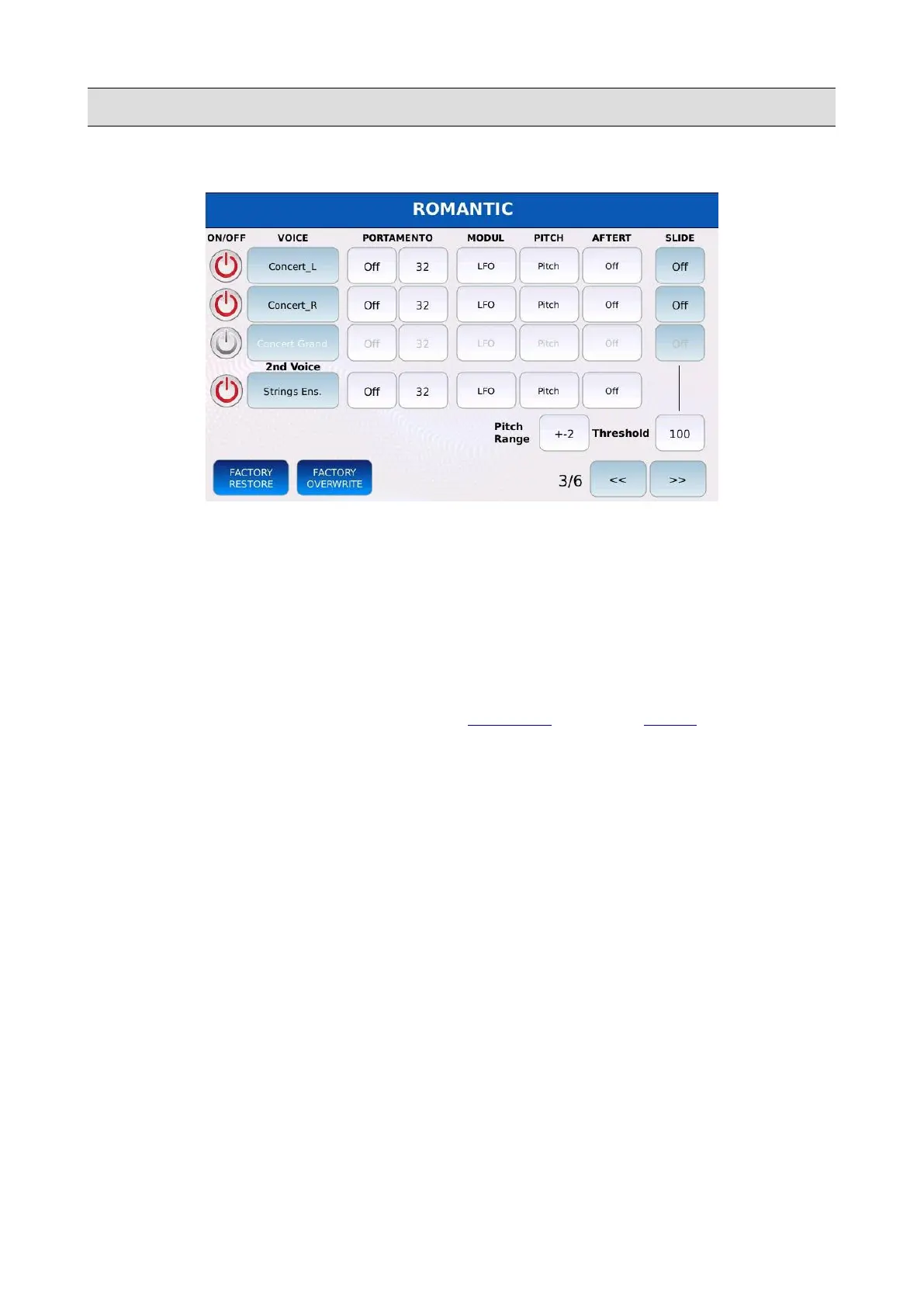
VOICE
Page 3
• PORTAMENTO ON/OFF: enables or disables the portamento for the layer. Portamento is a
pitch sliding between two consecutive notes. You can choose between:
◦ Off: portamento is disabled.
◦ Mono: portamento is disabled. The layer will become monophonic.
◦ Poly: portamento is enabled. The layer will become polyphonic. The portamento is
applied to every note.
NB: the portamento must be enabled in the CONTROL page of the MENU.
• PORTAMENTO TIME: adjust the rate at which the portamento slides the pitch between two
consecutive notes. Lower values means faster rates, higher values means slower rates.
Values ranges from 5 to 127.
• MODULATION: defines the Modulation Wheel (CC 01 MIDI messages) behaviour for the
layer:
◦ Off: moving the Modulation Wheel has no effect.
◦ LFO: the Modulation Wheel controls the depth of the LFO that is used to modulate the
pitch.
◦ Soft LFO: the Modulation Wheel controls the depth of the LFO that is used to modulate
the pitch. It has a reduced values range.
◦ Filter: the Modulation Wheel controls the cutoff frequency of the filter.
◦ LFO+Filter: the Modulation Wheel controls both the LFO depth and the cutoff
frequency of the filter.
• PITCH: defines the Pitch Wheel (Pitch Bend MIDI messages) behaviour for the layer:
78 - KETRON - LOUNGE



 To Next Page