2-24
Cutting (Drawing)
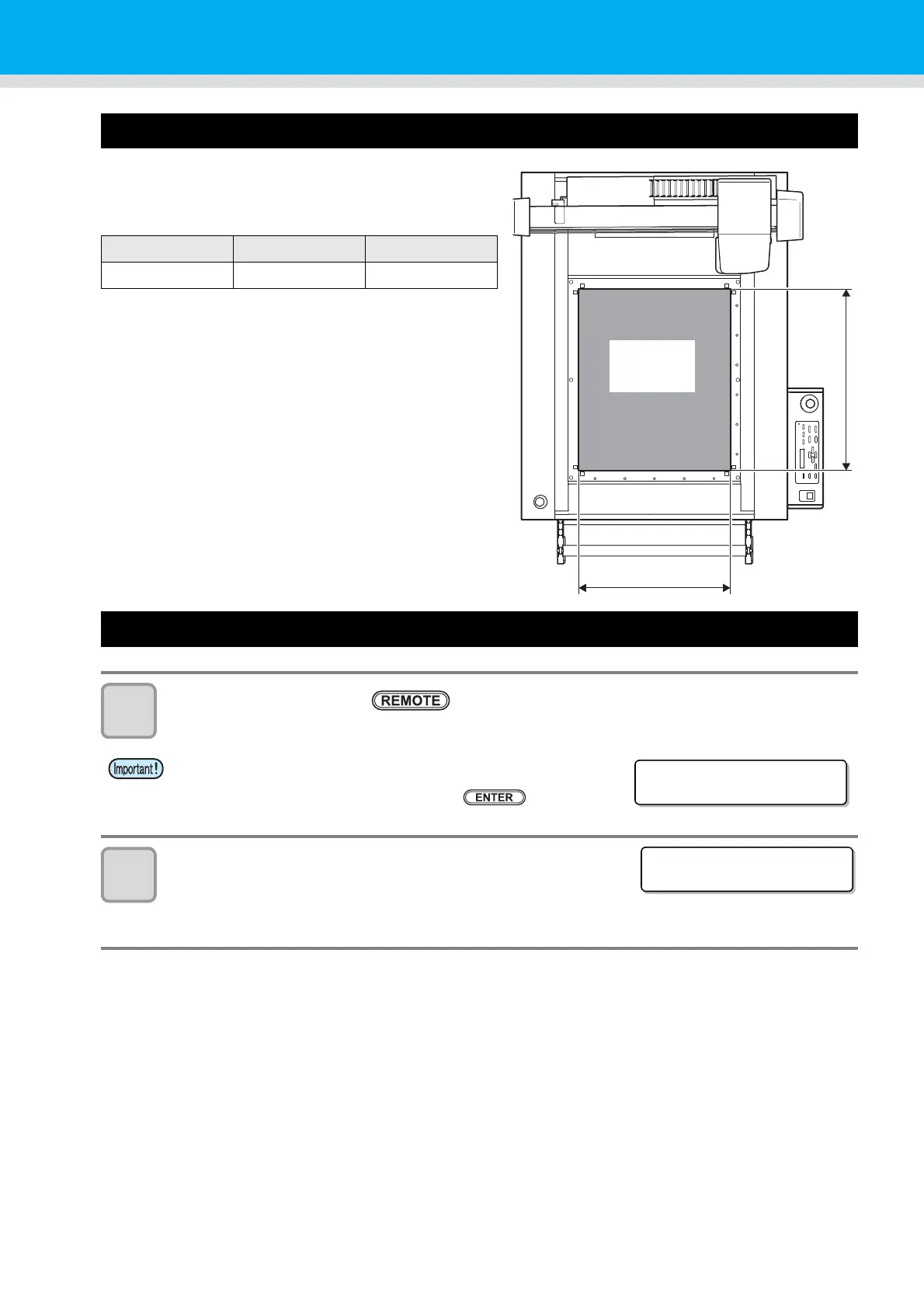
Effective Cutting Area
The table below shows the maximum effective cutting
area.
Cutting (Drawing)
1
Set the origin and press .
• The remote mode is selected.
2
Download data from the host computer.
• Cutting starts automatically after the data is received.
• When cutting is complete, the display appears as shown to the
right.
Model Name X-axis (mm) Y-axis (mm)
CFL-605RT 610 510
• When the mark sensor is lowered, the warning screen is shown
in the display in the right. Make sure the height of mark sensor
matches with the workpiece. Press the key.
X-axis
Y-axis
Maximum
effective
cutting area
Che c k MARK SENSOR
he i gh t
<REMOTE> ****KB
B:REC.CUTTER1


 To Next Page