3-27
1
1
3
Useful Function
5
6
Other Useful Functions
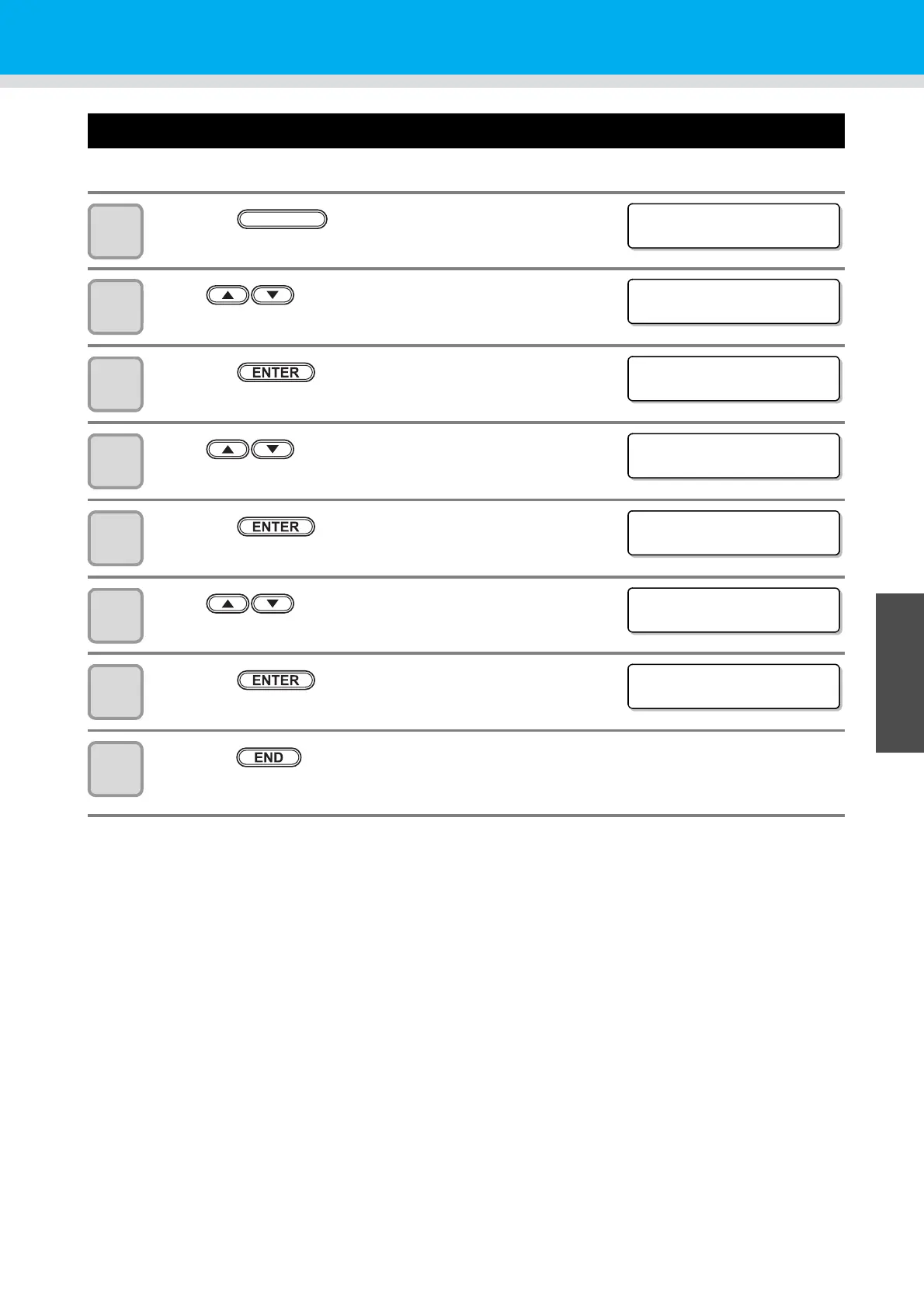
Setting a START MODE
Set the mode after power ON.
1
Press the key in LOCAL.
2
Press to select [SET UP].
3
Press the key.
4
Press to select [START MODE].
5
Press the key.
6
Press to select LOCAL/REMOTE.
• Set values: LOCAL, REMOTE
7
Press the key.
8
Press the key several times to end the setting.
<FUNCT ION>
SET UP [ ENT ]
<FUNCT ION>
SET UP [ ENT ]
<SET UP>
PLOT SETT ING [ ENT ]
<SET UP>
START MODE : LOCAL
<SET UP>
START MODE : LOCAL
<SET UP>
START MODE : REMOTE
<SET UP>
START MODE : REMOTE


 To Next Page