123
Measurement
5
5.8. Measurement in recipe mode
&RQ¿UPWKHVHWWLQJV
&RQ¿UPWKHRXWSXWWLPHRIUHFLSH¿QLVK
signals.
The setting is completed if the value set by the step
2) appears under [RECIPE FINISH OUTPUT ON].
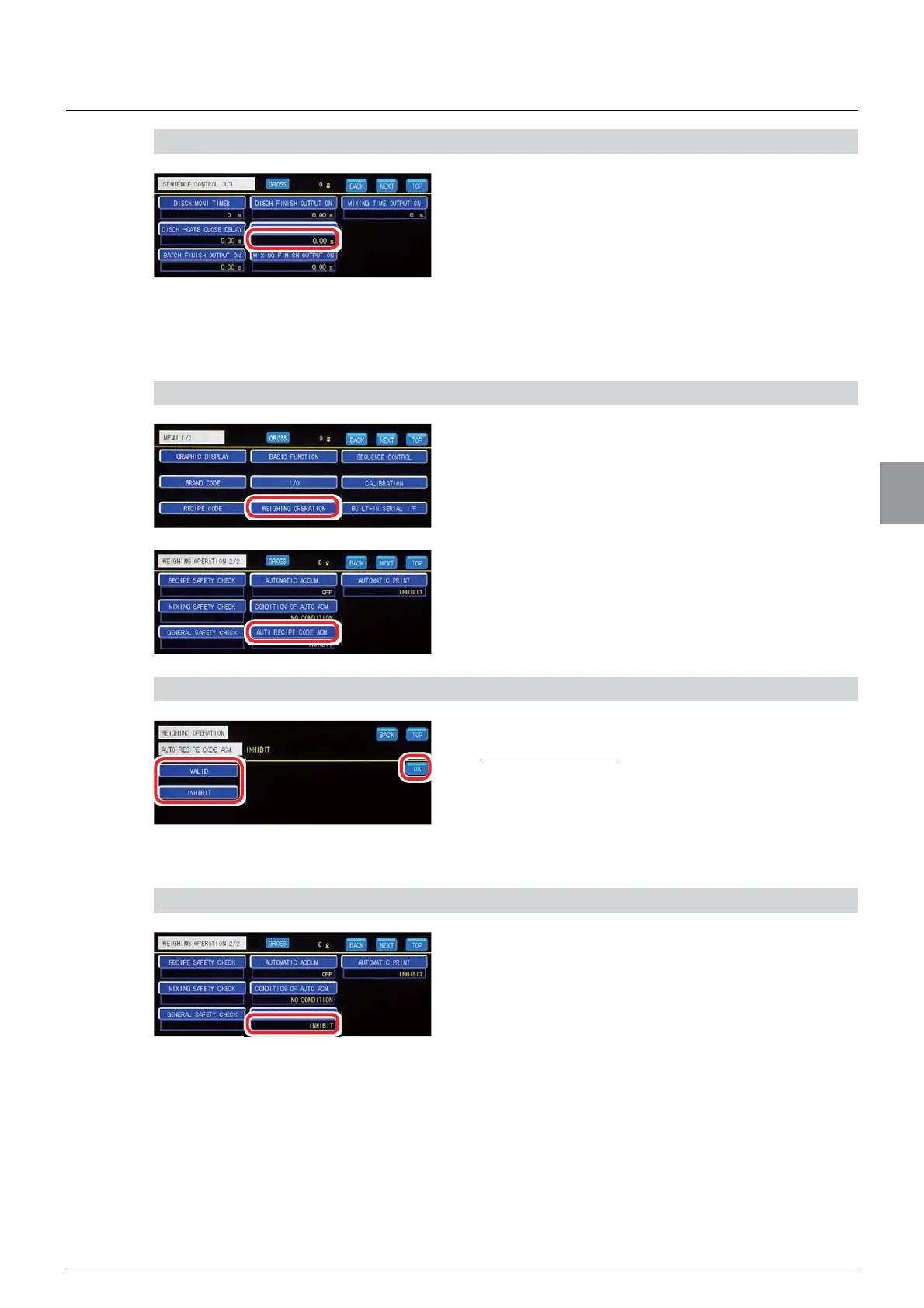
(6) [AUTO RECIPE CODE ACM. ] (automatic accumulation) settings
6HWZKHWKHUWRDXWRPDWLFDOO\DFFXPXODWHORDGYDOXHVGXULQJPHDVXUHPHQWLQUHFLSHPRGH
1) Display the screen to set automatic accumulation
1. Tap [WEIGHING OPERATION] on [MENU 1/2].
>:(,*+,1*23(5$7,21@ZLOOEHGLVSOD\HG
2. Tap [AUTO RECIPE CODE ACM. ] on
[WEIGHING OPERATION 2/2].
7KHVFUHHQWRVHWDXWRPDWLFDFFXPXODWLRQZLOOEH
displayed.
2. Set automatic accumulation
1. Tap [VALID]/[INHIBIT].
Default: [INHIBIT]
2. Tap [OK].
Automatic accumulation has been set, and
>:(,*+,1*23(5$7,21@ZLOOEHGLVSOD\HG
&RQ¿UPWKHVHWWLQJV
&RQ¿UPWKHVHWWLQJVRIDXWRPDWLF
accumulation.
The setting is completed if the item set by the step
2) appears under [AUTO RECIPE CODE ACM. ].



 To Next Page