9.2.2-wires method serial interface (serial interface)
216
External equipment
9
9.2.4. Output operation
The operation mode of the 2-wires method serial interface (serial interface) communication is
stream mode. Data such as gross and net weight is continuously output at a certain interval.
9.2.5. Print operation setting
:KLFKVLJQDOWREHV\QFKURQL]HGZLWKWRVHWWRWKHDXWRPDWLFSULQWELWRIRXWSXWIRUPDW)81
for transmission is set.
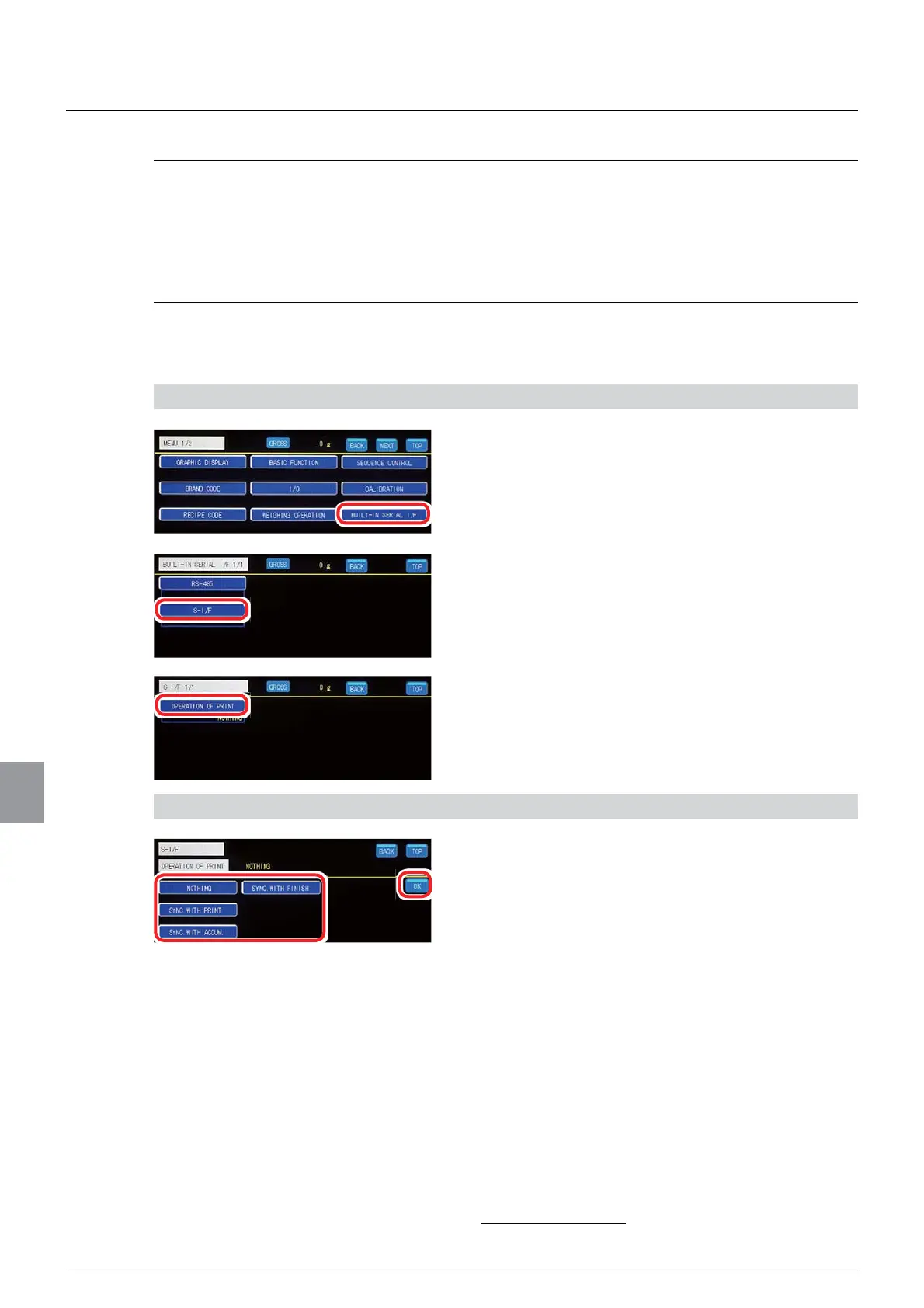
1) Display the print operation setting screen
1. Tap [BUILT-IN SERIAL I/F] on [MENU 1/2].
The standard communication setting screen 1/1 will
be displayed.
2. Tap [S-I/F].
The serial interface setting screen 1/1 will be
displayed.
3. Tap [OPERATION OF PRINT].
The print operation setting screen will be displayed.
2) Set a print operation
1. Select a print operation.
NONE: Not synchronize with signals from
external control I/O, etc.
SYNC. WITH PRINT: Sets 1 to the automatic
print bit of output format FUN1 for transmission
when a print command is input from external
control I/O, etc.
SYNC. WITH ACCUM. : Sets 1 to the automatic
print bit of output format FUN1 for transmission
when the accumulation command is input from
external control I/O or when automatic
accumulation is executed.
SYNC. WITH FINISH: Sets 1 to the automatic
print bit of output format FUN1 for transmission
when the complete signal is output.
,QLWLDOYDOXH121(



 To Next Page