4.3.Calibration
28
Calibration
4
4.3. Calibration
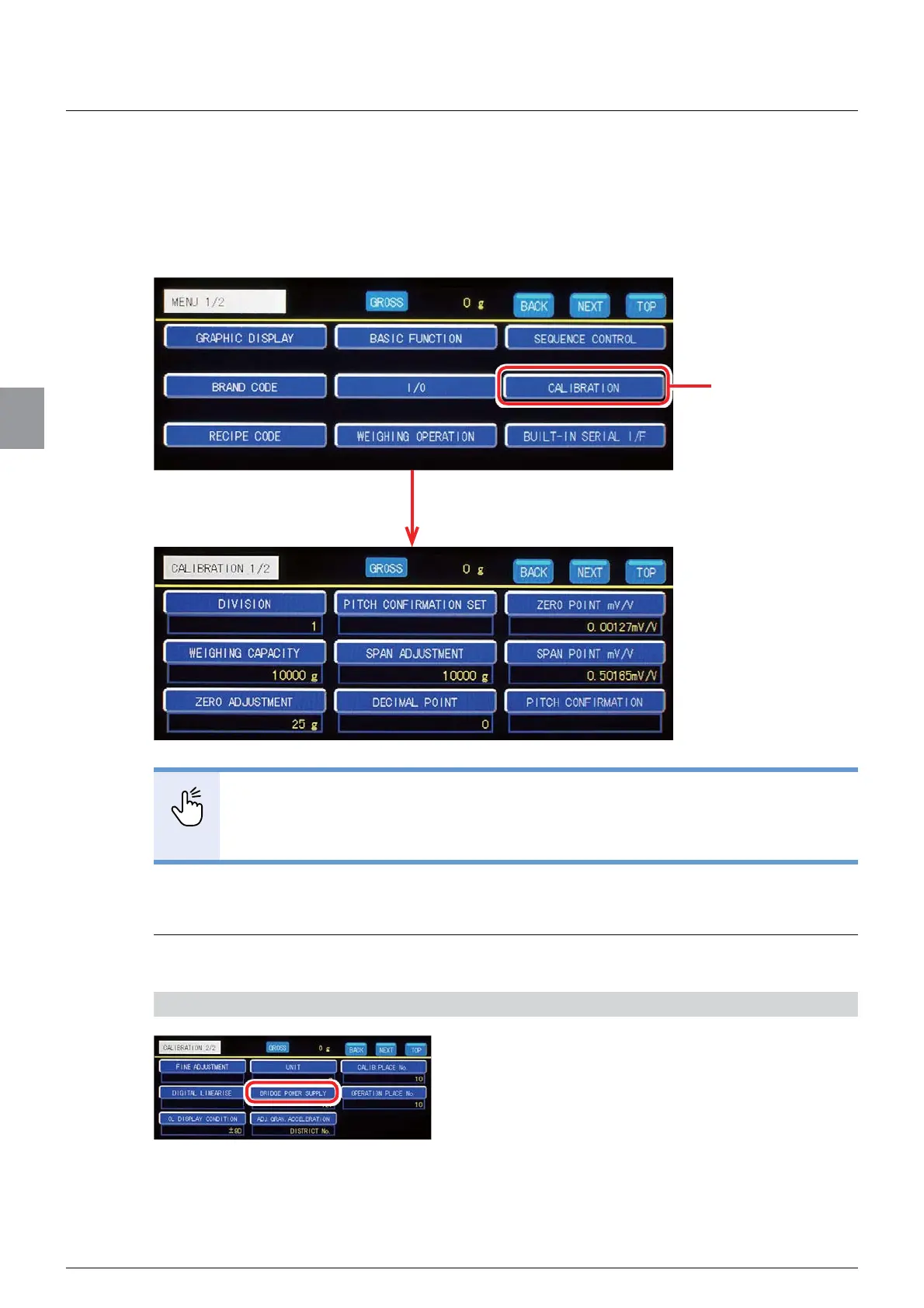
Before measurement, perform [CALIBRATION] by following the steps below.
You are suppose to perform [CALIBRATION] on Calibration screen. Tap [CALIBRATION] on
[MENU 1/2] to display Calibration screen.
POINT
%HIRUHVWDULQJ>&$/,%5$7,21@FRQ¿UPWKDWWKHORDGFHOOLVFRQQHFWHGZLWK&6'
912B.
- Calibration screen consists of two pages. Refer to “3.4. How to switch screens” for
more information about how to switch pages.
4.3.1. Set the bridge power supply
Set the voltage (DC) to apply to the load cell.
1) Display the screen to set [BRIDGE POWER SUPPLY]
1. Tap [BRIDGE POWER SUPPLY] on
[CALIBRATION 2/2].
The screen to set [BRIDGE POWER SUPPLY] will
be displayed.
Tap [CALIBRATION].
Calibration screen will be displayed.



 To Next Page