4.4.Adjustment after calibration
36
Calibration
4
4.4. Adjustment after calibration
Make an adjustment as needed, for example, if there is a margin of error in weighing values.
Settings Contents Described in
Fine adjustment of zero
points
Finely adjust the margin of error of the weighing
value with no load on the weighing device (initial
load value).
4.4.1.
Fine adjustment of span
points
Finely adjust the margin of error between the mass
of the weight and the actual weighing value.
4.4.2.
Digital linearization Adjust the margin of error of the weighing values. 4.4.3.
3LWFKFRQ¿UPDWLRQ
registration
Register the A/D count value of an arbitrary load as
the pitch point to complete calibration and
YHUL¿FDWLRQDWWKHVDPHWLPH
4.4.4.
Gravitational acceleration
compensation
Correct span errors that are caused because the
place to use CSD-912B is different from where
calibration has been performed.
4.4.5.
Calibration lock Prevent calibration results from being changed. 4.4.6.
4.4.1. Fine adjustment of zero points
Finely adjust the zero point if there are differences among weighing values with no load on
the weighing device (initial load value).
%HIRUH¿QHDGMXVWPHQWRIWKH]HURSRLQWPDNHVXUHWKDWQRWKLQJLVRQWKHZHLJKLQJGHYLFH
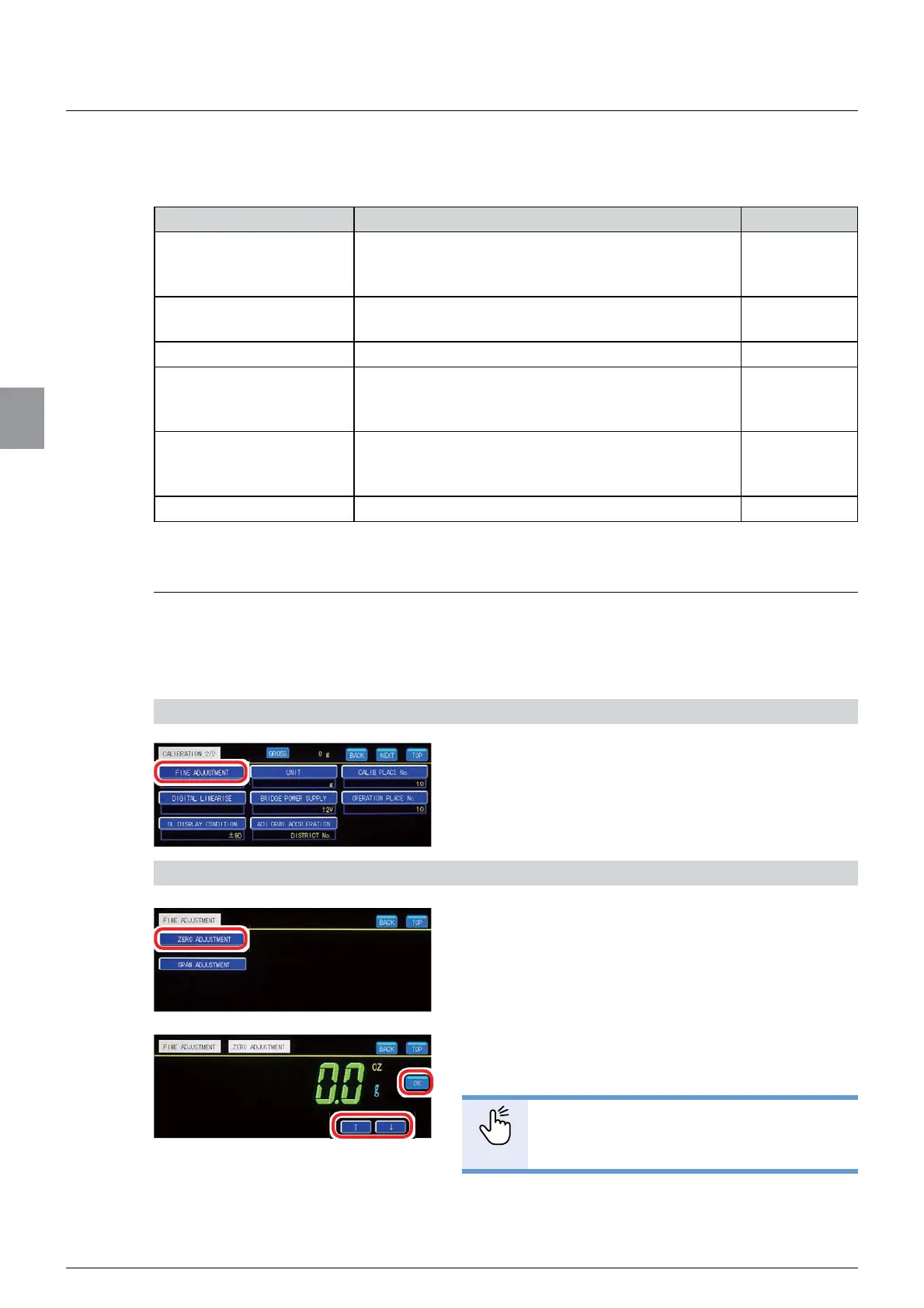
1) Display [FINE ADJUSTMENT]
1. Tap [FINE ADJUSTMENT] on [CALIBRATION
2/2].
[FINE ADJUSTMENT] will be displayed.
2) Finely adjust the zero point
1. Tap [ZERO ADJUSTMENT].
The present weighing value with 1/10 digit scale
interval will be displayed.
7DS>Ĺ@LQFUHPHQWRU>Ļ@GHFUHPHQWWRVHW
the weighing value to zero.
POINT
- You can increment/decrement the
weighing value continuously by keep
SUHVVLQJ>Ĺ@RU>Ļ@
3. Tap [OK].
The zero point has been registered, and Weighing
screen will be displayed.



 To Next Page