183
Various settings
7
7.1.Settings related to the screen display
7.1.4. Unit setting
A unit of the load value display is set.
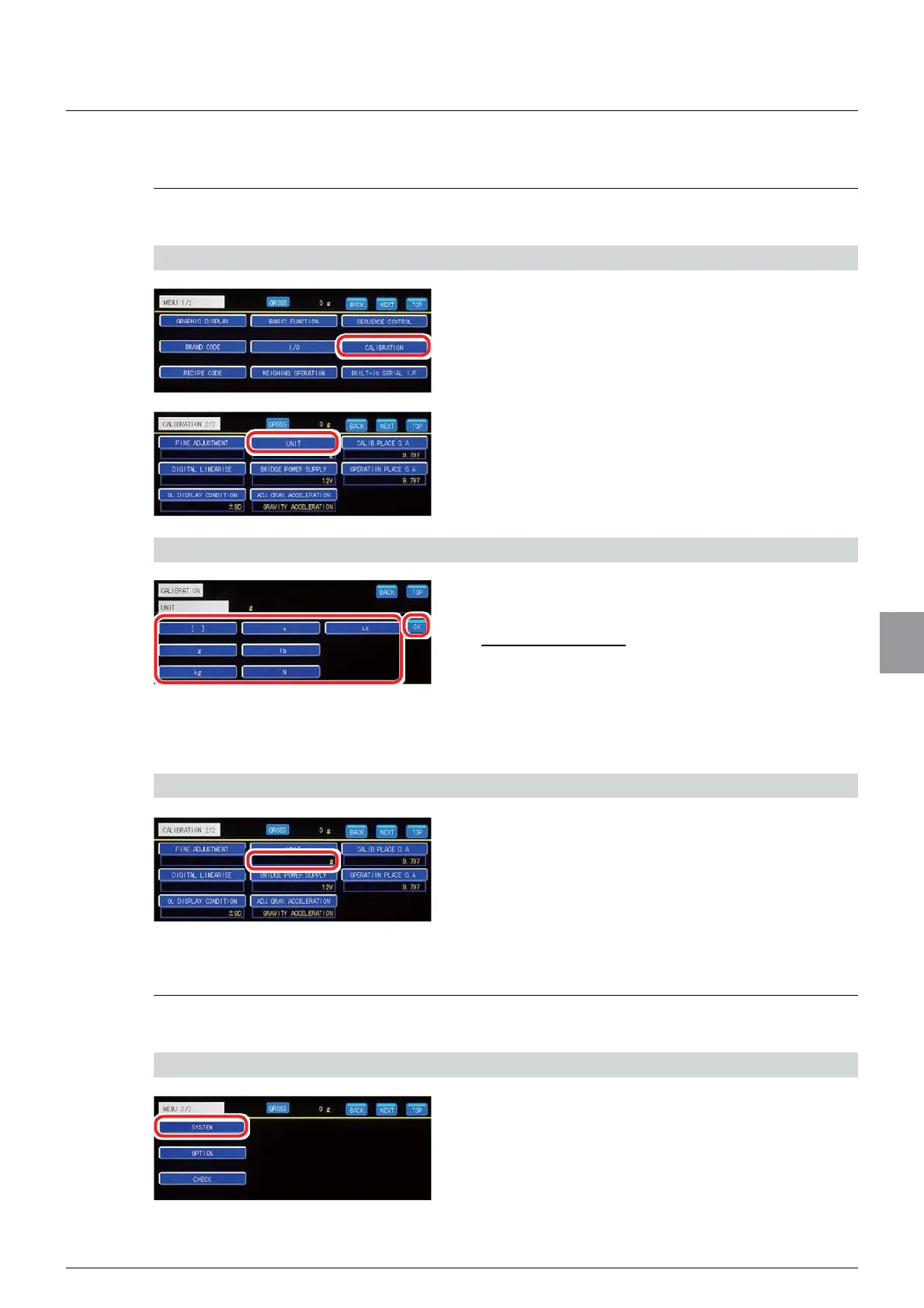
1) Display the unit setting screen
1. Tap [CALIBRATION] on [MENU 1/2].
>&$/,%5$7,21@ZLOOEHGLVSOD\HG
2. Tap [UNIT] on [CALIBRATION 2/2].
The unit setting screen will be displayed.
2) Set a unit
1. Select a unit.
Selections: NONE, g, kg, t, lb, N, kN
Initial value: NONE
2. Tap [OK].
7KHXQLWZLOOEHVHWDQG>&$/,%5$7,21@ZLOOEH
displayed.
3) Check the setting that you set
1. Check the unit.
The setting is completed if the item set by the step
DERYHDSSHDUVXQGHU>81,7@
7.1.5. Backlight off time setting
A length of unoperated time of CSD-912B until the display backlight goes off is set.
1) Display the backlight off time setting screen
1. Tap [SYSTEM] on [MENU 2/2].
>6<67(0@ZLOOEHGLVSOD\HG



 To Next Page