176
Graphical display
6
6.3.Settings related to the graphical display
6.3. Settings related to the graphical display
If necessary, set the graphical display-related functions.
Function name Description Described in
Drawing condition setting Sets a condition to start graphical drawing. 6.3.1.
Trigger level setting Sets a level (reference value) to start/stop graphical
drawing.
6.3.2.
6.3.1. Drawing condition setting
A condition to start graphical drawing is set.
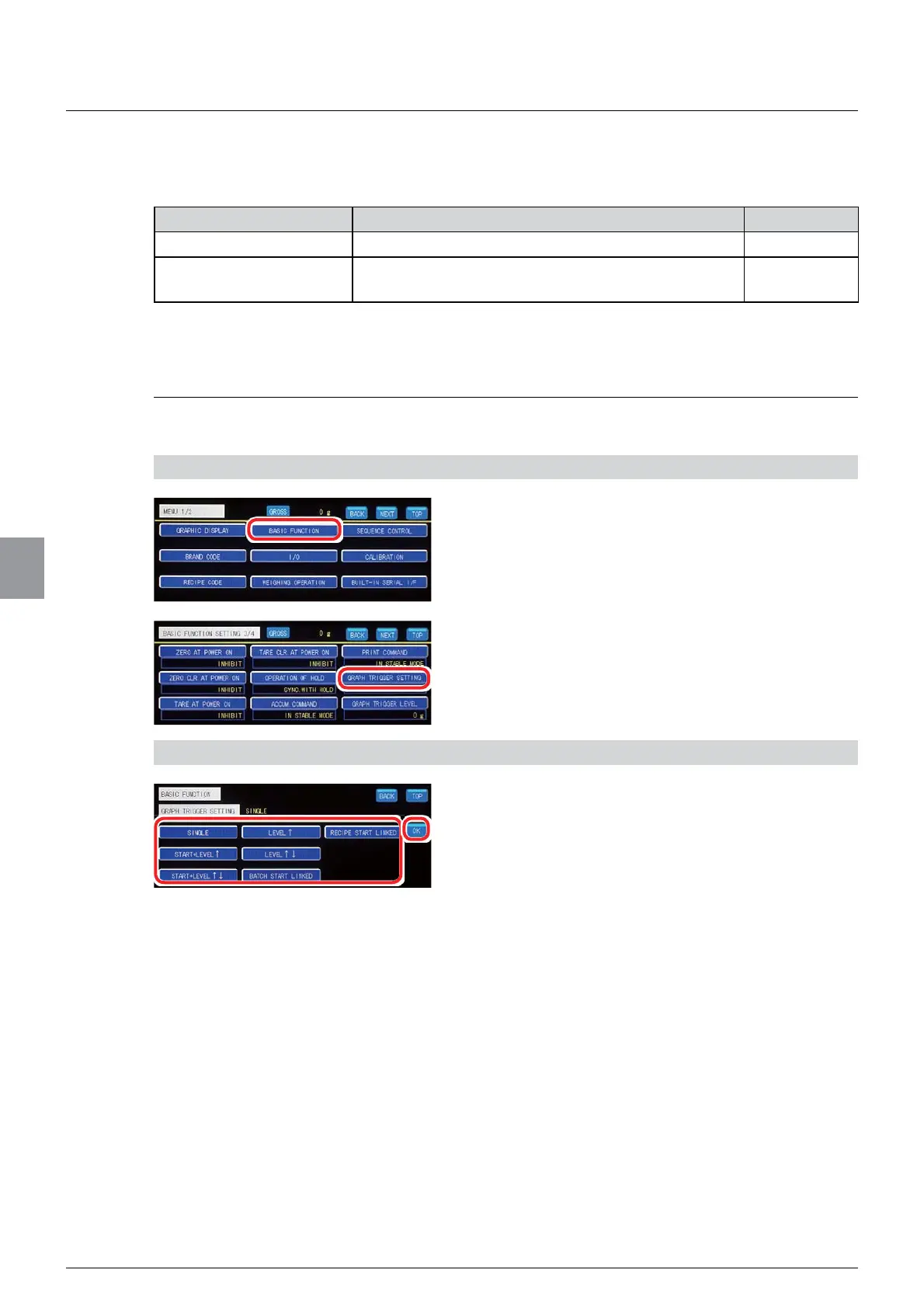
1) Display the drawing condition setting screen
1. Tap [BASIC FUNCTION] on [MENU 1/2].
[BASIC FUNCTION 1/4] will be displayed.
2. Tap [GRAPH TRIGGER SETTING] on [BASIC
FUNCTION 3/4].
The graph trigger setting screen will be displayed.
2) Set a graphical drawing condition
1. Select a drawing condition.
SINGLE: Pressing the [START] key starts
graphical drawing. The drawing is executed once
for the length of time set by using the [T] key.
START+LEVEL
Ĺ
: Pressing the [START] key
starts level detection. When the weighing value
exceeds a currently set level, graphical drawing
will be started. The drawing is executed once for
the length of time set by using the [T] key.
START+LEVEL
ĹĻ
: Pressing the [START] key
starts level detection. When the weighing value
passes a currently set trigger level (to go above
or below this level), graphical drawing will be
started. The drawing is executed once for the
length of time set by using the [T] key.
LEVEL
Ĺ
: When the weighing value exceeds a
currently set trigger level, graphical drawing will
be started. The drawing is executed once for the
length of time set by using the [T] key.



 To Next Page