3.6. Input of characters
24
Basic operations
3
3.6.4. Other keys
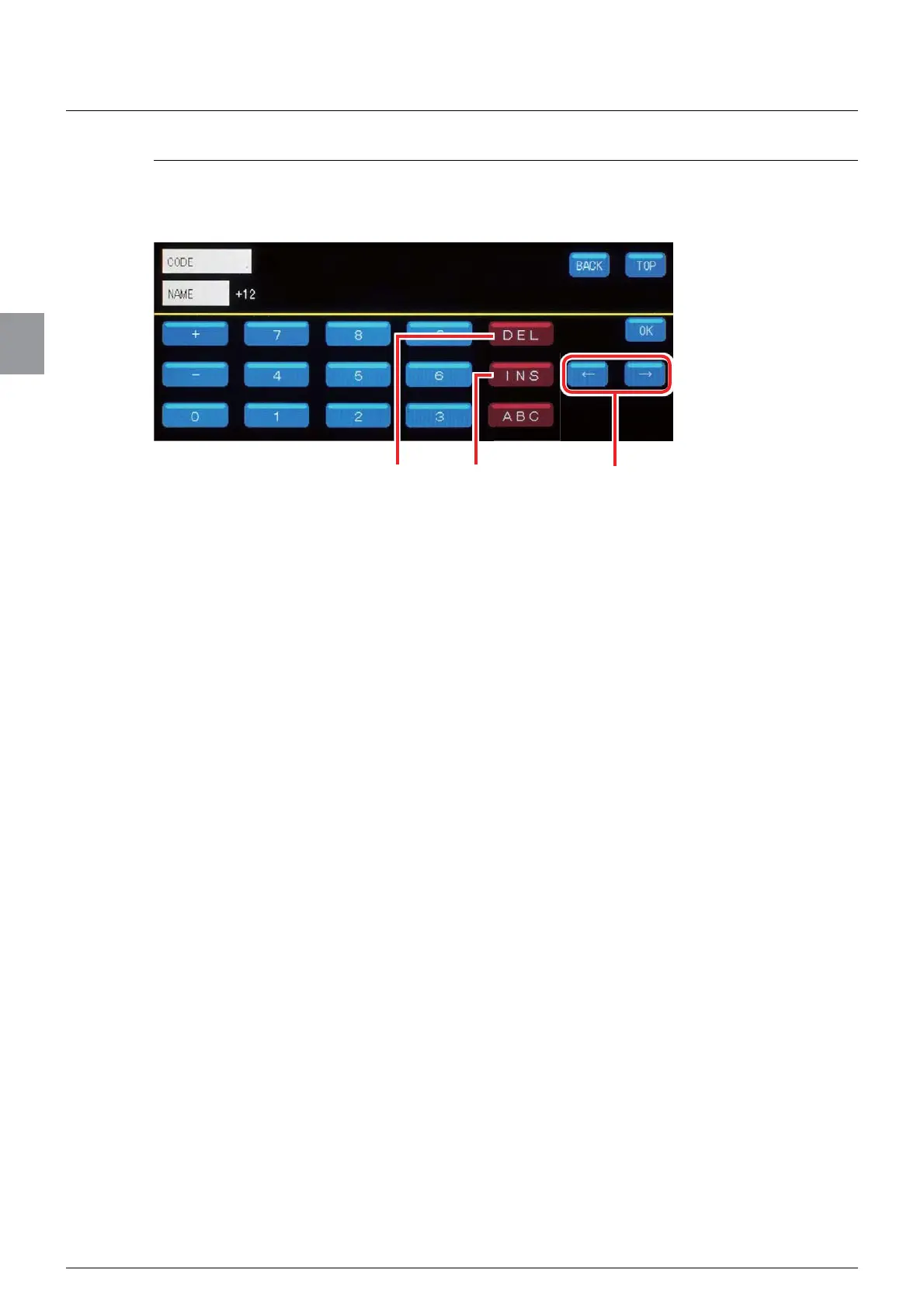
In addition to the numeric keypad for entry of characters, keys, for example, to delete the
entered character or to move the cursor are available in the character input screens.
(1) [DEL]
Delete the character on which the cursor is placed.
(2) [INS]
Switch between the overwrite mode and the insert mode. Tapping [INS] makes the key
remain pressed and switches to the insert mode. Tapping [INS] again cancels the insert
mode and switches to the overwrite mode.
When you enter characters in the overwrite mode, the character on which the cursor is
placed will be overwritten. When you enter characters in the insert mode, a character
will be inserted into the space on the left of the cursor.
>ĸ@>ĺ@
Move the cursor from side to side.
(1) (2) (3)



 To Next Page