4.4.Adjustment after calibration
38
Calibration
4
4.4.3. Digital linearization
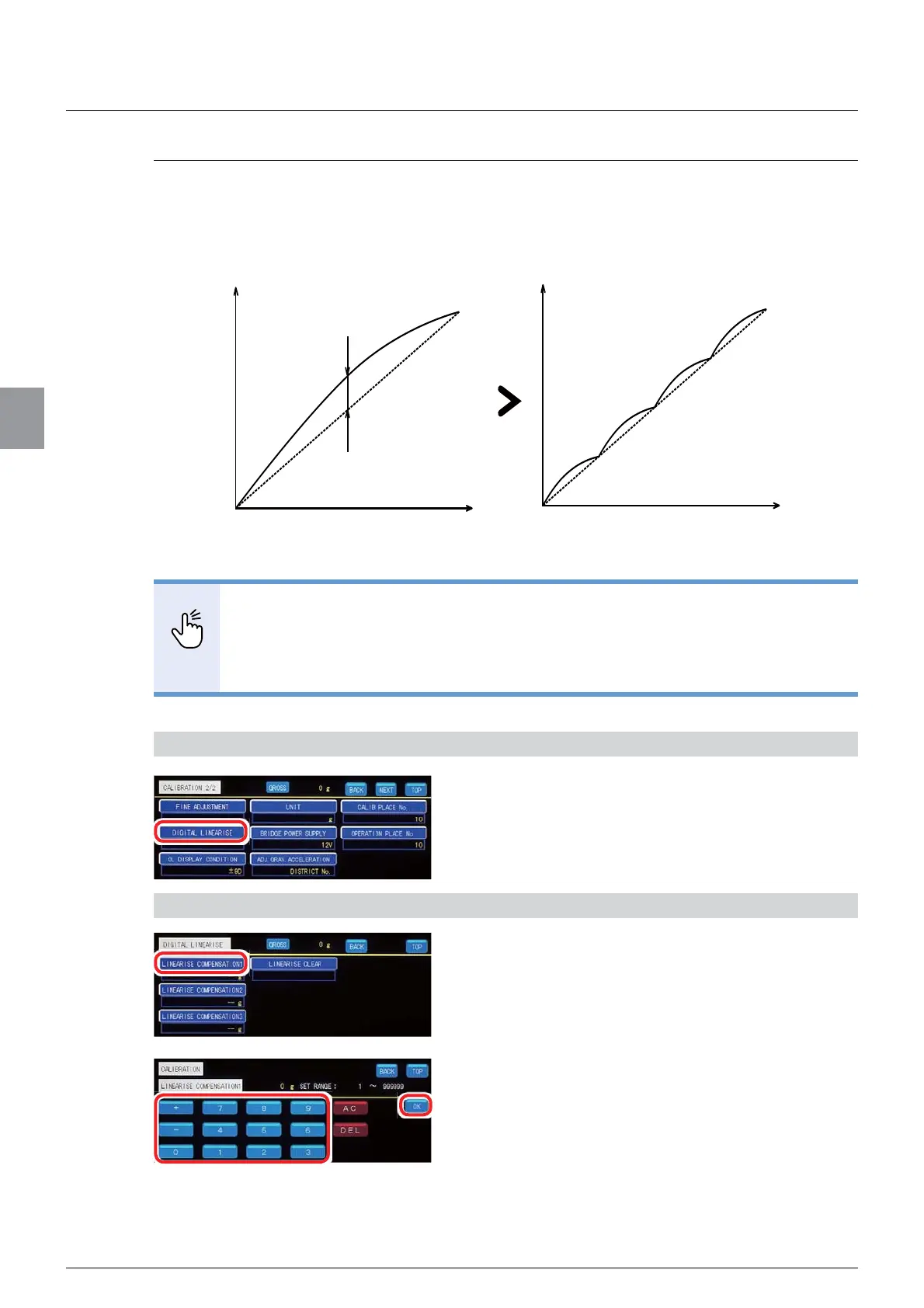
There may be a subtle margin of error between the zero point and the span point when the
ZHLJKLQJGHYLFHLVJLYHQVRPHLQÀXHQFH,QVXFKDFDVHPHDVXUHPHQWHUURUVFDQEH
reduced by correcting the data at up to three points except for the zero point and the span
point. This is called [DIGITAL LINEARISE].
POINT
- Weights are used for [DIGITAL LINEARISE]. The masses of the weights should
be LINEARISE COMPENSATION 1 < LINEARISE COMPENSATION 2 <
LINEARISE COMPENSATION3.
- For [DIGITAL LINEARISE], use weights that is equal to or less than [WEIGHING
CAPACITY].
1) Display Digital linearization screen
1. Tap [DIGITAL LINEARISE] on [CALIBRATION
2/2].
Digital linearization screen will be displayed.
2) Perform the compensation
1. Tap [LINEARISE COMPENSATION 1].
The screen for [LINEARISE COMPENSATION 1]
will be displayed.
2. Put a weight of the mass that is equal to the
value of the point which you want to
compensate on the weighing device.
span span
error
LINEARISE
COMPENSATION 3
LINEARISE
COMPENSATION 2
LINEARISE
COMPENSATION 1
Value of the weight
0
zero
display
display
Value of the weight
0
zero
Before [DIGITAL LINEARISE] After [DIGITAL LINEARISE]



 To Next Page