3.6. Input of characters
23
Basic operations
3
3.6.2. Input of alphabetical characters and symbols
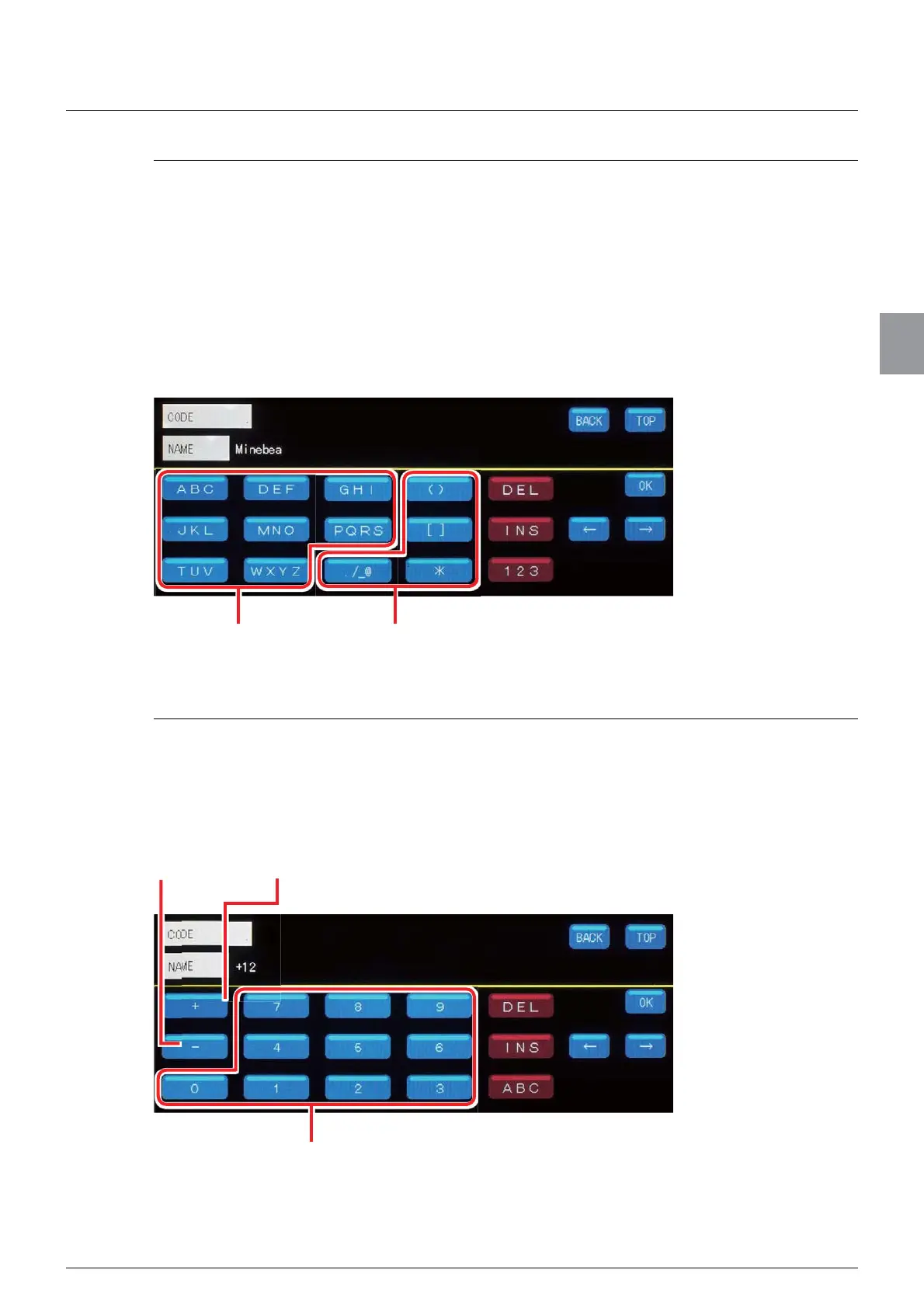
You can enter alphabetical characters and symbols on the alphabetical character input
screen. Capital letters and lower-case letters of the alphabet are allocated to the numeric
keypad. To enter alphabetical characters and symbols, keep pressing the key that contains
the character or symbol you want to enter until the character or symbol appears.
ex. ) Characters allocated to [ABC]
$ĺ%ĺ&ĺDĺEĺF
ex. ) To enter “Minebea,”
7DS>012@RQFHĺ7DS>*+,@VL[WLPHVĺ7DS>014@ILYHWLPHVĺ7DS>'()@ILYH
WLPHVĺ7DS>$%&@¿YHWLPHVĺ7DS>'()@¿YHWLPHVĺ7DS>$%&@IRXUWLPHV
3.6.3. Input of numeric characters
You can enter numeric characters, +, /, and - in the numeric character input screen. Numeric
characters, +, /, and - are allocated to the numeric keypad. To enter them, tap the keys of the
numeric characters, +, /, and -.
ex. ) To enter “+12,”
7DS>@ĺ7DS>@ĺ7DS>@
Input of alphabetical characters Input of symbols
Input of numeric characters
Input of - Input of +



 To Next Page