170
Graphical display
6
6.1.Graphical display description
6.1. Graphical display description
CSD-912B is able to execute weighing operation and graphically display weighing values.
Graphs show the change of weighing values, which enables you to recognize weighing status
and operation failures at a glance.
Also, a cursor can be displayed after completion of graphical display weighing, allowing the
RSHUDWRUWRFKHFNZHLJKLQJYDOXHVGXULQJDVSHFL¿HGGXUDWLRQ
POINT
- For how to display the graph, refer to “6.2. Graphical display”.
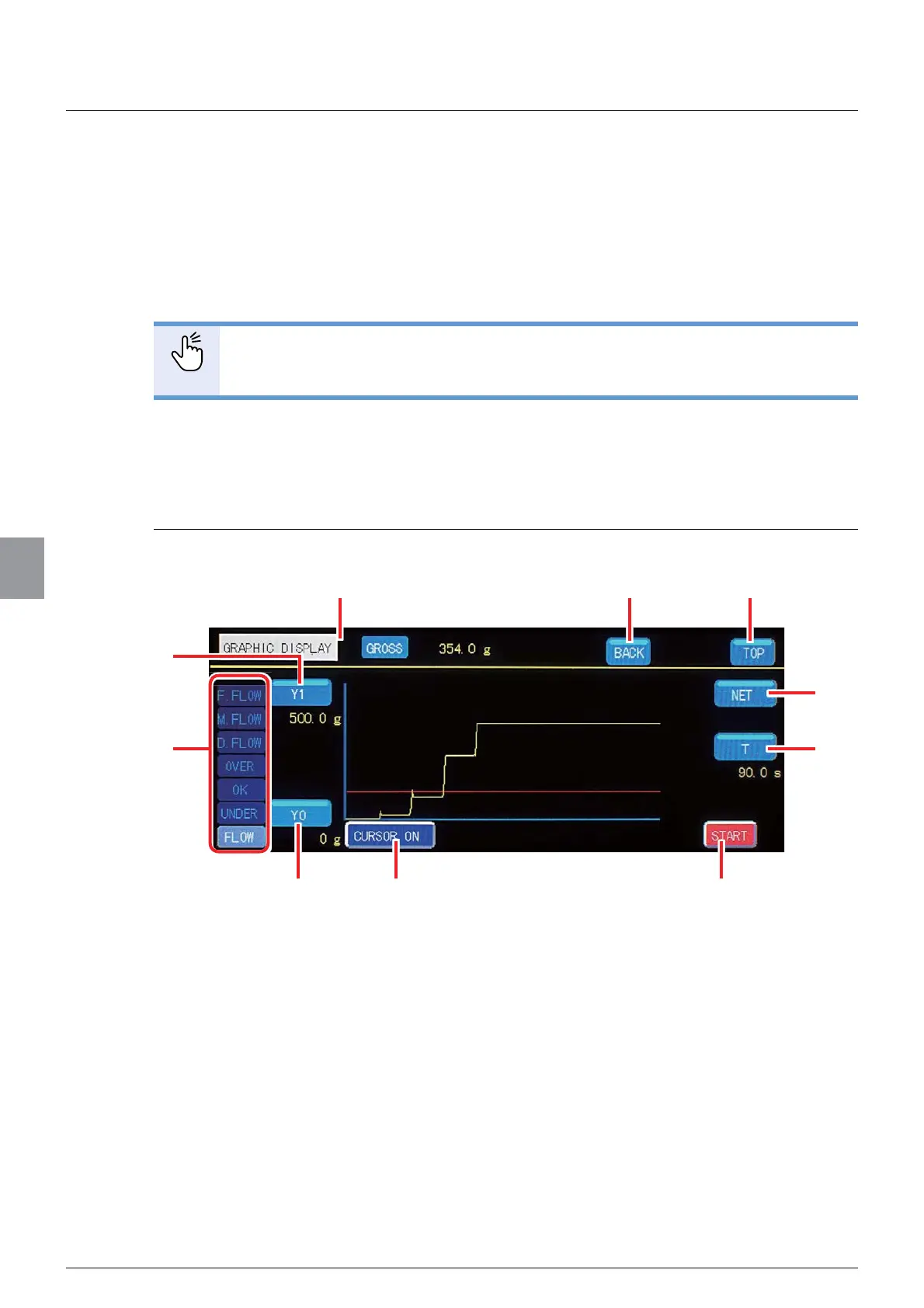
6.1.1. Checking the transition of weighing values
(CURSOR OFF)
:KHQDGXUDWLRQLVQRWVSHFL¿HGWKHJUDSKZLOOEHDVVKRZQEHORZ
(1) Gross/Net display
>*5266@,QGLFDWHVWKDWWKHZHLJKLQJYDOXHGLVSOD\HGLQWKHJUDSKLVJURVVDPRXQW
>1(7@,QGLFDWHVWKDWWKHZHLJKLQJYDOXHGLVSOD\HGLQWKHJUDSKLVQHWDPRXQW7RVZLWFK
the display, use (1) [GROSS/NET] key.
(2) [BACK] key
Returns to the previous display.
(3) [TOP] key
Returns to the weighing screen.
(4) [Y1] key
Sets an upper limit value of a weighing value for the graphical display. A currently set
upper limit value is displayed in yellow under the key.
(8)
(9)
(5)
(2)(1)
(4)
(7)(6)
(10)
(3)



 To Next Page