185
Various settings
7
7.2.Settings related to compensation
7.2. Settings related to compensation
If necessary, set the compensation-related functions.
Function name Description Described in
A/D sampling rate setting Sets how many times A/D sampling will be
executed per second.
7.2.1.
Zero tracking setting Compensates a gradual zero-point drift to stabilize
the zero point.
7.2.2.
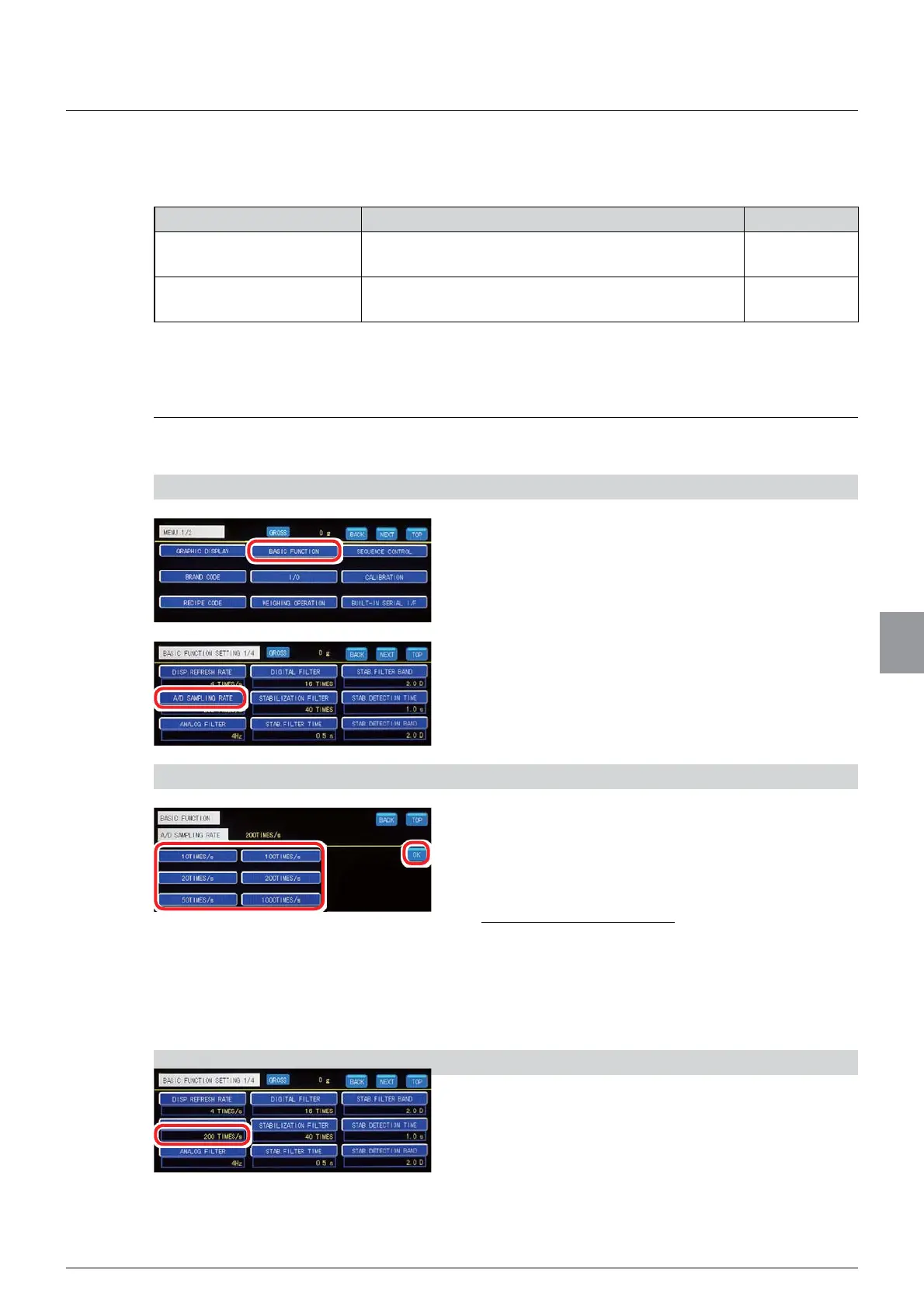
7.2.1. A/D sampling rate setting
How many times A/D sampling will be executed per second is set.
1) Display the A/D sampling rate setting screen
1. Tap [BASIC FUNCTION] on [MENU 1/2].
[BASIC FUNCTION 1/4] will be displayed.
2. Tap [A/D SAMPLING RATE].
The A/D sampling rate setting screen will be
displayed.
2) Set an A/D sampling rate
1. Select an A/D sampling rate.
Selections: 10 TIMES/s, 20 TIMES/s, 50
TIMES/s, 100 TIMES/s, 200 TIMES/s, 1 000
TIMES/s
Initial value: 200 TIMES/s
2. Tap [OK].
The A/D sampling rate will be set, and [BASIC
FUNCTION 1/4] will be displayed.
3) Check the setting that you set
1. Check the A/D sampling rate.
The setting is completed if the item set by the step
DERYHDSSHDUVXQGHU>$'6$03/,1*5$7(@



 To Next Page