3.2. How to read the display
15
Basic operations
3
3.2. How to read the display
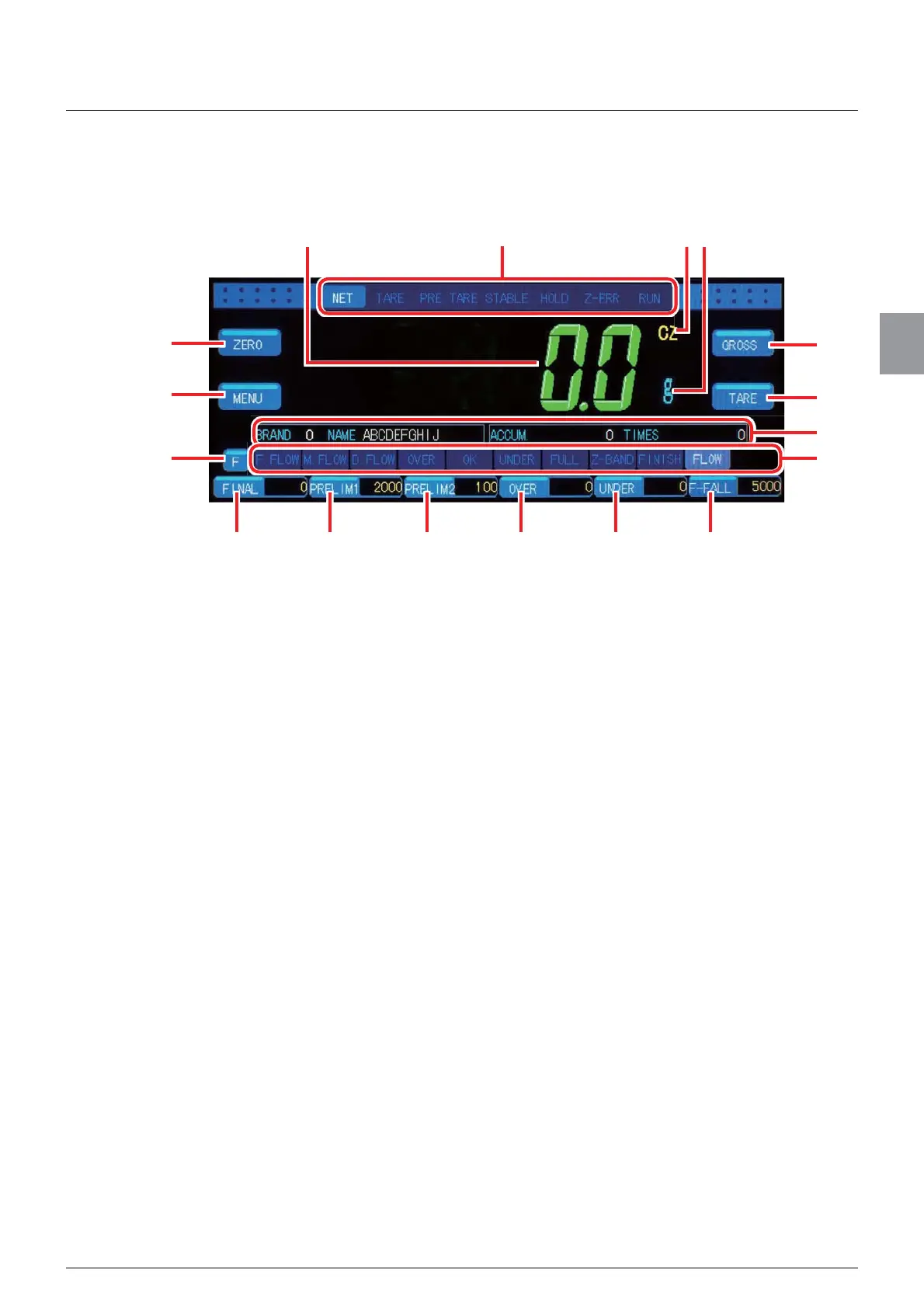
Turing on CSD-912B displays Weighing screen as follows.
(1) State of CSD-912B
The display changes according to operation states of CSD-912B.
[GROSS]/[NET]:
Display [GROSS] if the displayed weighing value is a gross weight.
Display [NET] if the weighing value is a net weight.
[TARE]: Lighted if [TARE] is performed.
[PRE. TARE]: Lighted if [PRE. TARE] is performed.
[STABLE]: Lighted if the weighing value is stable.
[HOLD]: Lighted if CSD-912B retains comparison results of the setting values of
[BRAND CODE] and weighing values or the data output from an
external device.
[Z-ERR]: Lighted if the [ZERO] key is tapped while zero points cannot be set,or
if the [TARE] key is tapped while tearing cannot be performed.
[RUN]: Lighted while CSD-912B is making a measurement.
(2) Display of load values
Display [GROSS] (load value including the weight of the container) or [NET] (load value
excluding the weight of the container). Display [OL] when overloaded. Display [OVF]
when the A/D converter input exceeds the limit.
(3) [ZERO] key
Record the present load value as the zero point and adjust the load value display to
zero. Refer to “5.10.1. Zero set (zero point record)” for more information about how to
record zero points.
(4) [MENU] key
Display Menu screen. Refer to “3.4. How to switch screens” for more information about
Menu screen.
(8)
(10)
(11)
(9)
(3)
(4)
(5)
(17)(16)(15)(14)(13)(12)
(2) (1) (6)(7)



 To Next Page