194
Various settings
7
7.4.Settings related to the function keys
7.4. Settings related to the function keys
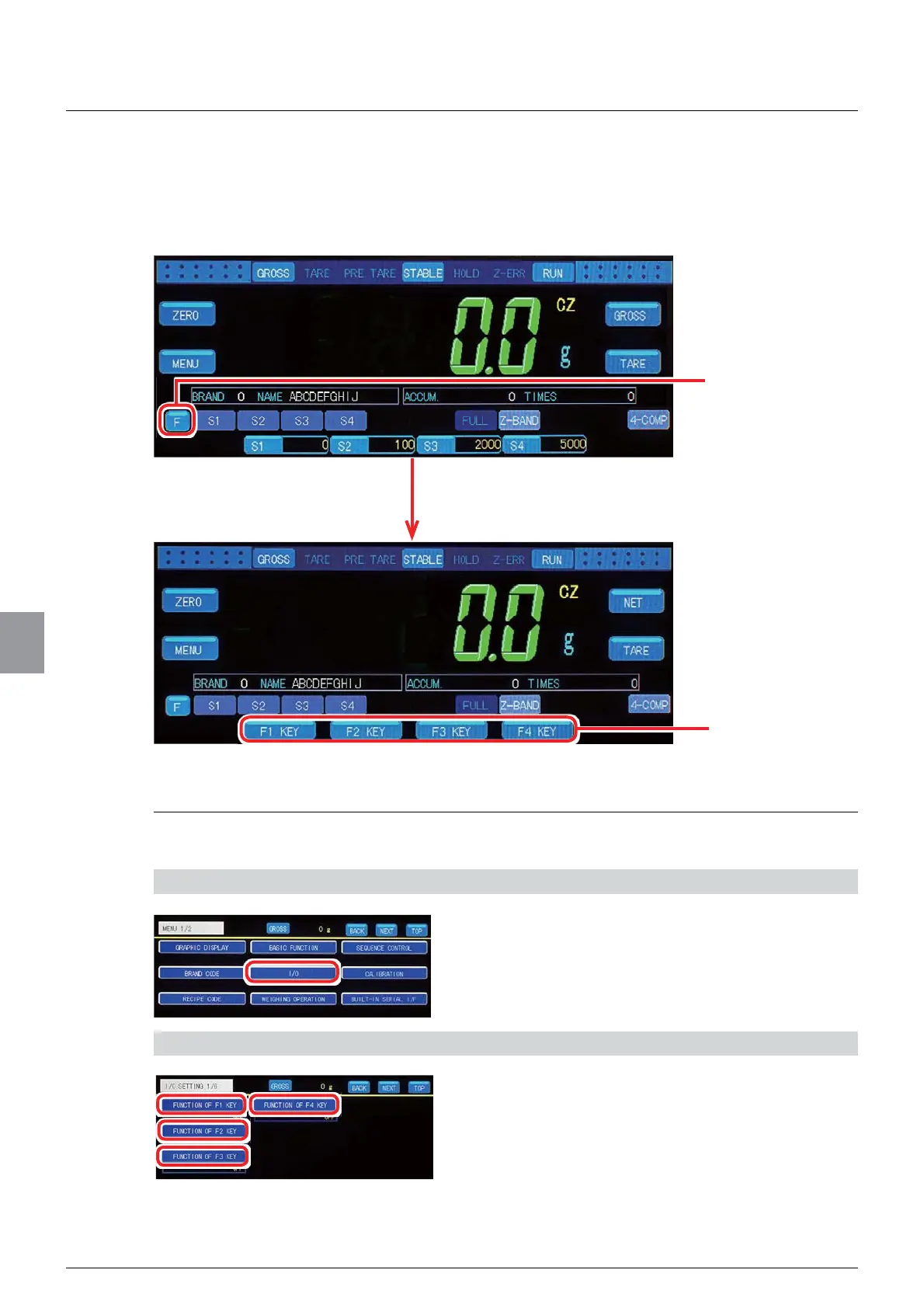
)XQFWLRQVFDQEHDVVLJQHGWRWKHIXQFWLRQNH\V3UHVVLQJWKH>)@NH\RQWKHZHLJKLQJVFUHHQ
displays the function keys, allowing the operator to directly assign functions on this screen.
7.4.1. Function setting
Functions are assigned to the function keys.
1) Display the function key setting screen
1. Tap [I/O] on [MENU 1/2].
>,26(77,1*@ZLOOEHGLVSOD\HG
2) Set functions
1. Tap your desired function key.
The function key function selection screen will be
displayed.
The function keys will be displayed.
Tap the [F] key.
Tap your desired
function key.



 To Next Page