180
Various settings
7
7.1.Settings related to the screen display
7.1. Settings related to the screen display
If necessary, set the screen display-related functions.
Function name Description Described in
Display rate setting Sets how many times the load value display will be
updated per second.
7.1.1.
Decimal point position
setting
Sets a decimal point position of the load value
display.
7.1.2.
OL display condition
setting
6HWVDFRQGLWLRQWRGLVSOD\>2/@RYHUORDGVWDWXV
DQG>2/@XQVWDEOHVWDWXVRQWKHVFUHHQ
7.1.3.
Unit setting Sets a unit of the load value display. 7.1.4.
Backlight off time setting Sets a length of unoperated time of CSD-912B until
the display backlight goes off.
7.1.5.
7.1.1. Display rate setting
How many times the load value display will be updated per second is set.
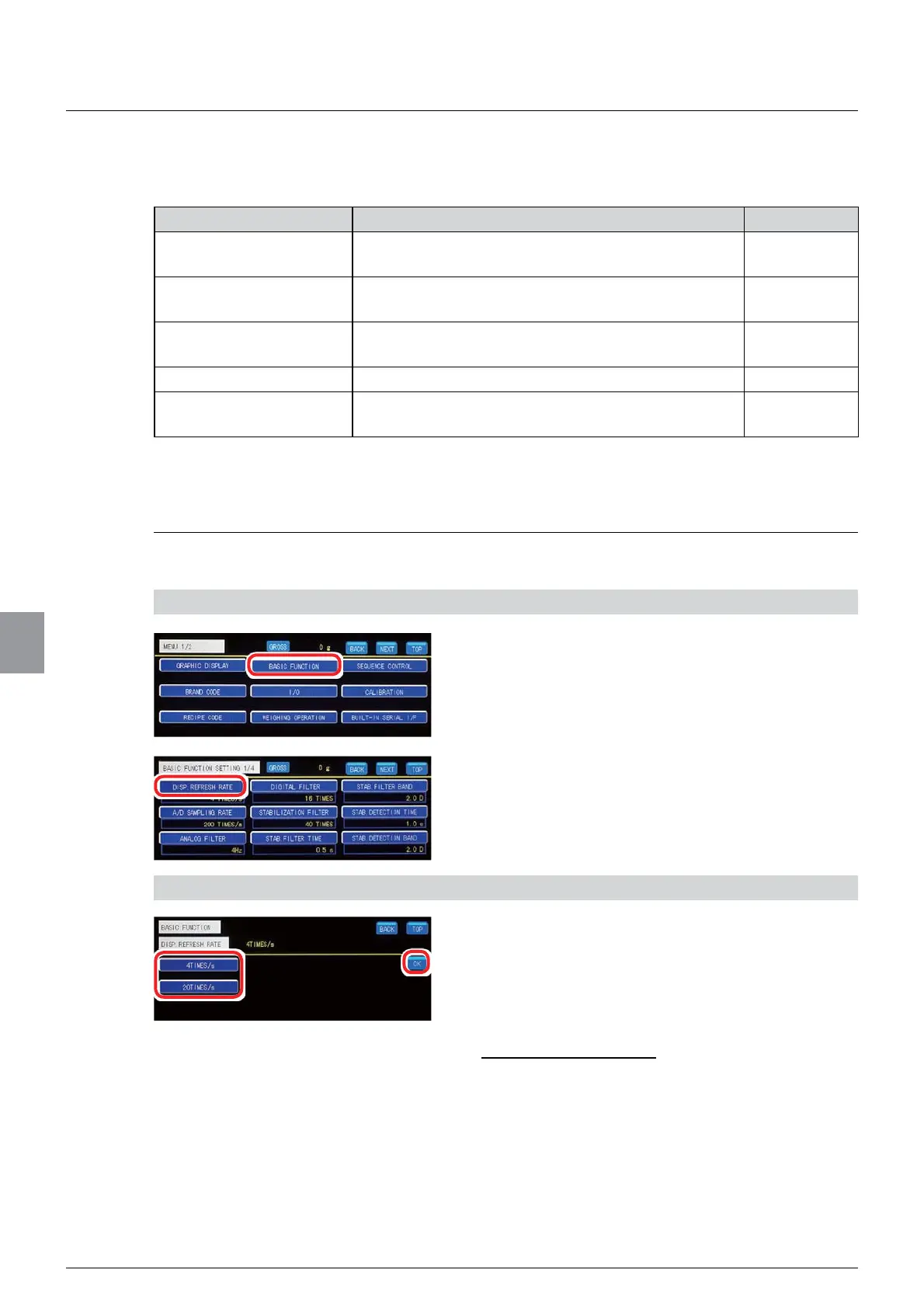
1) Display the display rate setting screen
1. Tap [BASIC FUNCTION] on [MENU 1/2].
[BASIC FUNCTION 1/4] will be displayed.
2. Tap [DISP. REFRESH RATE].
The display rate setting screen will be displayed.
2) Set a display rate
1. Select a display rate.
4 TIMES/s: Updates the load value display four
times per second.
20 TIMES/s: Updates the load value display 20
times per second.
Initial value: 4 TIMES/s
2. Tap [OK].
The display rate will be set, and [BASIC
FUNCTION 1/4] will be displayed.



 To Next Page