177
6
Graphical display
6.3.Settings related to the graphical display
LEVEL
ĹĻ
: When the weighing value passes a
currently set trigger level (to go above or below
this level), graphical drawing will be started. The
drawing is executed once for the length of time
set by using the [T] key.
BATCH START LINKED: Inputting a batch start
linked signal from external equipment starts
graphical drawing. The drawing is executed once
for the length of time set by using the [T] key.
RECIPE START LINKED: Inputting a recipe start
linked signal from external equipment starts
graphical drawing. The drawing is executed once
for the length of time set by using the [T] key.
,QLWLDOYDOXH6,1*/(
POINT
- For more information about the trigger
level setting, refer to “6.3.2. Trigger level
setting”.
2. Tap [OK].
The graphical drawing condition will be set, and
[BASIC FUNCTION 3/4] will be displayed.
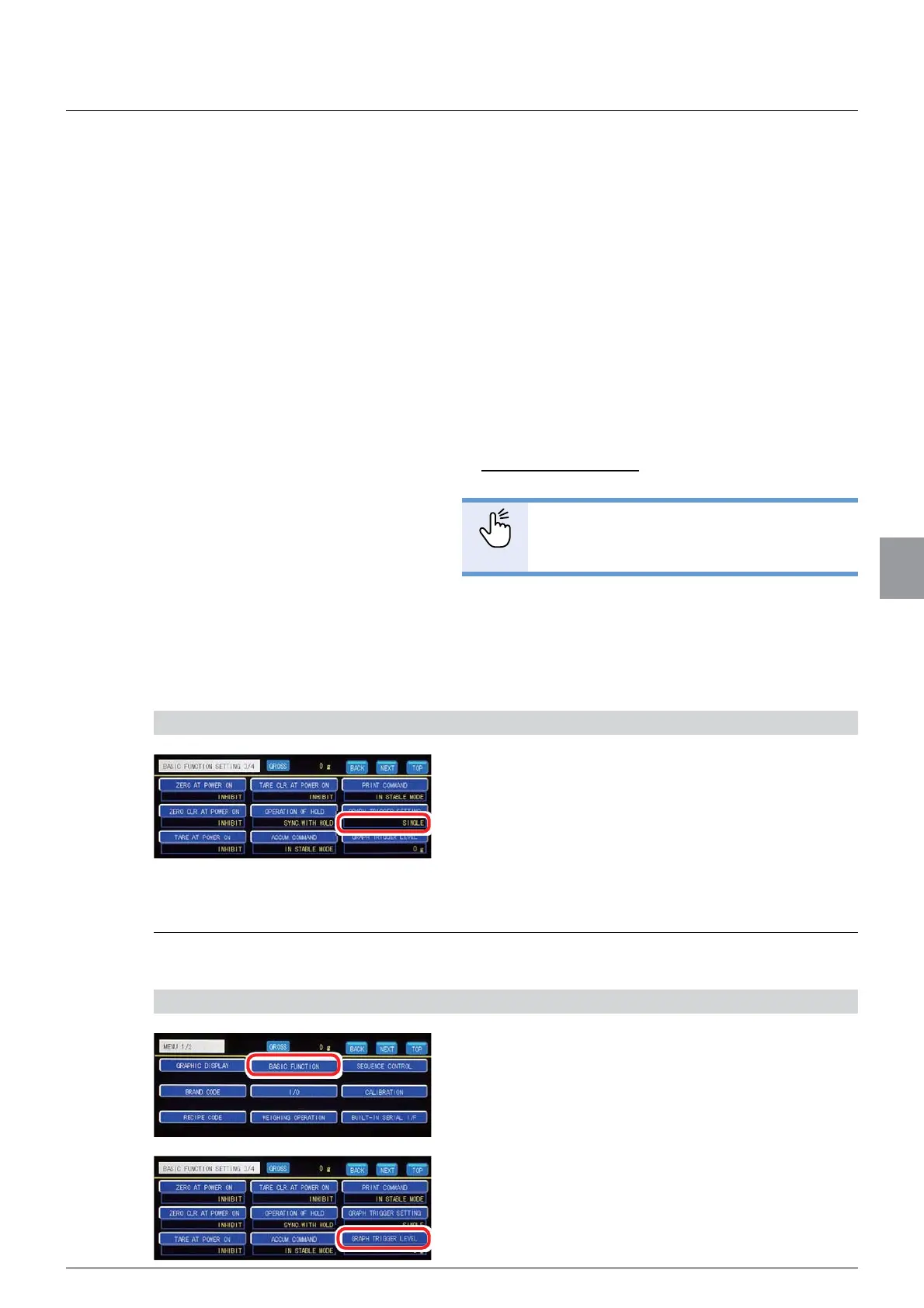
3) Check the setting that you set
1. Check the drawing condition setting.
The setting is completed if the item set by the step
2) above appears under [GRAPH TRIGGER
SETTING].
6.3.2. Trigger level setting
A level (reference value) to start/stop graphical drawing is set.
1) Display the trigger level setting screen
1. Tap [BASIC FUNCTION] on [MENU 1/2].
[BASIC FUNCTION 1/4] will be displayed.
2. Tap [GRAPH TRIGGER LEVEL] on [BASIC
FUNCTION 3/4].
The graph trigger level screen will be displayed.



 To Next Page