149
Measurement
5
5.11. Settings related to measurement
5.11.4. Preset tare settings
Enter the settings to display the value calculated by subtracting the value of [PRESET TARE]
RI>%5$1'&2'(@IURPWKHDFWXDOZHLJKLQJYDOXHDVWKHJURVVORDGYDOXH
7RXVHSUHVHWWDUHVHWWKHIROORZLQJLWHPV
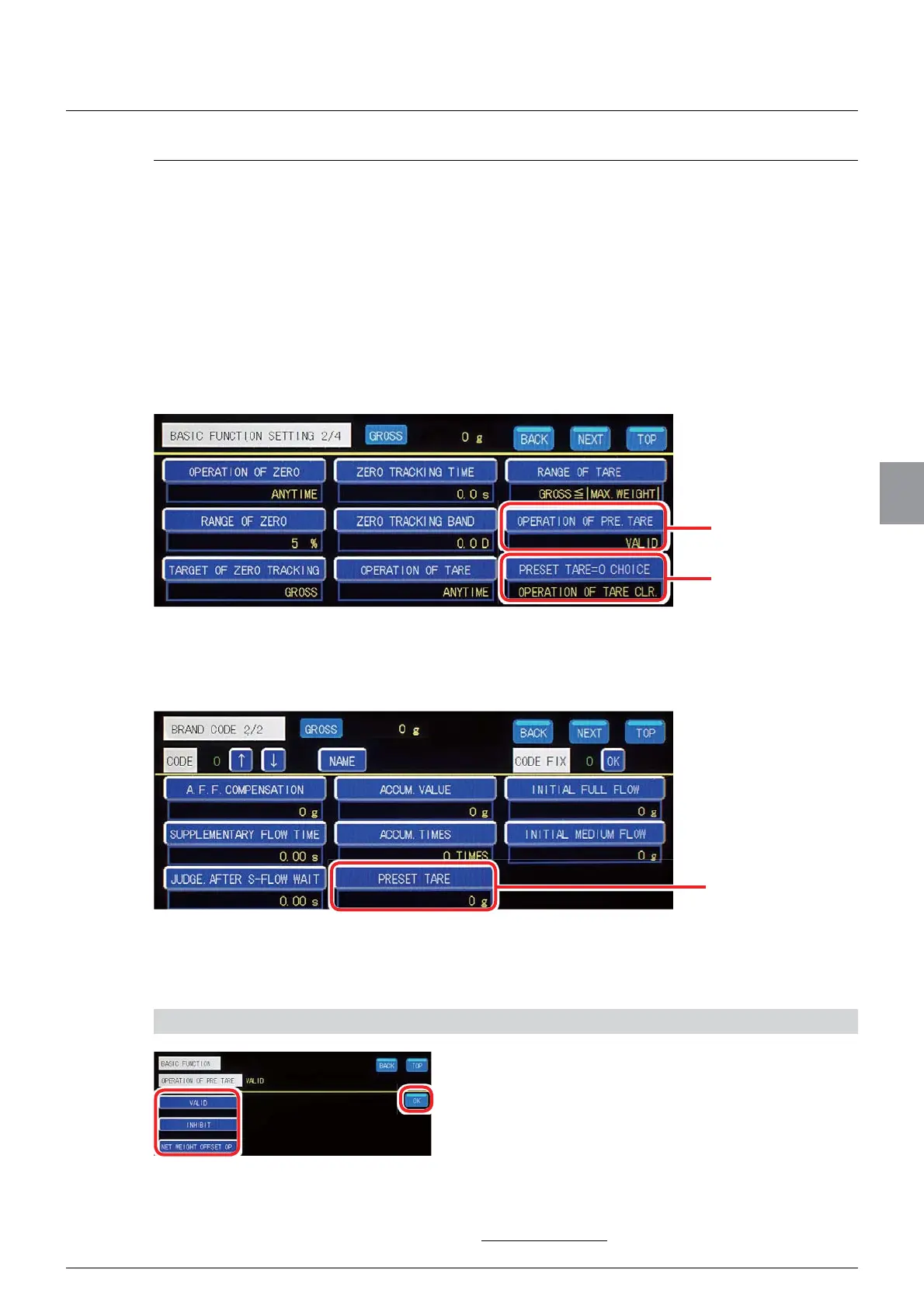
- [OPERATION OF PRE. TARE]
- [PRESET TARE=0 CHOICE] (use of the last tare value)
- [PRESET TARE] of [BRAND CODE]
Set [OPERATION OF PRE. TARE] and use of the last tare value on [BASIC FUNCTION]
VFUHHQ7DS>%$6,&)81&7,21@RQ>0(18@WRGLVSOD\>%$6,&)81&7,21@VFUHHQ
Set [PRESET TARE] of [BRAND CODE] on [BRAND CODE] screen. Tap [BRAND CODE]
RQ>0(18@WRGLVplay [BRAND CODE] screen.
Refer to "5.2.3. Brand settings" for more information about [BRAND CODE].
(1) [OPERATION OF PRE. TARE] settings
6HWZKHWKHUWRH[HFXWHSUHVHWWDUH
1) Set the operation of preset tare
1. Select the operation of preset tare.
[VALID]: Execute preset tare at measurement.
[INHIBIT]:
Not execute preset tare at measurement.
[NET WEIGHT OFFSET OP. ]6HWWKHQHWZHLJKW
offset value. The value calculated by subtracting
WKHQHWZHLJKWRIIVHWYDOXHIURP>*5266@LV
displayed as the gross load value.
Default: [VALID]
Preset tare value
[OPERATION OF
PRE. TARE]
Use of the last tare
value



 To Next Page