137
Measurement
5
5.10. Operations during measurement
5.10. Operations during measurement
7KHIROORZLQJRSHUDWLRQVDUHDYDLODEOHGXULQJPHDVXUHPHQWZLWK&6'%2SHUDWHWKH
functions as needed.
Function name Contents Described in
Zero set (record of zero
point)
Record the present load value as the zero point
and set the load value display to 0.
5.10.1.
7DUHZHLJKWFDQFHOODWLRQ 'LVSOD\WKHQHWZHLJKWORDGYDOXHH[FOXGLQJWKH
ZHLJKWRIWKHFRQWDLQHULQWKHORDGYDOXHGLVSOD\
on Weighing screen.
5.10.2.
6ZLWFKEHWZHHQWKHVWDQGDUG
and the simple display
6ZLWFKEHWZHHQWKHVWDQGDUGGLVSOD\DQGWKH
simple display on Weighing screen.
5.10.3.
.H\ORFN /RFNWKHNH\VRQ:HLJKLQJVFUHHQWRSUHYHQW
them from being operated.
5.10.4.
5.10.1. Zero set (record of zero point)
7KHSUHVHQWZHLJKLQJYDOXHLVUHFRUGHGDVWKH]HURSRLQWDQGWKHGLVSOD\RIWKHZHLJKLQJ
value is set to 0.
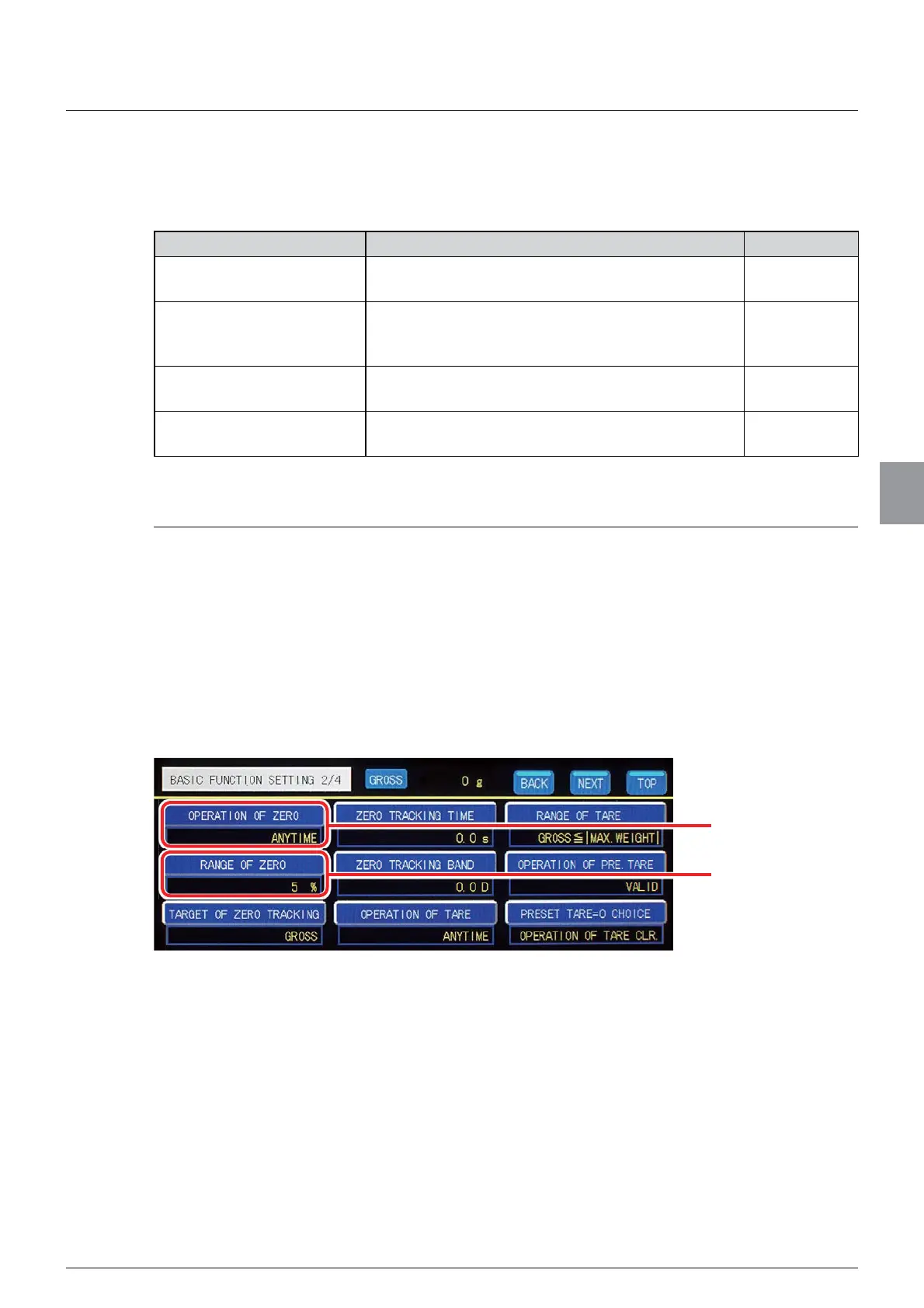
7RXVH]HURVHWVHWWKHIROORZLQJLWHPV
- Condition of [OPERATION OF ZERO]
- [RANGE OF ZERO]
Set the operation condition and the effective range on [BASIC FUNCTION] screen. Tap
>%$6,&)81&7,21@RQ>0(18@WRGLVSOD\>%$6,&)81&7,21@VFUHHQ
(1) Settings of condition of [OPERATION OF ZERO]
Set the operation condition of zero set.
Condition of
[OPERATION OF
ZERO]
[RANGE OF ZERO]



 To Next Page