138
Measurement
5
5.10. Operations during measurement
1) Set the operation condition
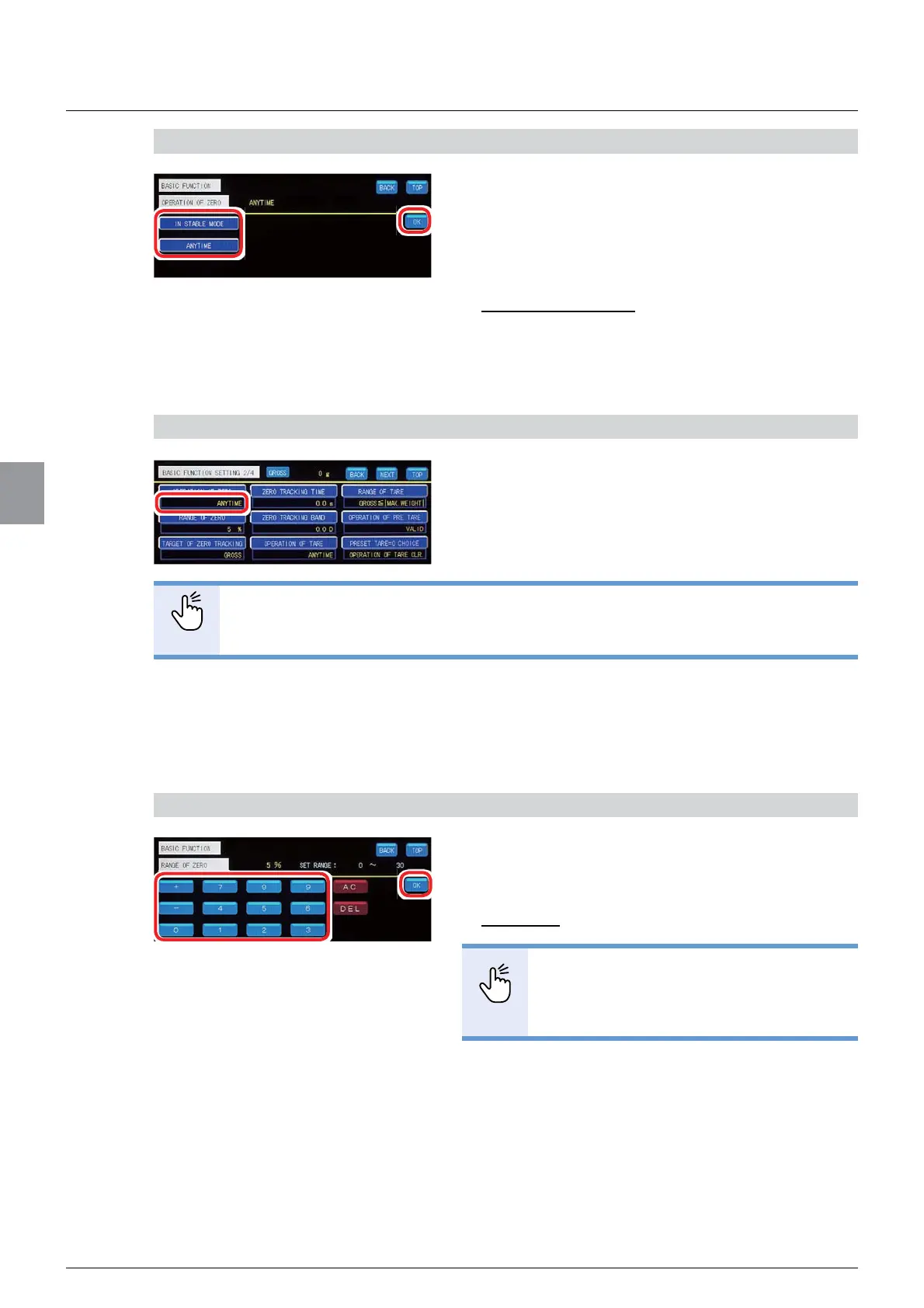
1. Select the operation condition of zero set.
[IN STABLE MODE]: Zero set is executable
RQO\ZKHQWKH>67$%/(@ODPSOLJKWVRQ:HLJKLQJ
screen.
[ANYTIME]: Zero set is executable anytime.
Default: [ANYTIME]
2. Tap [OK].
The operation condition of zero set has been set,
DQG>%$6,&)81&7,21@ZLOOEHGLVSOD\HG
&RQ¿UPWKHVHWWLQJV
&RQ¿UPWKHRSHUDWLRQFRQGLWLRQRI]HURVHW
The setting is completed if the item set by the step
1) appears under [OPERATION OF ZERO].
POINT
- The operation condition of zero set is applicable to the operation condition of zero
WUDFNLQJ5HIHUWR=HURWUDFNLQJVHWWLQJVIRUPRUHLQIRUPDWLRQDERXW]HUR
WUDFNLQJ
(2) Settings of [RANGE OF ZERO]
6HWWKHSHUFHQWDJHRIWKHHIIHFWLYHUDJHRI]HURVHWDJDLQVWWKHZHLJKLQJFDSDFLW\WKH
PD[LPXPORDGYDOXHRIWKHZHLJKLQJGHYLFH
1) Set the effective range
1. Enter the percentage of the effective range
against the weighing capacity.
$OORZDEOHUDQJHWR
Default: 5
POINT
6HWWLQJPDNHV]HURVHWXQDYDLODEOH
- Refer to "3.5. Input of numerical values"
IRUPRUHLQIRUPDWLRQDERXWKRZWRHQWHU
numerical values.
2. Tap [OK].
The effective range of zero set has been set, and
>%$6,&)81&7,21@ZLOOEHGLVSOD\HG



 To Next Page