4.4.Adjustment after calibration
37
4
Calibration
4.4.2. Fine adjustment of span points
Finely adjust the span point if there is a difference between the mass of the weight and the
actual weighing value.
%HIRUH¿QHDGMXVWPHQWRIWKHVSDQSRLQWSODFHDZHLJKWWKDWLVHTXDOWRRUOHVVWKDQ
[WEIGHING CAPACITY].
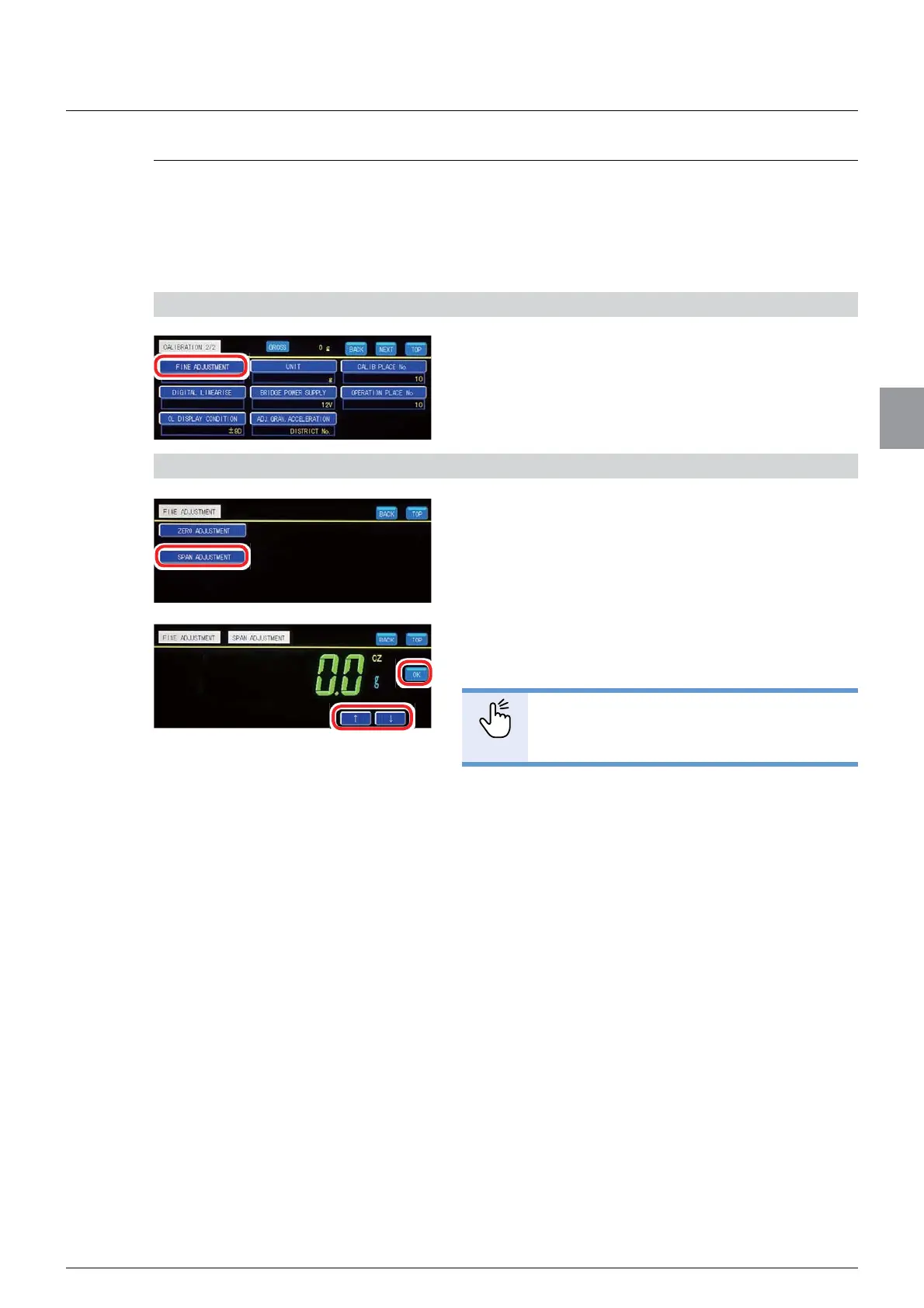
1) Display [FINE ADJUSTMENT] screen
1. Tap [FINE ADJUSTMENT] on [CALIBRATION
2/2].
[FINE ADJUSTMENT] will be displayed.
2) Finely adjust the span point
1. Tap [SPAN ADJUSTMENT].
The present weighing value with 1/10 digit scale
interval appears.
7DS>Ĺ@LQFUHPHQWRU>Ļ@GHFUHPHQWWRPDWFK
the weighing value with the mass of the weight.
POINT
- You can increment/decrement the
weighing value continuously by keep
SUHVVLQJ>Ĺ@RU>Ļ@
3. Tap [OK].
The span point has been registered, and Weighing
screen will be displayed.



 To Next Page