162
Measurement
5
5.11. Settings related to measurement
&RQ¿UPWKHVHWWLQJV
&RQ¿UPWKHVHWWLQJVRILQYHUVLRQRIWKHQHW
weigh sign.
The setting is completed if the item set by the step
2) appear under [NET WEIGHT SIGN INVERSE].
5.11.10.
Load value accumulation settings
Enter the settings to accumulate load values every time measurement is made.
7KHIROORZLQJWZRPHWKRGVDUHDYDLODEOHIRUDFFXPXODWLRQ
- Brand accumulation
Load values are accumulated for each brand set by Brand settings.
- Recipe accumulation
Load values are accumulated for each recipe settings set by recipe mode.
7RH[HFXWHDFFXPXODWLRQRIORDGYDOXHVVHWWKHIROORZLQJLWHPV
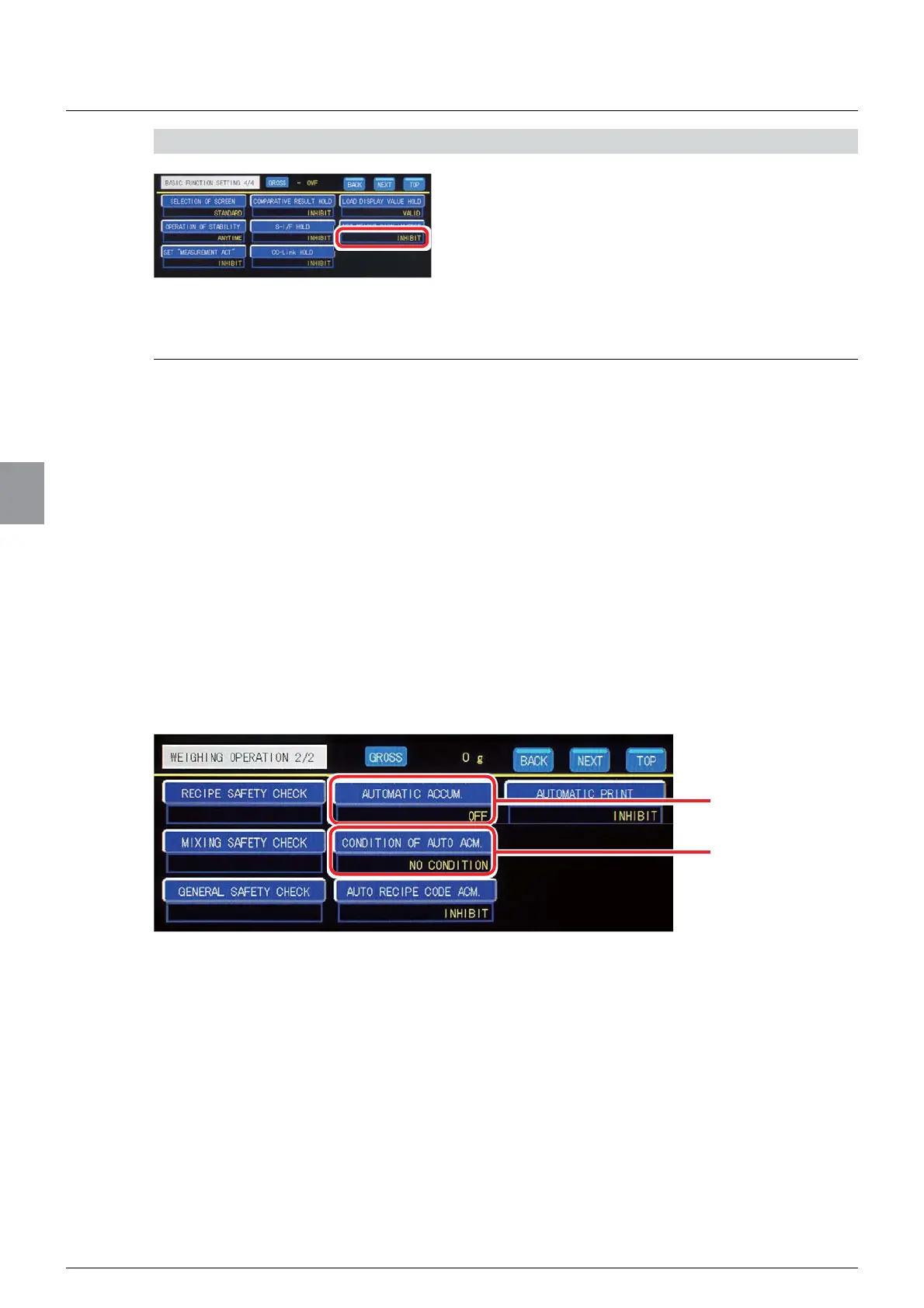
- [AUTOMATIC ACCUM. ] (operation of automatic accumulation)
- [CONDITION OF AUTO ACM. ] (condition of automatic accumulation)
Set the operation of automatic accumulation and the condition of automatic accumulation on
[WEIGHING OPERATION] screen. Tap [WEIGHING OPERATION] on Menu screen to
display [WEIGHING OPERATION] screen.
Operation of automatic
accumulation.
Condition of automatic
accumulation.



 To Next Page