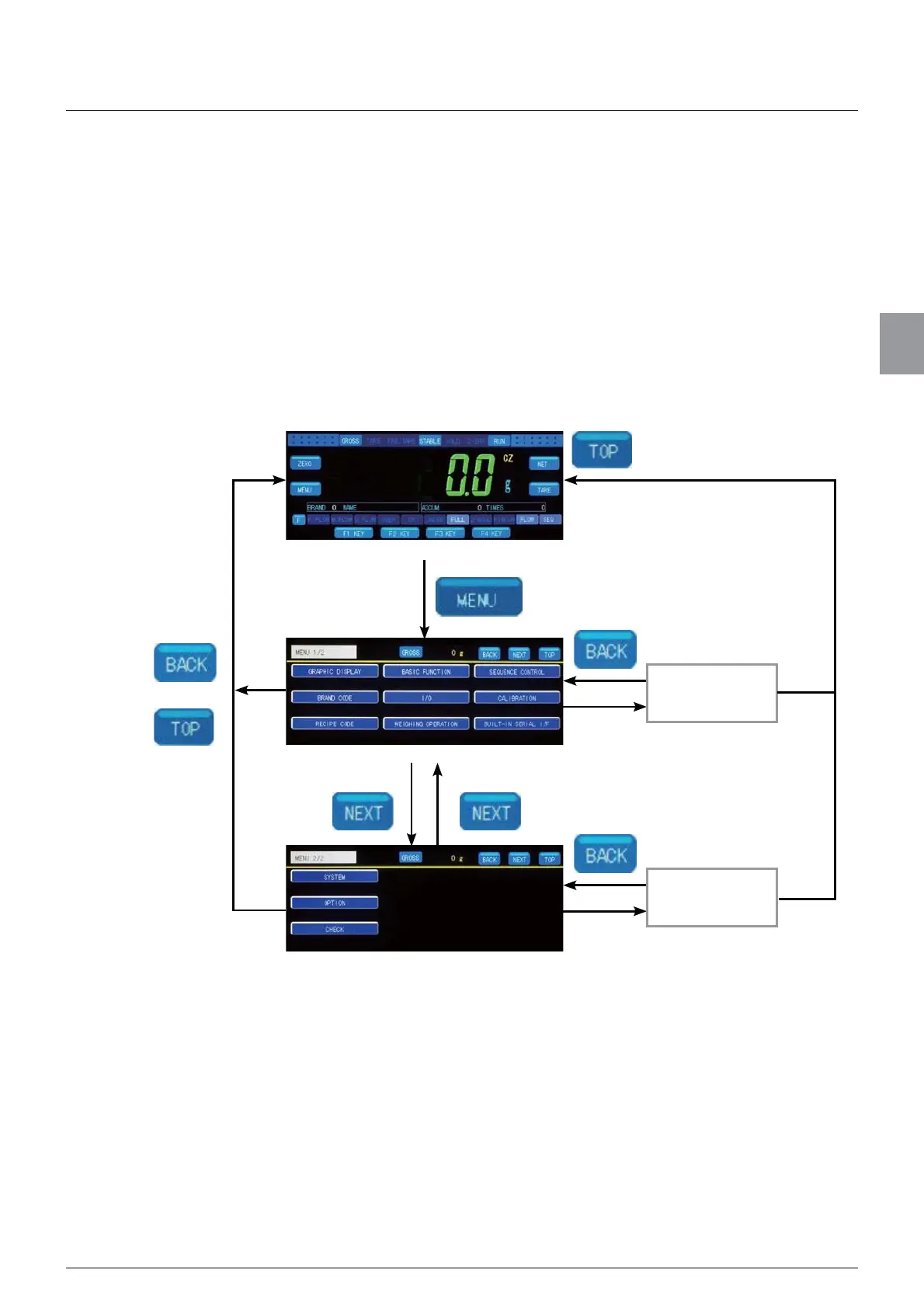
3.4. How to switch screens
19
Basic operations
3
3.4. How to switch screens
&6'%GLVSOD\V:HLJKLQJVFUHHQ¿UVWWKHQWKHVFUHHQVZLWFKHVWR0HQXVFUHHQZKLFK
switches to various setting screens.
Menu screen and some of the setting screens consist of more than one page. For such
screens, “current page/total pages” is displayed next to the screen name (such as 1/2 and
6ZLWFKSDJHVWR¿QGWKHLWHP\RXZDQWWRVHW
The following shows how to display Menu screen and how to switch pages.
Weighing screen
Item key
[MENU 1/2]
[MENU 2/2]
or
Various setting
screens
Item key
Various setting
screens



 To Next Page