198
Various settings
7
7.5.Setting initialization
7.5.2. Operational setting-related memory initialization
Basic function settings, I/O settings, weighing operation settings, sequence control settings,
standard communication settings, and option settings are initialized.
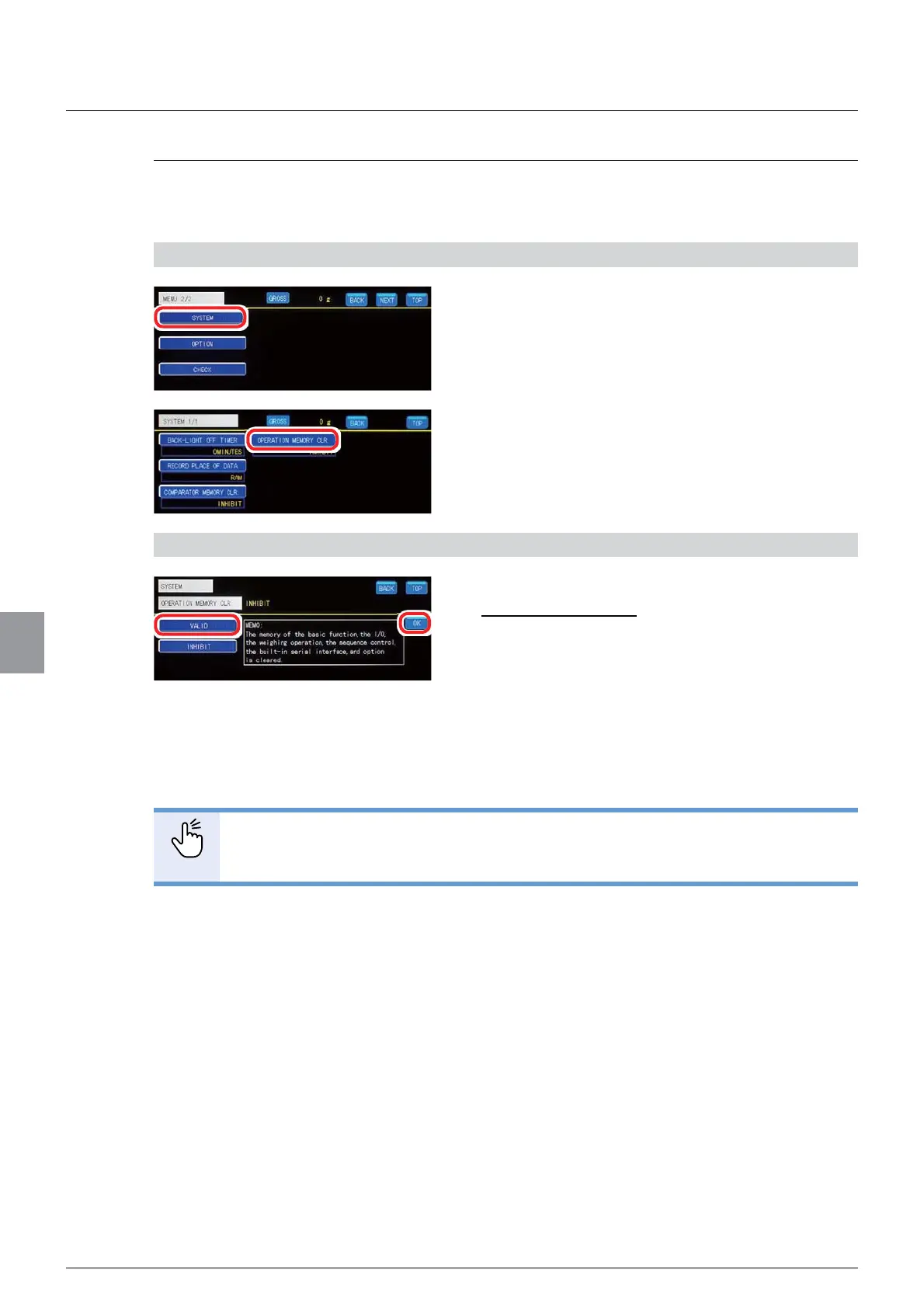
1) Display the operational setting-related memory initialization screen
1. Tap [SYSTEM] on [MENU 2/2].
>6<67(0@ZLOOEHGLVSOD\HG
2. Tap [OPERATION MEMORY CLR. ].
The operational setting-related memory initialization
screen will be displayed.
2) Initialize the operational setting-related memory
1. Tap [VALID].
Initial value: INHIBIT
2. Tap [OK].
Basic function settings, I/O settings, weighing
operation settings, sequence control settings,
standard communication settings, and option
VHWWLQJVZLOOEHLQLWLDOL]HGDQG>6<67(0@ZLOOEH
displayed.
32,17
- The calibration-related basic function settings will not be initialized when
FDOLEUDWLRQLVORFNHG)RUPRUHLQIRUPDWLRQUHIHUWR³&DOLEUDWLRQORFN´



 To Next Page