9.5.BCD output
242
External equipment
9
9.5.6. BCD output setting
7KHIROORZLQJLWHPVPXVWEHVHWDFFRUGLQJWRWKHVSHFL¿FDWLRQVRIWKH%&'RXWSXW
- Operation mode
- Output target
- BCD output logic
- POL. (polarity) logic
(UURUÀDJORJLF
- Print command logic (LOGIC OF P.C. )
3ULQWFRPPDQGZLGWK:,'7+2)3&
- BCD output times
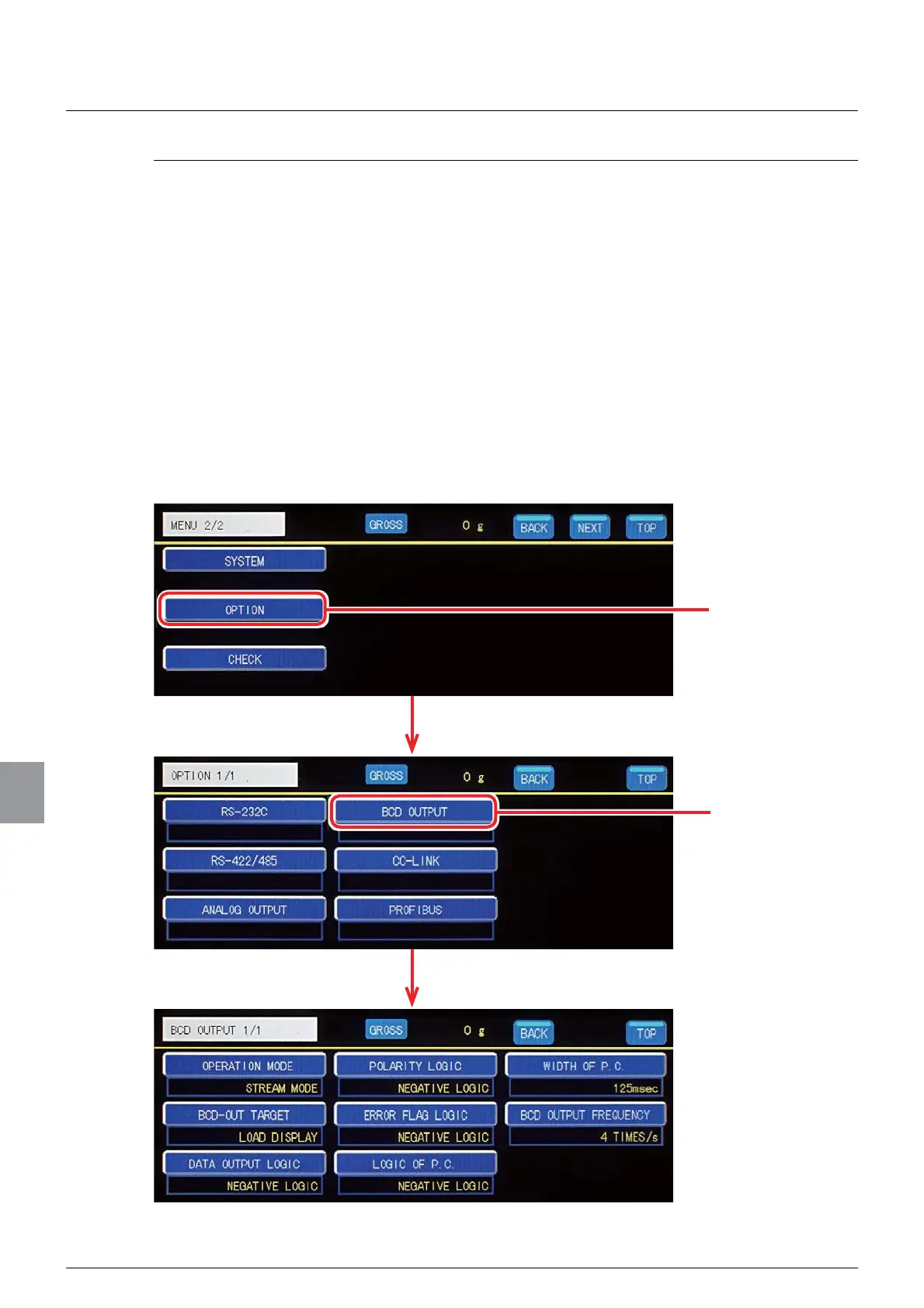
The BCD output settings are set on the BCD output setting screen. To display the BCD
output setting screen, tap [OPTION] on [MENU 2/2], and then tap [BCD OUTPUT] on the
option setting screen 1/1.
Tap [OPTION].
The option setting screen will be displayed.
The BCD output setting screen will be displayed.
Tap [BCD OUTPUT].



 To Next Page