9.5.BCD output
243
External equipment
9
POINT
- To set [OPERATION MODE], follow the same procedure described in "9.1.3.
&RPPXQLFDWLRQVHWWLQJRQWKH%&'RXWSXWVHWWLQJVFUHHQVHOHFWLRQV675($0
02'(6<1&:,7+35,176<1&:,7+$&&806<1&:,7+),1,6+
,QLWLDOYDOXH675($002'().
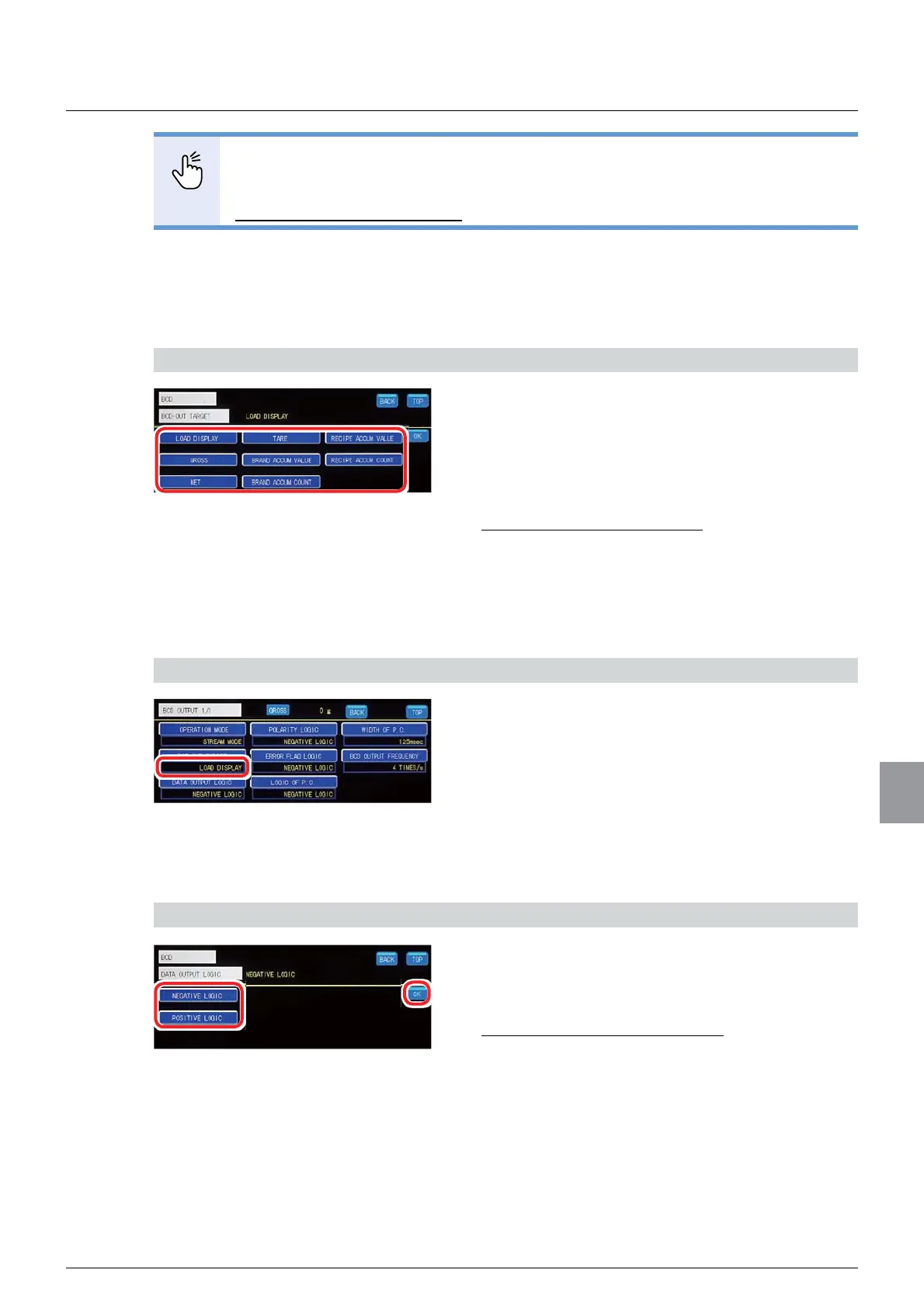
(1) Output target setting
A BCD output target is set.
1) Set an output target
1. Select an output target.
6HOHFWLRQV/2$'',63/$<*52661(7
7$5(%5$1'$&&809$/8(%5$1'
$&&80&28175(&,3($&&809$/8(
RECIPE ACCUM. COUNT
,QLWLDOYDOXH/2$'',63/$<
2. Tap [OK].
The output target will be set, and the BCD output
setting screen 1/1 will be displayed.
2) Check the setting that you set
1. Check the output target setting.
The setting is completed if the item set by the step
1) above appears under [BCD- OUT TARGET].
(2) BCD output logic setting
A data output logic of the BCD output is set.
1) Set a BCD output logic
1. Select a BCD output logic.
6HOHFWLRQV1(*$7,9(/2*,&326,7,9(
LOGIC
,QLWLDOYDOXH1(*$7,9(/2*,&
2. Tap [OK].
The BCD output logic will be set, and the BCD
output setting screen 1/1 will be displayed.



 To Next Page