186
Various settings
7
7.2.Settings related to compensation
7.2.2. Zero tracking setting
Zero tracking is a function to compensate a gradual zero-point drift to stabilize the zero point.
To execute zero tracking, the items below must be set:
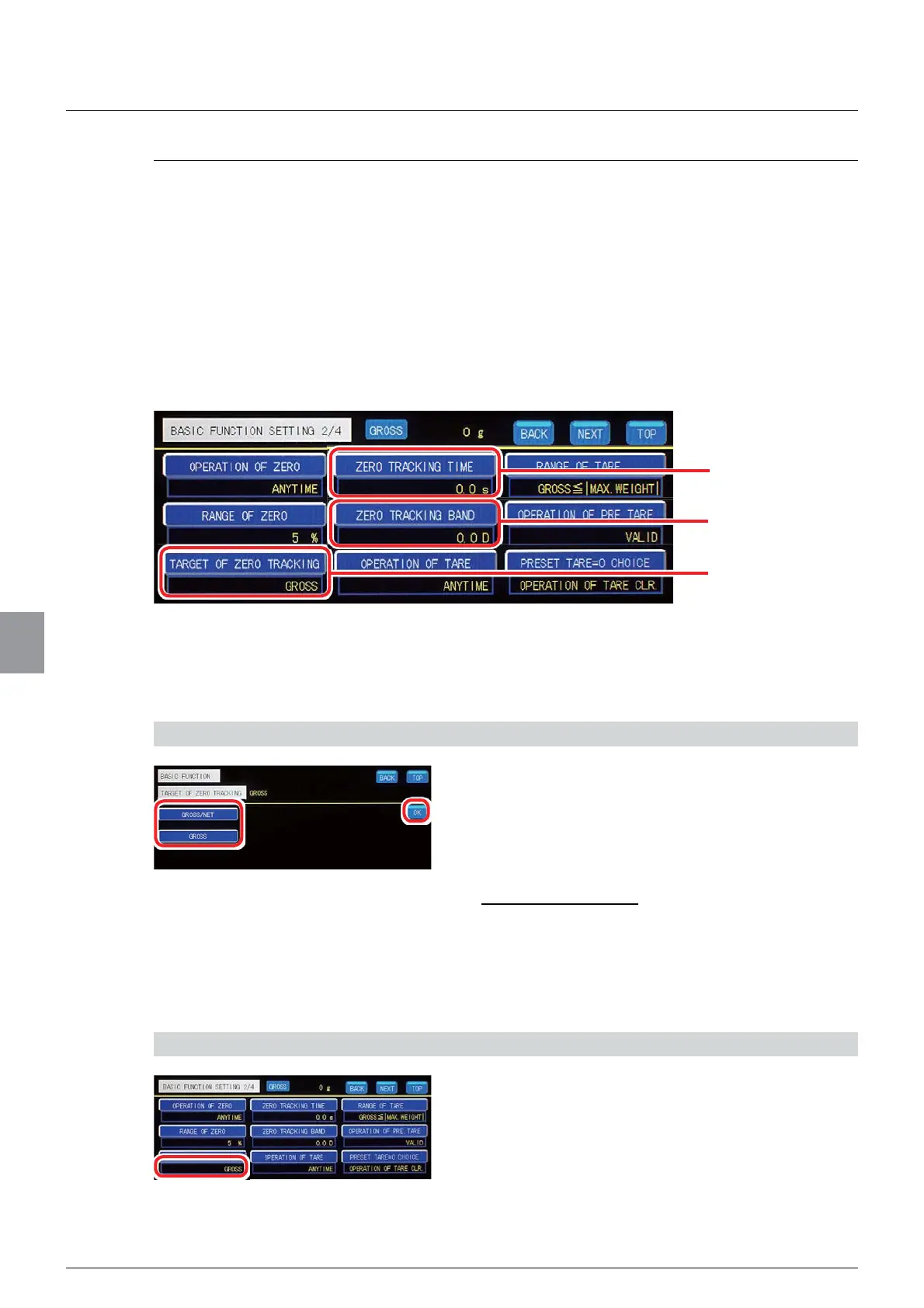
- Target of zero tracking
=HURWUDFNLQJGDWDZLGWKFRHI¿FLHQW
- Zero tracking time
The above items are set on the basic function setting screen. To display the basic function
setting screen, tap [BASIC FUNCTION] on [MENU 1/2].
(1) Target of zero tracking setting
A target of zero tracking is set.
1) Set a target of zero tracking
1. Select a target of zero tracking.
*52661(7:KHQVHOHFWHGERWKJURVVDQGQHW
weights will be a target of zero tracking.
*5266:KHQVHOHFWHGRQO\JURVVZHLJKWZLOOD
target of zero tracking.
,QLWLDOYDOXH*5266
2. Tap [OK].
The target of zero tracking will be set, and [BASIC
FUNCTION 2/4] will be displayed.
2) Check the setting that you set
1. Check the target of zero tracking.
The setting is completed if the item set by the step
DERYHDSSHDUVXQGHU>7$5*(72)=(52
75$&.,1*@
Zero tracking time
Zero tracking
GDWDZLGWKFRHI¿FLHQW
Target of zero tracking



 To Next Page