187
Various settings
7
7.2.Settings related to compensation
=HURWUDFNLQJGDWDZLGWKFRHI¿FLHQWVHWWLQJ
$GDWDZLGWKFRHI¿FLHQWWRH[HFXWH]HURWUDFNLQJLVVHW,IWKHFKDQJHZLGWKRIDZHLJKLQJYDOXH
LVZLWKLQWKHUDQJHRIDVHWGDWDZLGWKFRHI¿FLHQW[GLYLVLRQ]HURWUDFNLQJZLOOEHH[HFXWHG
)RUH[DPSOHVXSSRVHWKDWWKHGDWDZLGWKFRHI¿FLHQWLVDQGWKHGLYLVLRQLV,QWKLVFDVH
the zero tracking data width would be 25.0, and zero tracking would be executed when the
change width of the weighing value becomes within 25.0.
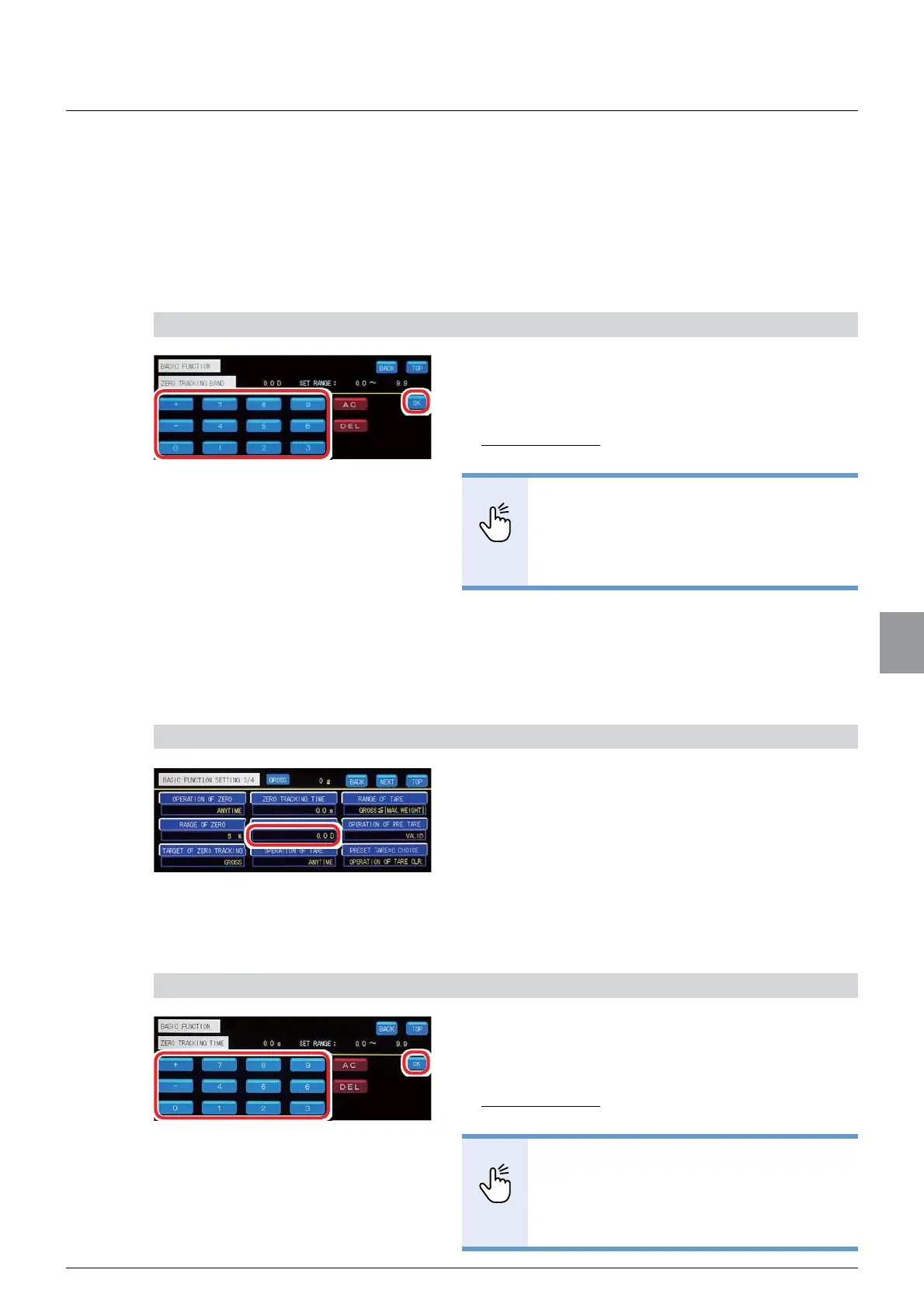
6HWD]HURWUDFNLQJGDWDZLGWKFRHI¿FLHQW
,QSXWD]HURWUDFNLQJGDWDZLGWKFRHI¿FLHQW
Unit: D
Settable range: 0.0 to 9.9
Initial value: 0.0
32,17
- If set to 0.0, zero tracking will not be
executed.
5HIHUWR³,QSXWRIQXPHULFDOYDOXHV´
for more information about how to enter
numerical values.
2. Tap [OK].
7KH]HURWUDFNLQJGDWDZLGWKFRHI¿FLHQWZLOOEHVHW
and [BASIC FUNCTION 2/4] will be displayed.
2) Check the setting that you set
1. Check the value of zero tracking data width
FRHI¿FLHQW
The setting is completed if the value set by the step
DSSHDUVXQGHU>=(5275$&.,1*%$1'@
(3) Zero tracking time setting
A length of time until zero tracking is executed is set.
1) Set a zero tracking time
1. Input a zero tracking time.
Unit: 0.1 seconds
Settable range: 0.0 to 9.9
Initial value: 0.0
32,17
- If set to 0.0, zero tracking will not be
executed.
5HIHUWR³,QSXWRIQXPHULFDOYDOXHV´
for more information about how to enter
numerical values.



 To Next Page