4.3.Calibration
35
4
Calibration
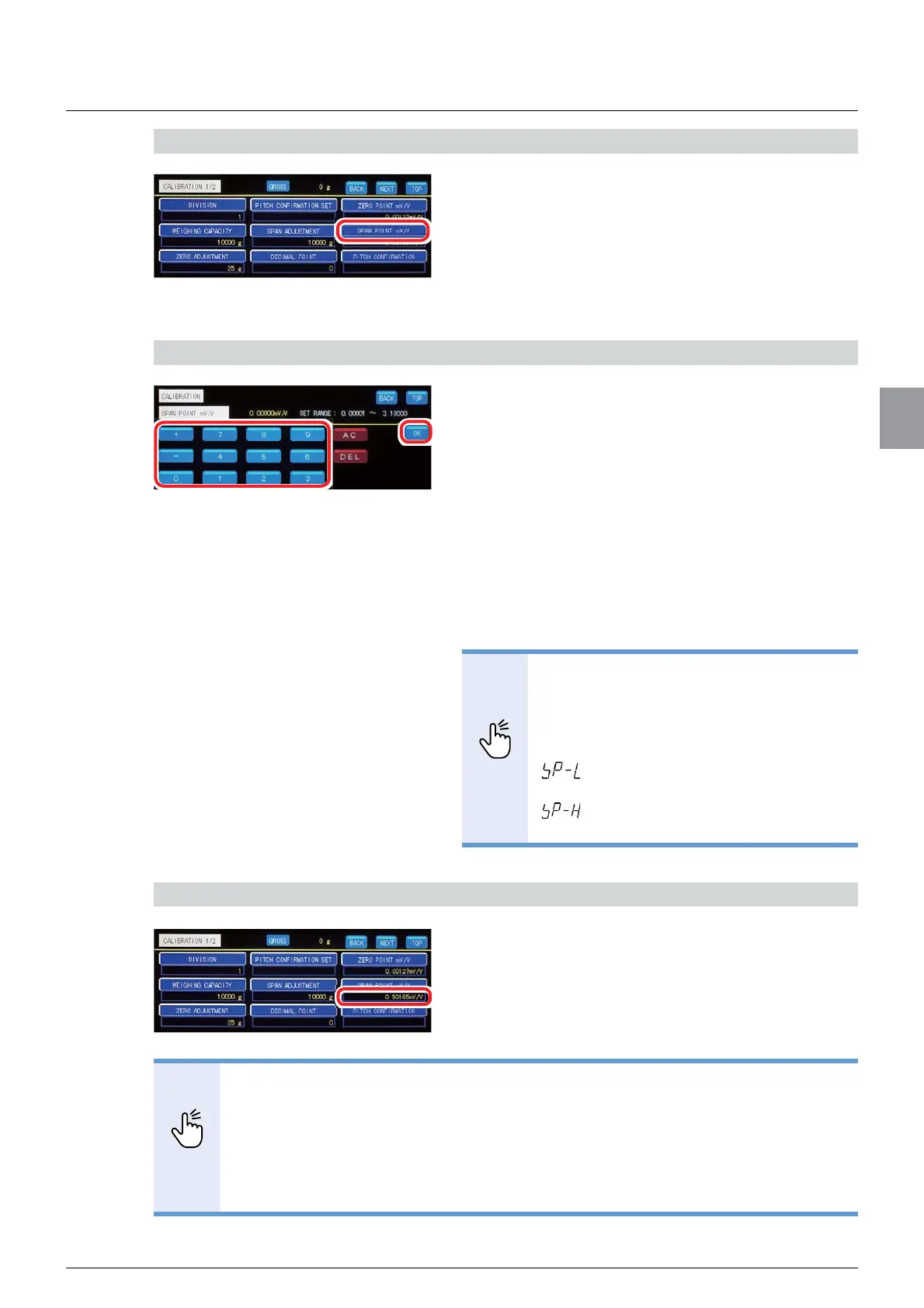
1) Display the screen to register [SPAN POINT mV/V]
1.
Tap [SPAN POINT mV/V] on [CALIBRATION 1/2].
The input value at the time of adjustment before
shipment or previous calibration appears under
[SPAN POINT mV/V].
The screen to set output voltage values will be
displayed.
2) Set the output voltage value
1. Enter the value that is calculated by deducting
the output voltage value corresponding to the
zero point from the output voltage value
corresponding to [WEIGHING CAPACITY].
Unit: mV/V
Allowable range: 0.000 01 to 3.100 00
2. Tap [OK].
The output voltage value has been set, and
[CALIBRATION 1/2] will be displayed.
POINT
- If you enter a numerical value outside
the allowable range, the following errors
blinks for about two seconds. Set a
numerical value within the allowable
range again.
: The input numerical value is 0.0 or
less.
: The input numerical value is more
than 3.1.
&RQ¿UPWKHVHWWLQJV
&RQ¿UPWKHYDOXHRI>63$132,17P99@
The setting is completed if the value set by the step
2) appears under [SPAN POINT mV/V].
POINT
- A numerical value displayed under [SPAN ADJUSTMENT] is the initial load
conversion value under the calibration condition in which [ZERO ADJUSTMENT]
and [SPAN ADJUSTMENT] have been completed. Use the value as the target of
the initial load value (tare weight) after calibration.
A numerical value may not appear under [SPAN ADJUSTMENT] if the value is
out of the displayable range, for example, since the initial load value is large and
[WEIGHING CAPACITY] is small.



 To Next Page