4.3.Calibration
34
Calibration
4
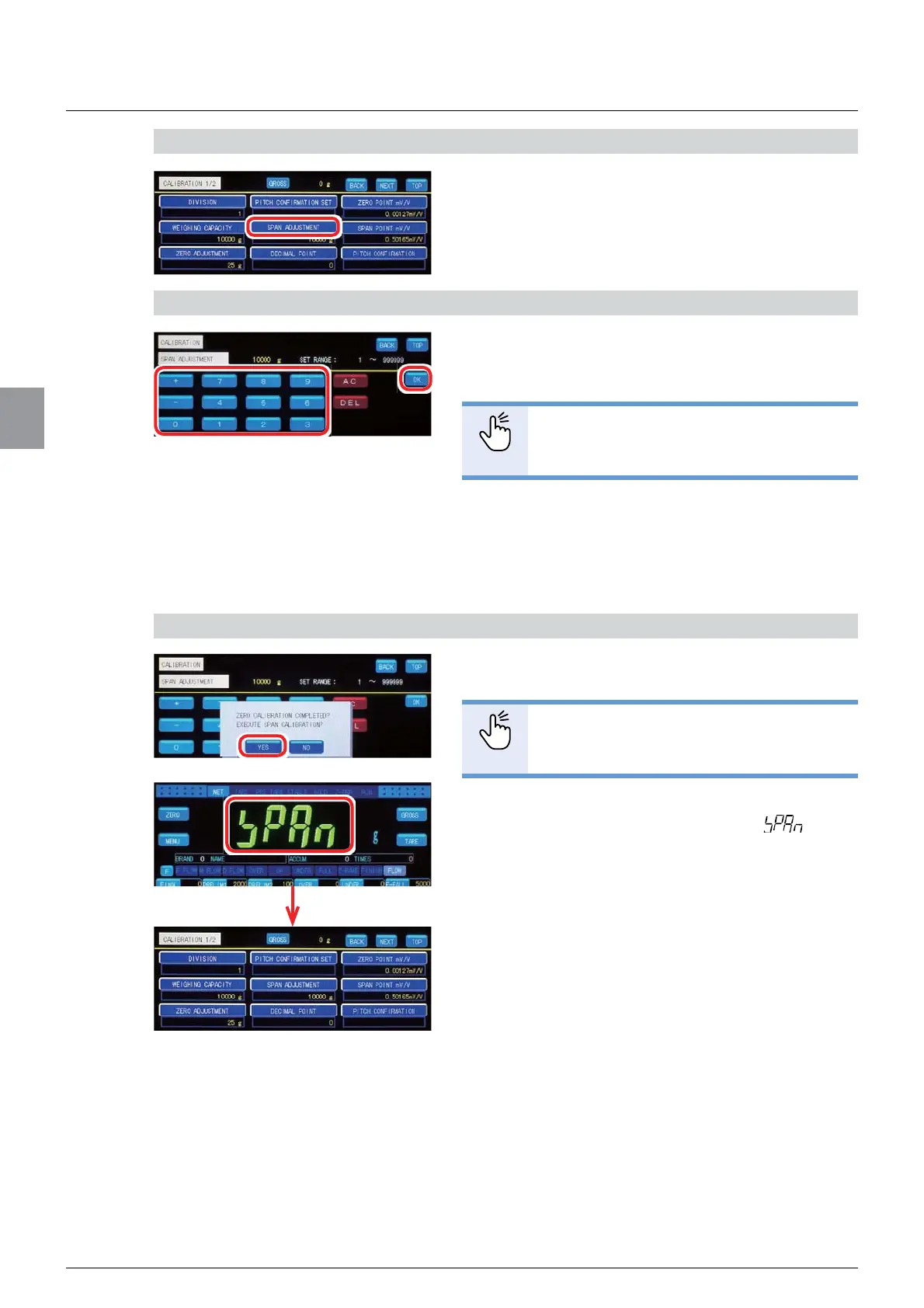
1) Display the screen for [SPAN ADJUSTMENT]
1. Tap [SPAN ADJUSTMENT] on [CALIBRATION
1/2].
2. The screen for [SPAN ADJUSTMENT] will be
displayed.
2) Enter the mass of the weight
1. Enter the value of the mass of the weight on
the weighing device.
POINT
- Refer to “3.5. Input of numerical values”
for more information about how to enter
numerical values.
2. Tap [OK].
[ZERO CALIBRATION COMPLETED?EXECUTE
SPAN CALIBRATION?] will be displayed.
3) Perform [SPAN ADJUSTMENT]
1. Tap [YES].
POINT
- To cancel [SPAN ADJUSTMENT], tap
[NO] then tap [BACK] or [TOP].
If [CALIBRATION 1/2] is displayed after
blinks
on the load display section, [SPAN ADJUSTMENT]
is completed.
(2) Enter the numerical value of the output voltage
Deduct the output voltage value at the zero point from the load cell’s output voltage value that
will be observed when the maximum load is applied. Then enter the value to register it as the
span point.
The accuracy of span adjustment by entering output voltage values is about 1/1 000. When
precise accuracy more than 1/1 000 is required, perform span adjustment by reading the data
of weights.



 To Next Page