190
Various settings
7
6HWWLQJVUHODWHGWRQRLVHUHGXFWLRQ¿OWHU
'LJLWDO¿OWHUVHWWLQJ
A moving average frequency to stabilize A/D converted data is set.
'LVSOD\WKHGLJLWDO¿OWHUVHWWLQJVFUHHQ
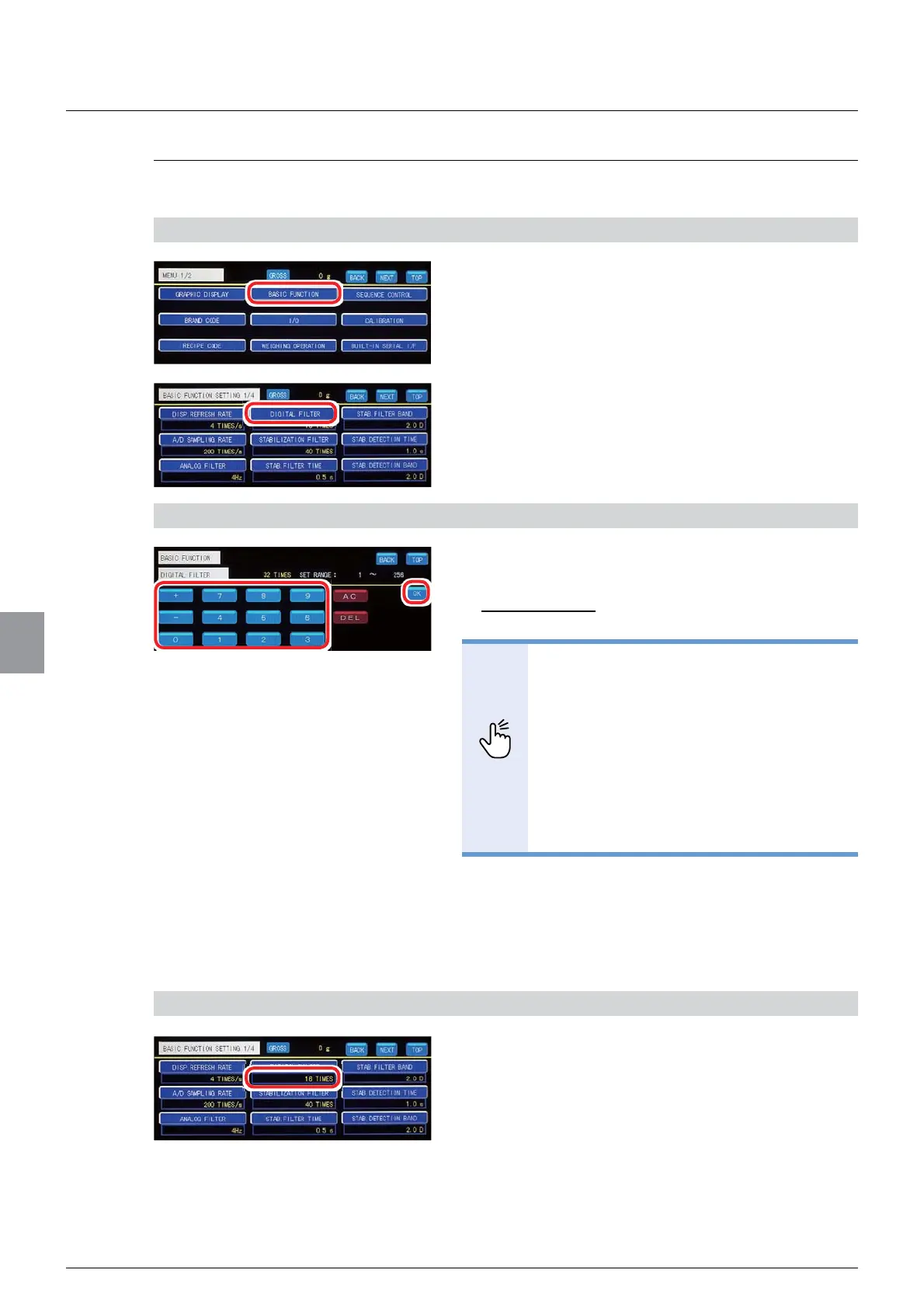
1. Tap [BASIC FUNCTION] on [MENU 1/2].
[BASIC FUNCTION 1/4] will be displayed.
2. Tap [DIGITAL FILTER].
7KHGLJLWDO¿OWHUVHWWLQJVFUHHQZLOOEHGLVSOD\HG
2) Set a moving average frequency
1. Input a moving average frequency.
Settable range: 1 to 256
Initial value: 16
32,17
- Setting a lower value of the moving
average frequency will decrease noise
durability and increase the response
speed. Setting a higher value of the
moving average frequency will increase
noise durability and decrease the
response time.
5HIHUWR³,QSXWRIQXPHULFDOYDOXHV´
for more information about how to enter
numerical values.
2. Tap [OK].
The moving average frequency will be set, and
[BASIC FUNCTION 1/4] will be displayed.
3) Check the setting that you set
&KHFNWKHGLJLWDO¿OWHUVHWWLQJ
The setting is completed if the value set by the step
DSSHDUVXQGHU>',*,7$/),/7(5@



 To Next Page