4.4.Adjustment after calibration
45
4
Calibration
&RQ¿UPWKHJUDYLWDWLRQDODFFHOHUDWLRQYDOXHRI
the calibration place.
The setting is completed if the gravitational
acceleration value you have entered appears under
[CALIB. PLACE G. A. ].
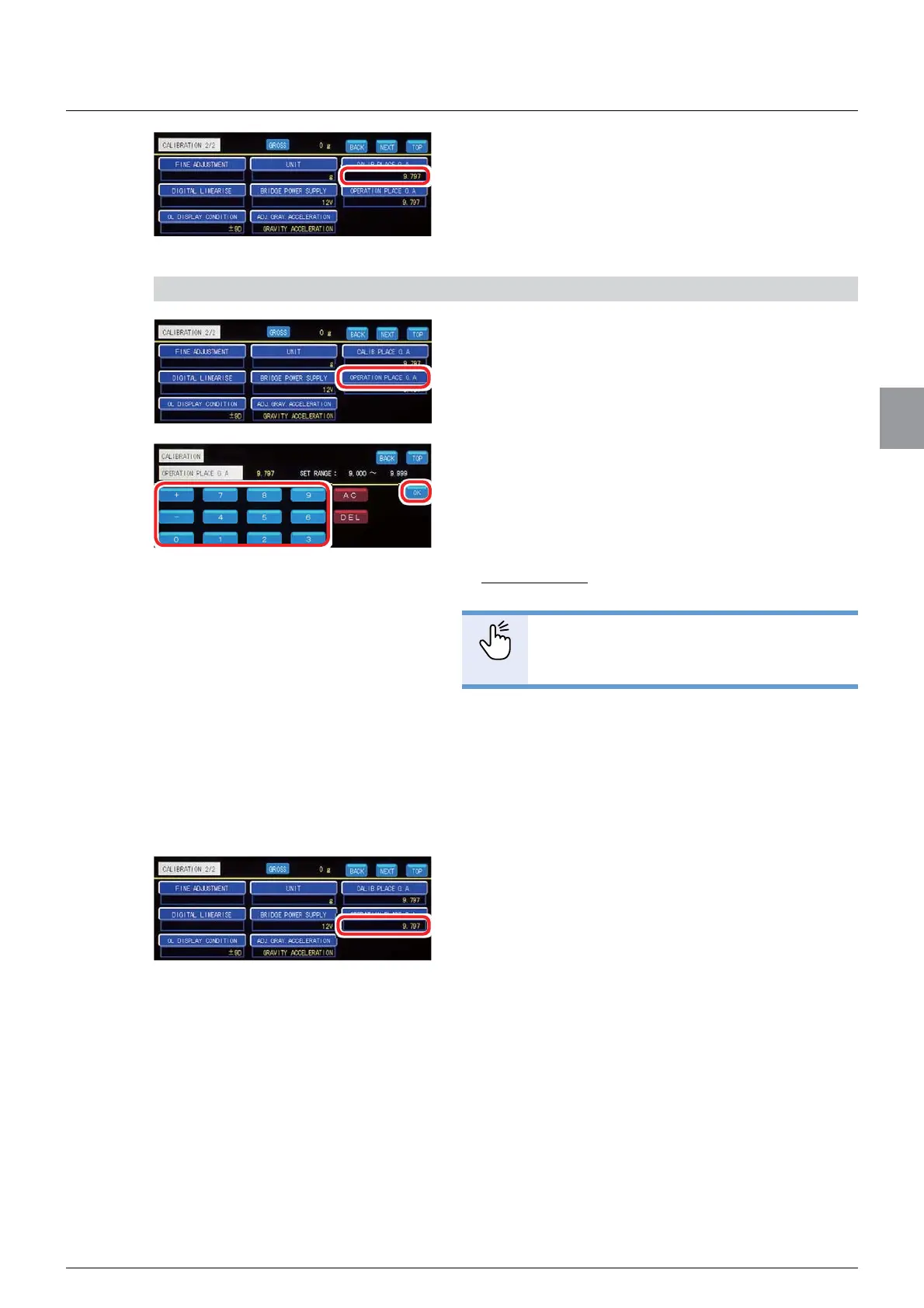
3) Enter the gravitational acceleration value of the point of use
1. Tap [OPERATION PLACE G. A. ] on
[CALIBRATION 2/2].
The screen to enter the gravitational acceleration
value of the point of use will be displayed.
2. Refer to the “Table of gravitational
acceleration compensation” (at the end of 4.4.5.)
to enter the gravitational acceleration value of
the point of use.
Allowable range: 9.000 to 9.999
Default: 9.797
POINT
- Refer to “3.5. Input of numerical values”
for more information about how to enter
numerical values.
3. Tap [OK].
The gravitational acceleration value of the point of
use has been set, and [CALIBRATION 2/2] will be
displayed.
4. Conform the gravitational acceleration value
of the point of use.
The setting is completed if the gravitational
acceleration value you have entered appears under
[OPERATION PLACE G. A. ].



 To Next Page