USER MANUAL
MINISENTRY-2
107911_D User manual MINISENTRY-2_En.docx
MIRION TECHNOLOGIES (Canberra)S.A.S., BP249, ZI de Vauzelles, 37602
9.10.9.2 Password resetting
: The "Reset Passwords" requires the master password. Once reset the active user profile is
the last one enabled.
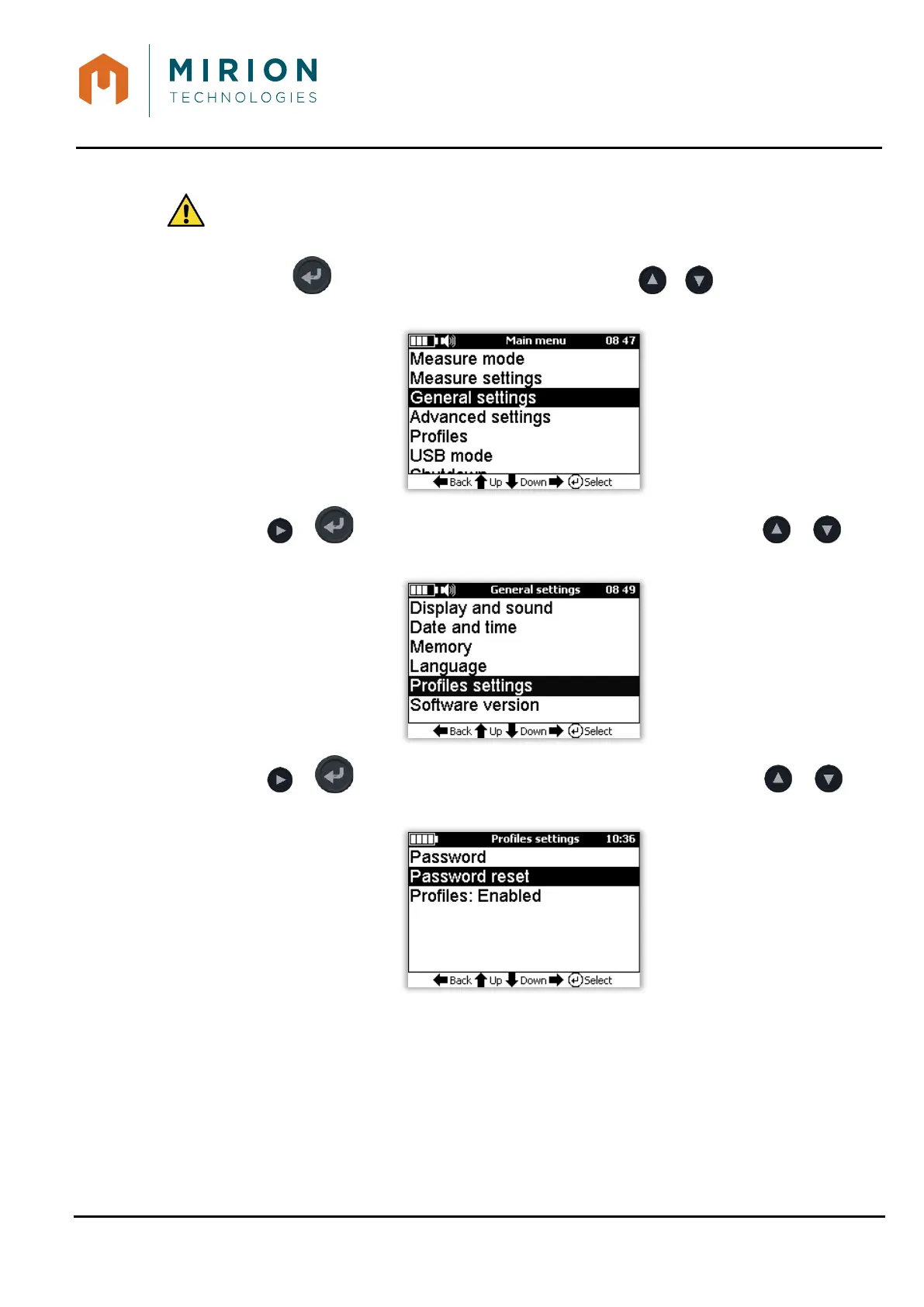
1. Press the key to access the main menu and press the or keys to select the
« General settings » line
2. Press or key to view the « General settings » screen and Press the or keys
to select the « Profiles setting » line
3. Press or key to view the « Profiles settings » screen and press the or key
to select the « Password reset » line.


 To Next Page