USE MANUAL
MINISENTRY-2
107911_D User manual MINISENTRY-2_En.docx
MIRION TECHNOLOGIES (Canberra) S.A.S, BP249, ZI de Vauzelles, 3760
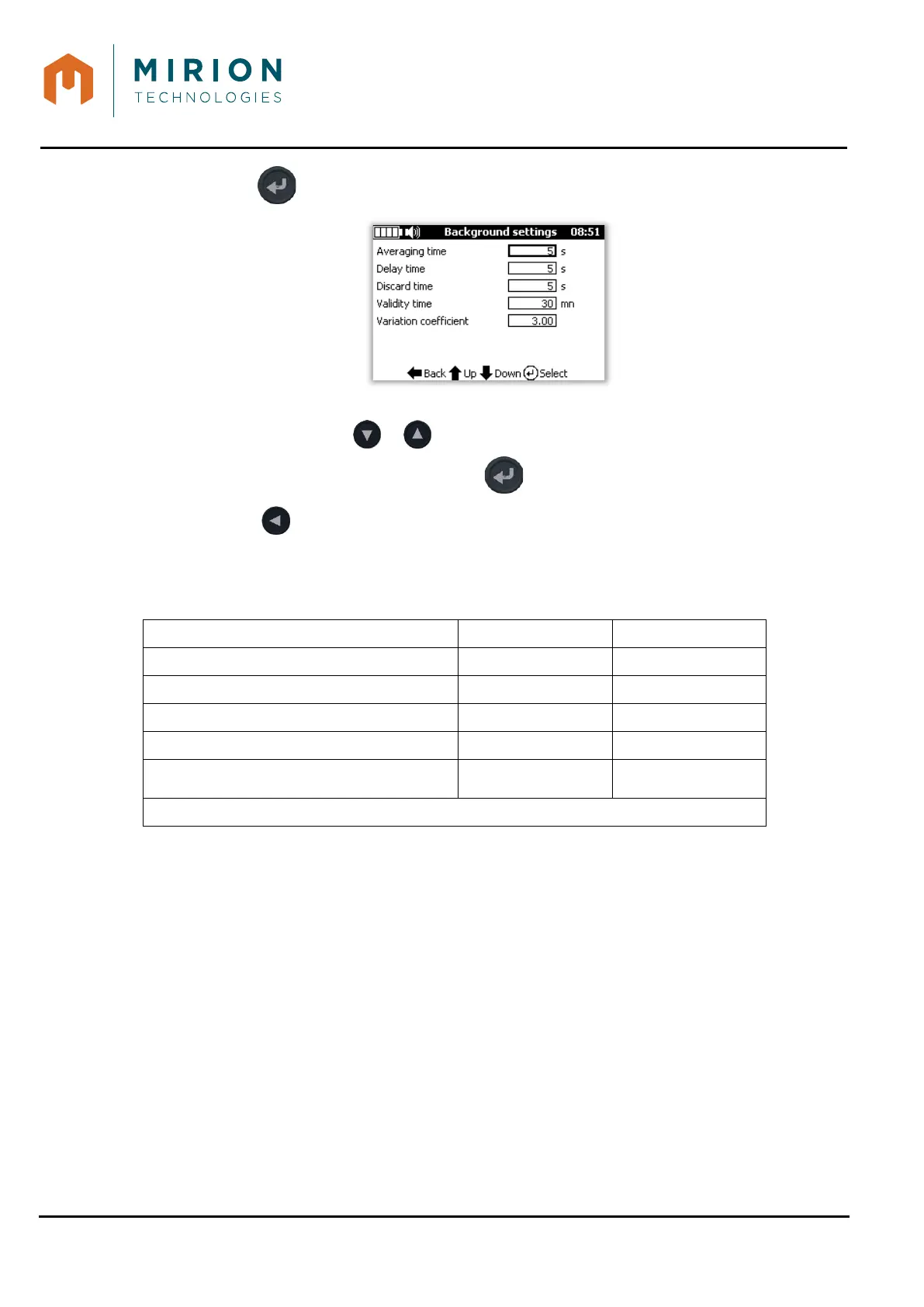
3. Press the key to display the « Background settings » screen:
To select a value:
• Select the line with or key,
• Validate or enter in edit mode with the Key.
5. Press the key to return to previous screen,
Background settings are common to all measure modes and can be change by user:
Background Range Default value
« Minimum averaging time » 5 s to 600 s 30 s
« Delay time » 1 to10 s 5 s
« Discard time » 1 to 10 s 5 s
« Validity time » 1 min to 24 hours 30 min
« Variation coefficient »
0,01
to 10
3
9.11.2.1 Low background noise
If the background noise value is below the « Low counts trip level », an « Out of service » error shall
be displayed (unless the setting is set to « Ignore ».
9.11.2.2 High background noise
If the background noise exceeds the « High counts trip level », an « Out of service » error shall be
displayed (unless the setting is set to « Ignore ».
9.11.2.3 Excessive background noise
When the background is enabled and a rate alarm is set, the device is able to figure out if the alarm
threshold can be reach in the needed confidence level.
If the SD decision threshold is greater than or equal to the set alarm threshold in the probe, there is the
« Excessive noise » message notification.


 To Next Page