Morgana DocuMaster MFC - Service Manual 207
6. General Procedures - The MFC Machine Configuration Wizard Description
6.7 The MFC Machine Configuration Wizard Description
The Machine Configuration Wizard (MCW) is the calibration tool that must be used to
calibrate the creaser module. Click the MCW button on the MFC Test program Tool Bar
to open the configuration wizard (see Section 6.4.3).
For instructions about the crea
ser module calibration procedure (see Section 4.5.18).
Caution: You must NEVER disconnect the mains power to the MFC when the Machine
Configuration Wizard is open. If you do not obey this
instruction you could erase the
EEROM values or cause damage to the processor PCB.
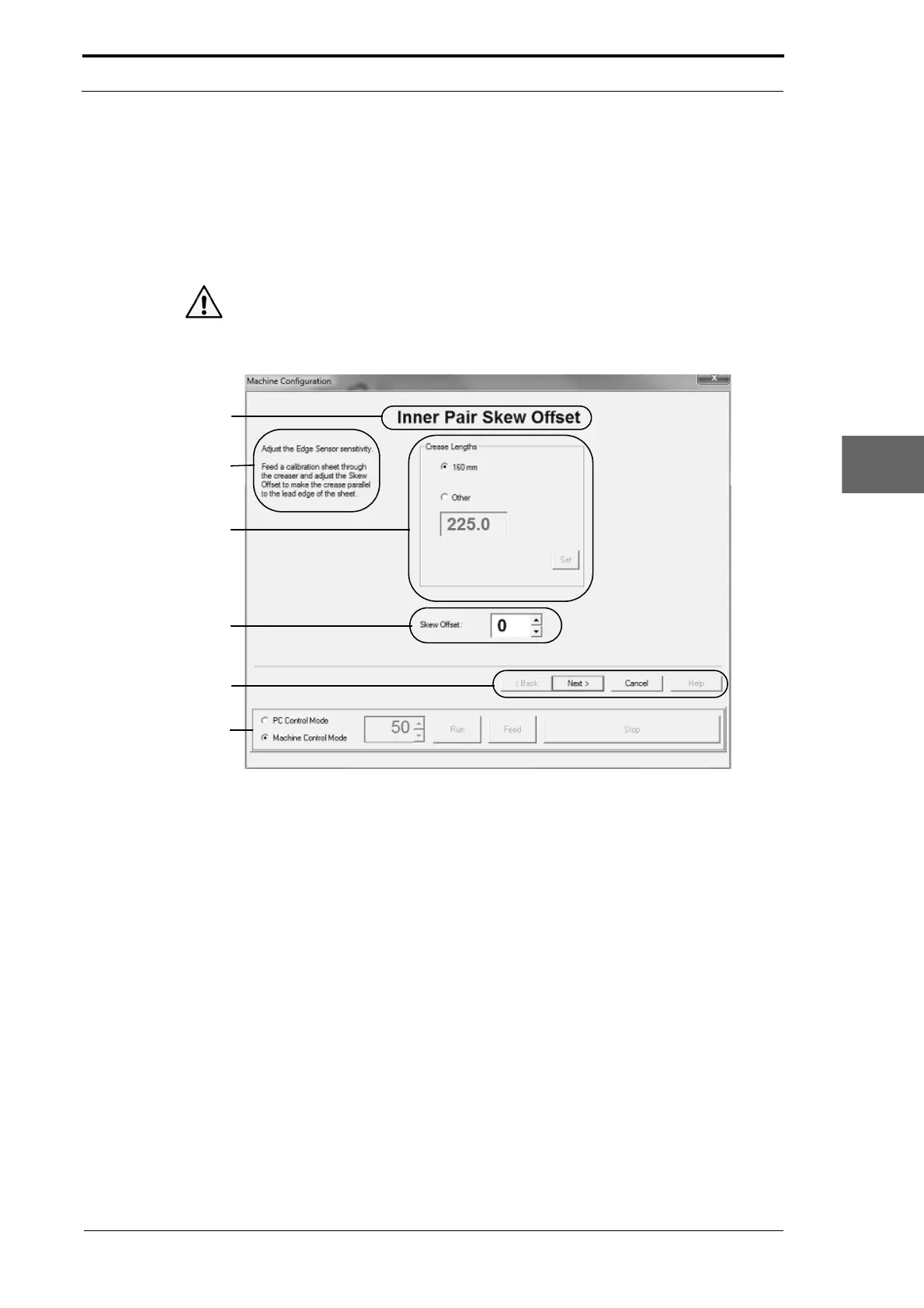
Calibration Page Title
Procedure
Instructions
Crease Position
Information
Calibration Setting
Field
Command Buttons
Control Bar
Figure 6.12 Parts Of A Machine Configuration Wizard Calibration Page
The parts of the MCW calibration page are:
6.7.1 The Calibration Page Title
The calibration page title is shown at the top of the page. The page title describes the
calibration procedure that must be done. Here, the 'Inner Pair Skew Offset' page is
shown (see Figure 6.12). This is the first page of the MCW
. The page title shows that
you must test and calibrate the skew offset trim
for the inner-pair of edge-sensors.
6.7.2 The Procedure Instructions
The procedure instructions are a brief description of what is necessary to complete the
calibration procedure. For instructions about how to calibrate the creaser module (see
Section 4.5.18).



 To Next Page