DCS Command System User’s Guide
Menu Operations - Advanced
Improved TMCC® Control
Create TMCC Lash-up
Select an individual engine in a lash-up,
change its settings (lighting, sounds, or
smoke, for example), and those changes
will be retained when you go back to con-
trolling the lash-up.
1. Ensure the engines you wish to add to
the Lash-up are in the ACTIVE LIST on
the Remote.
2. Ensure the TMCC Command Base is
powered on, connected to the TIU you
use to talk to TMCC engines, and con-
nected to the outer rail of your track from
the “U” post on the Command Base.
3. Apply track power
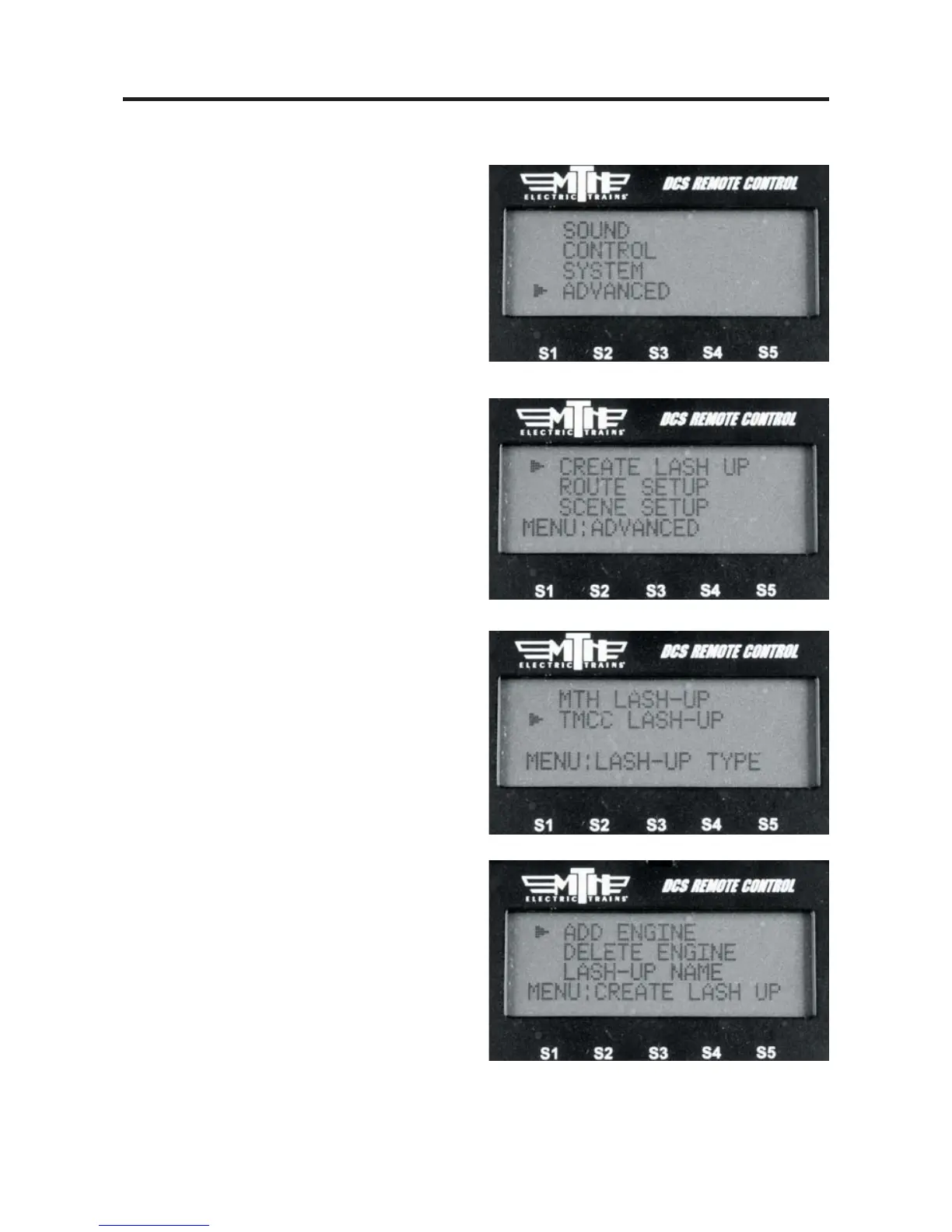
4. Press MENU
5. Select ADVANCED
6. Select CREATE LASH-UP
7. Select TMCC LASH-UP
8. Select ADD ENGINE
84



 To Next Page