DCS Command System User’s Guide
Menu Operations - Advanced
Create TMCC Lash-up: (cont’d)
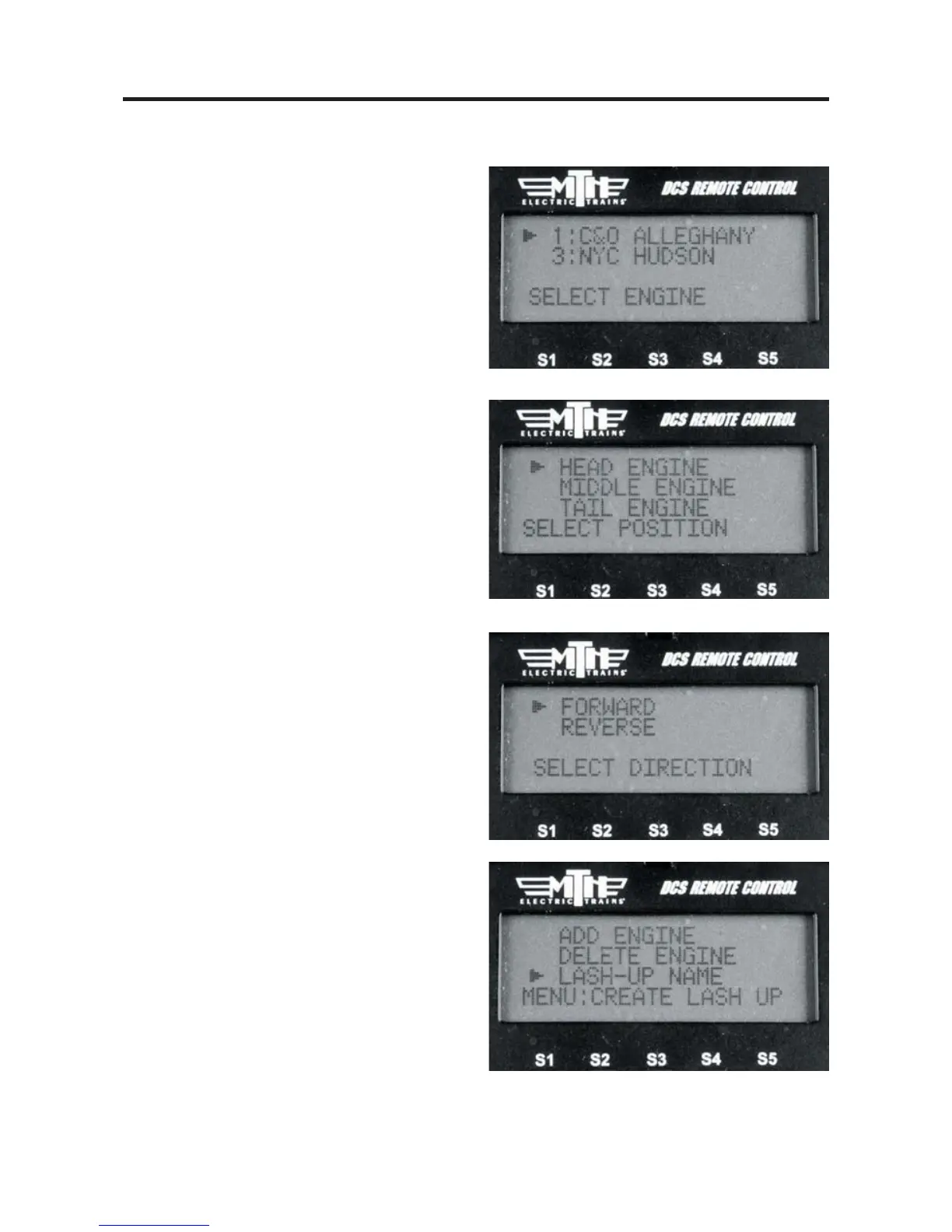
9. Scroll through your engine list to grab
the engine you want to place into the lash-
up.
10. Select HEAD, MIDDLE, or TAIL
depending upon which engine you want to
add first. It's easiest to start with the Head
engine and then work your way to the Tail
engine.
11. Select FORWARD or REVERSE for
the direction the engine is facing in the
Lash-up (the engine must already be facing
this way on the track).
12. Repeat steps 7-9 for the remaining
engines you want to add to the lash-up.
13. If you make a mistake on adding an
engine you can use the DELETE
ENGINE function to select the engine to
delete from the lash-up.
14. Once you have completed adding
engine in the position and which direction
they are facing you can now give your new
lash-up a name. Select LASH-UP NAME.



 To Next Page