4-14 Transmission related settings
Delayed transmission (Delayed Tx)
You can use this function to specify the date and time to send the fax.
•You can specify a time and date up to a month ahead. The document for delayed
transmission is stored in memory until the specified time, at which point transmission
will start.
•If real time transmission is specified, the document will remain loaded until the
specified time, so you will not be able to copy, scan, or transmit other faxes.
•This function can be also specified in combination with other functions (such as
broadcasting, etc.).
1
Press [Fax] on My MFP Menu screen.
If My MFP Menu screen is not displayed, press <Mode> repeatedly until “Fax Ready” screen is
displayed.
2
Press [Advanced].
3
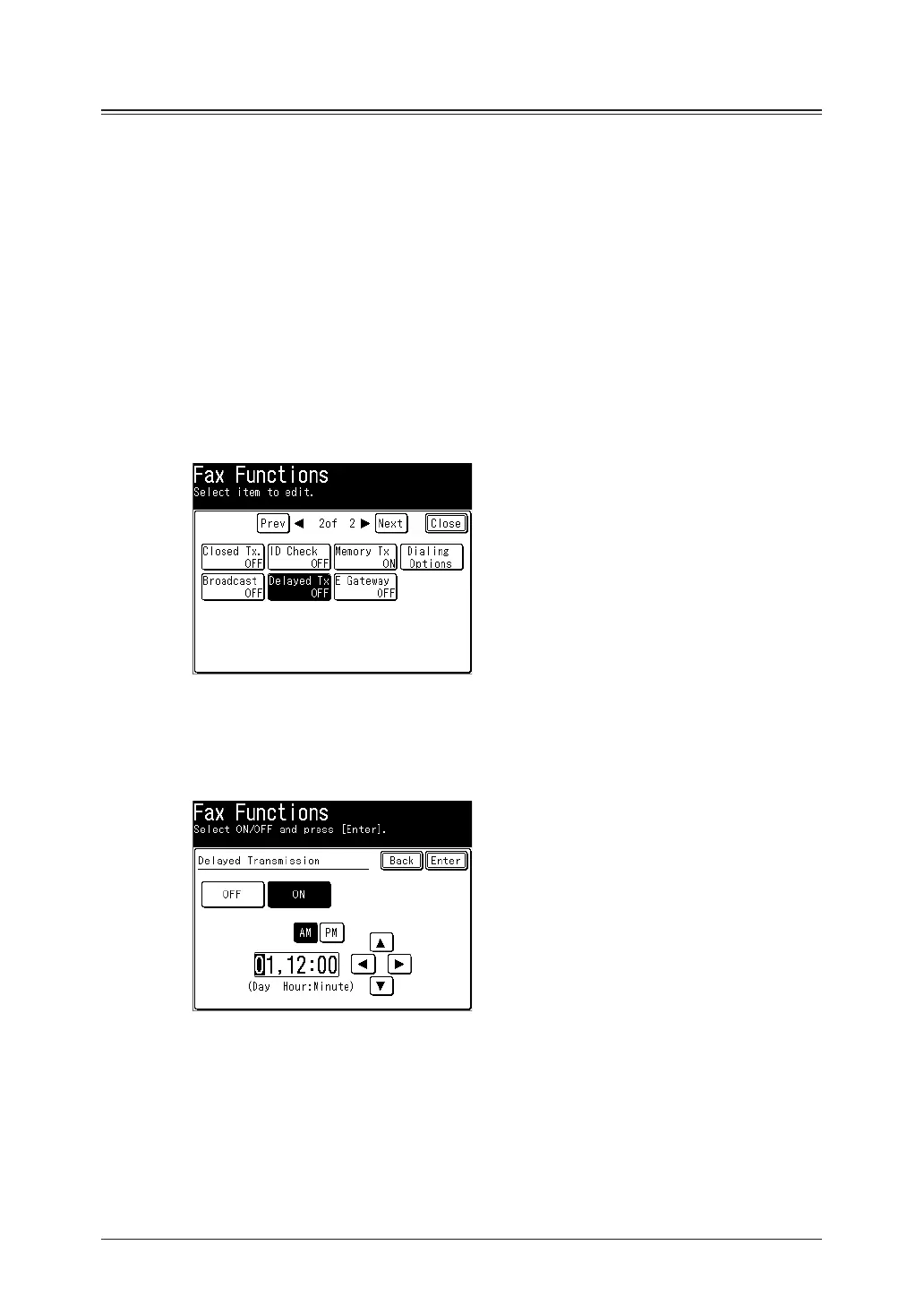
Press [Delayed Tx].
4
Select [ON].
Select [OFF] to deselect the setting.
5
Enter the transmission date and time, and press [Enter].
•Press [PM] or [AM] and enter the time in 12 hour format.
•You can use [
], [
], [
], [
], and numeric keys.
6
Press [Close].
7
Specify the destinations, then press <Start>.
For details on specifying the destinations, see “Specifying destinations” (page 5-2).



 To Next Page