7-28 Initial setup (User Install)
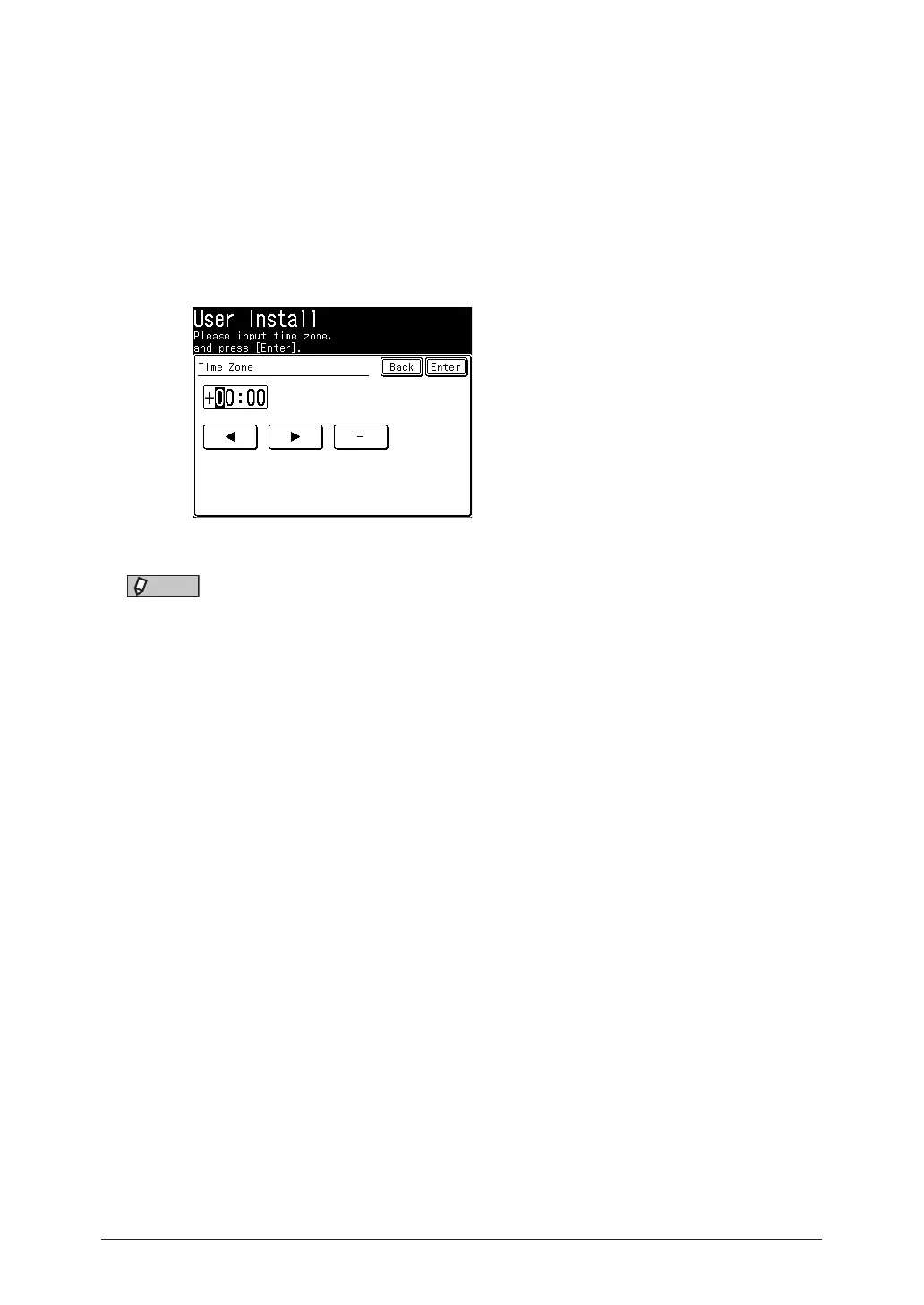
Time zone
“Time zones” refer to the difference in time (from– 12 hours to + 13 hours) between
countries from the Greenwich Observatory in England, which is taken to be standard
time, and to regions that use the same difference.
1
Open the user install screen (page 7-23).
2
Press [Time Zone].
3
Enter your time zone, and press [Enter].
Change the “–” and “+”, by pressing [–] or [+].
NOTE
Example of Time Zone:
•(GMT –11:00) Midway Island
•(GMT –10:00) Hawaii
•(GMT –09:00) Alaska
•(GMT –08:00) Pacific Time (US & Canada)
•(GMT –07:00) Mountain Time (US & Canada)
•(GMT –06:00) Central Time (US & Canada)
•(GMT –05:00) Eastern Time (US & Canada)
•(GMT –04:00) Atlantic Time (Canada)
•(GMT –03:30) Newfoundland
•(GMT) Greenwich Mean Time: Dublin, Edinburgh, Lisbon, London
•(GMT +01:00) Amsterdam, Berlin, Bern, Rome, Stockholm, Vienna
•(GMT +01:00) Belgrade, Bratislava, Budapest, Ljubljana, Prague
•(GMT +01:00) Brussels, Copenhagen, Madrid, Paris
•(GMT +09:00) Osaka, Sapporo, Tokyo, Seoul
•(GMT +10:00) Guam
Setting caller ID
Set this mode to ON to display the caller number (Caller ID) on the display while the
machine is being called. This is an optional service provided by your telephone company.
Consult your telephone company for the service details.
1
Open the user install screen (page 7-23).
2
Press [Caller ID].
3
Select [ON] or [OFF], and press [Enter].



 To Next Page