1
2
3
4
Advanced fax functions
Security fax functions 4-29
PIN masking
To prevent unauthorized long-distance calls, some PBX (private branch exchanger)
systems require a PIN (personal identification number) entry when dialing a number.
Your machine’s PIN masking feature helps you keep that PIN private.
With PIN masking activated, you can dial a number plus a PIN, but the PIN will not
appear in the journal, error message printout, delayed command list or transmission
report. The PIN may contain up to eight characters including the * or # symbols. You can
enter them from the numeric keys.
There are three possible PIN masking settings:
Off: Deactivates PIN masking. Any PIN you enter will appear on the display and/or
printouts which show the number you dial.
Mode 1: Each remote fax machine has a PIN access code per department.
Mode 2: Each fax user has a PIN access code per department.
Activating the PIN mask
1
Press [Setting] on My MFP Menu screen.
If My MFP Menu screen is not displayed, press <Mode> repeatedly until My MFP menu
screen is displayed.
2
Press [Management].
If an administrator password is set, enter the password and press [Enter].
3
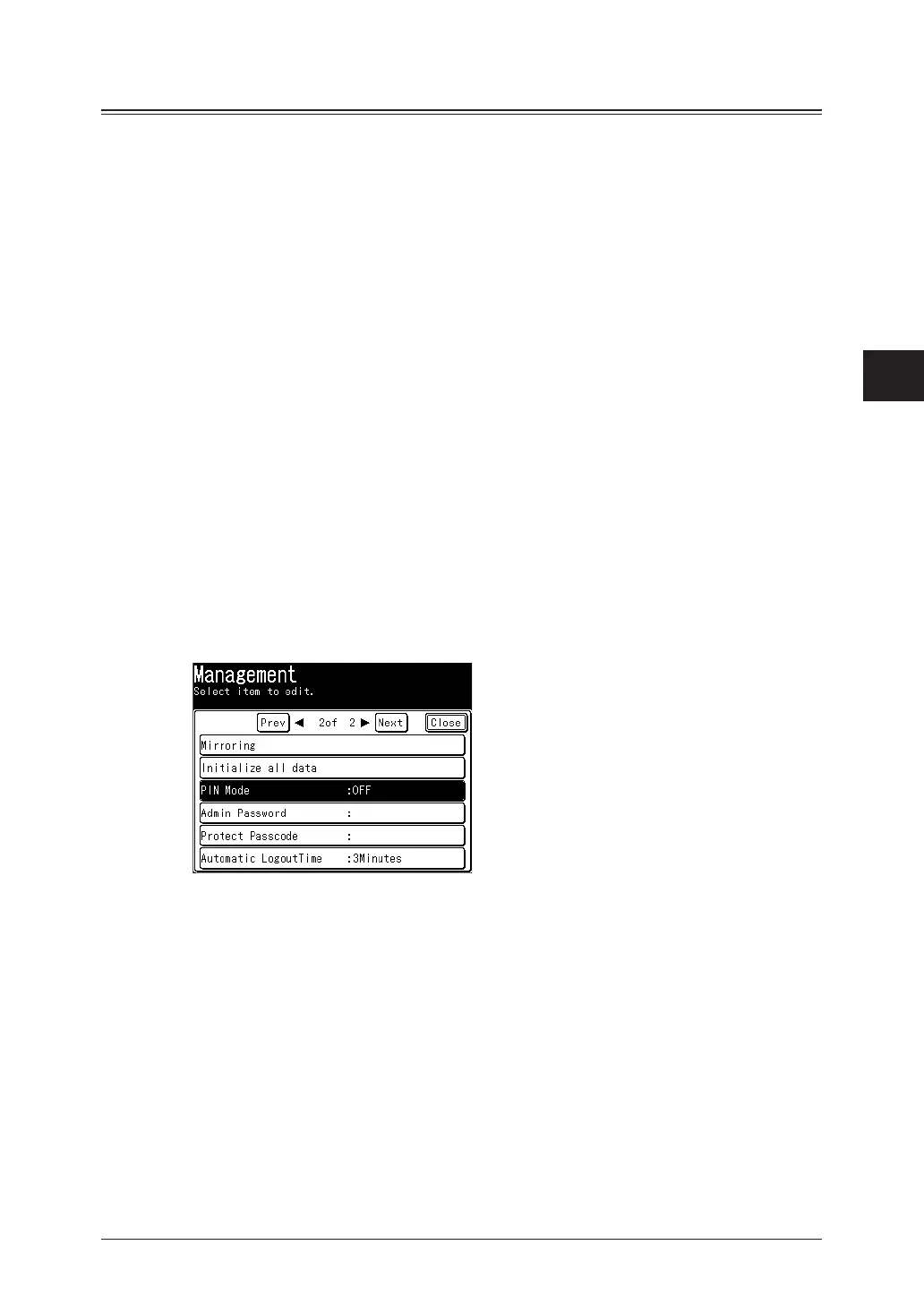
Press [PIN Mode].
4
Press [Mode1] or [Mode2], and press [Enter].
Press [OFF] to deselect the setting.



 To Next Page